
Features of longbook
Every feature of longbook for iPhone and Mac, each on its own page.
Track
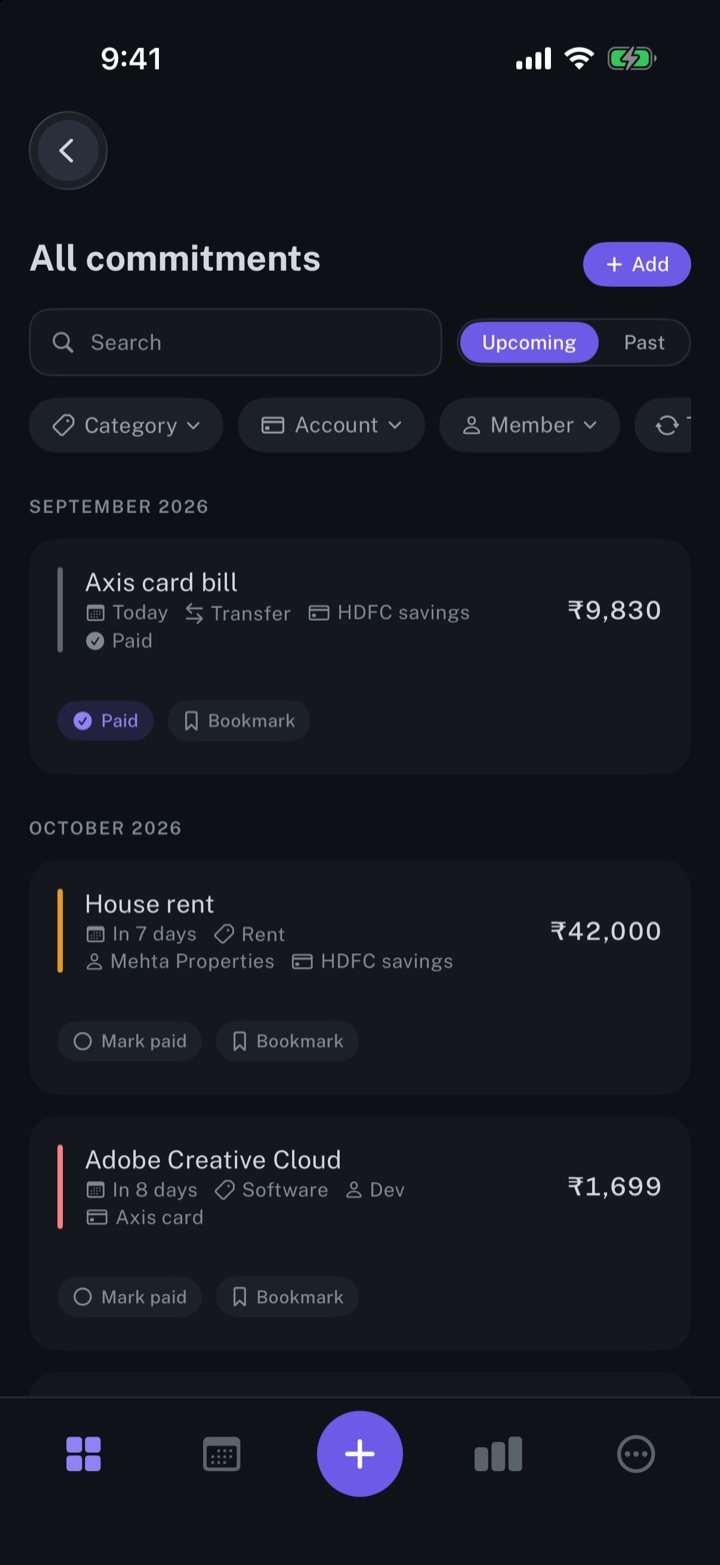
Manage your subscriptions
Every subscription, bill and repayment in one list, with the next charge in view.
iPhone and Mac
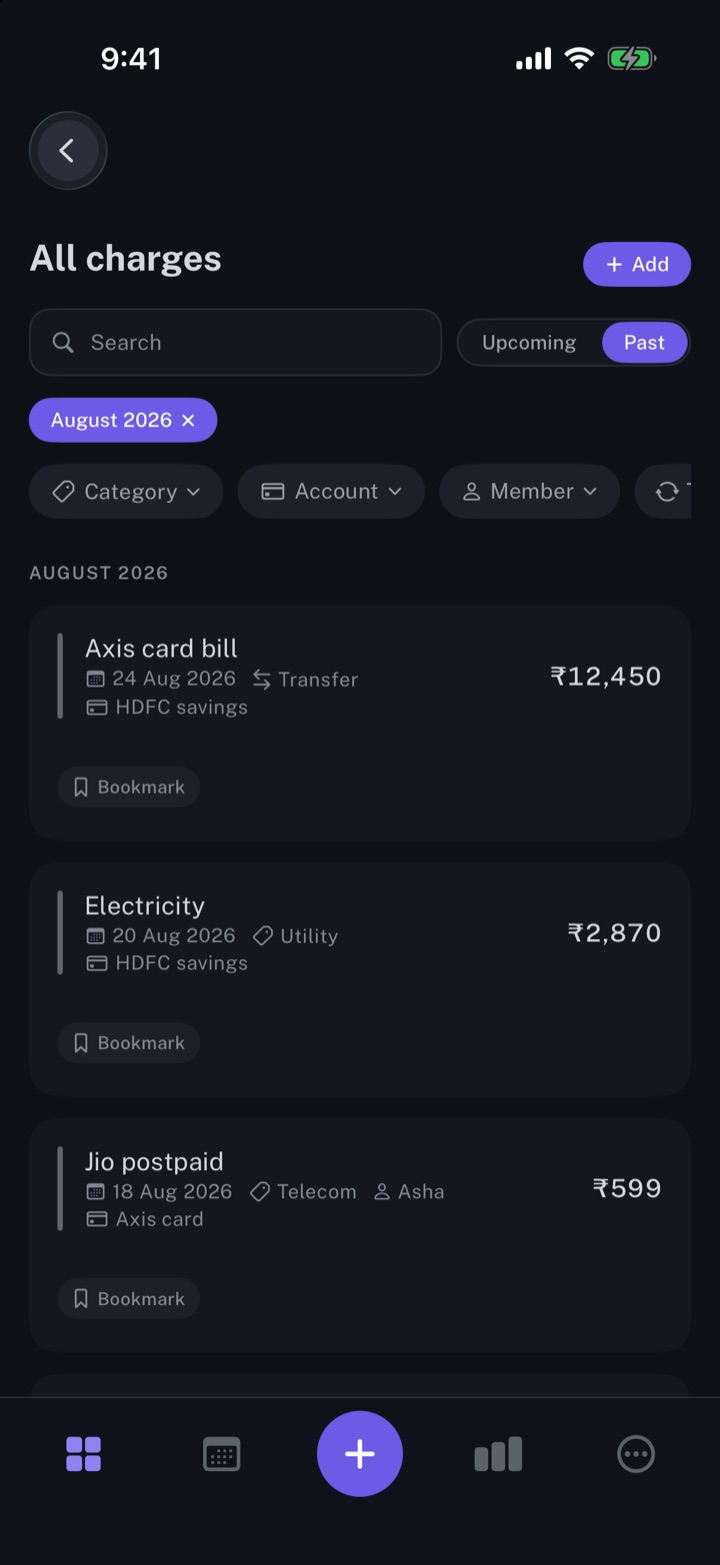
Manage your expenses
Every charge in one list, one-time or recurring, with its date, category and account.
iPhone and Mac
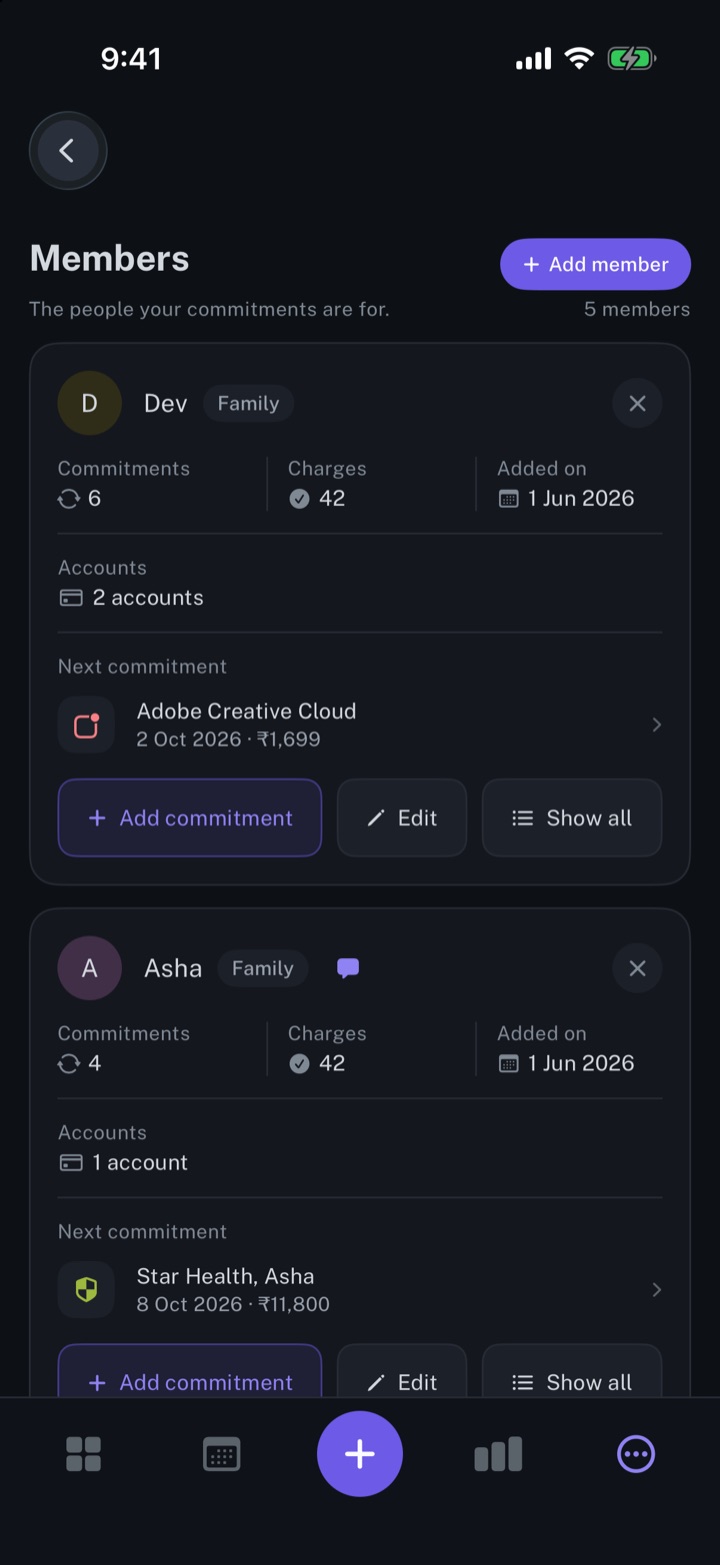
Add your accounts and members
The people your commitments are for, and the accounts that pay them.
iPhone and Mac
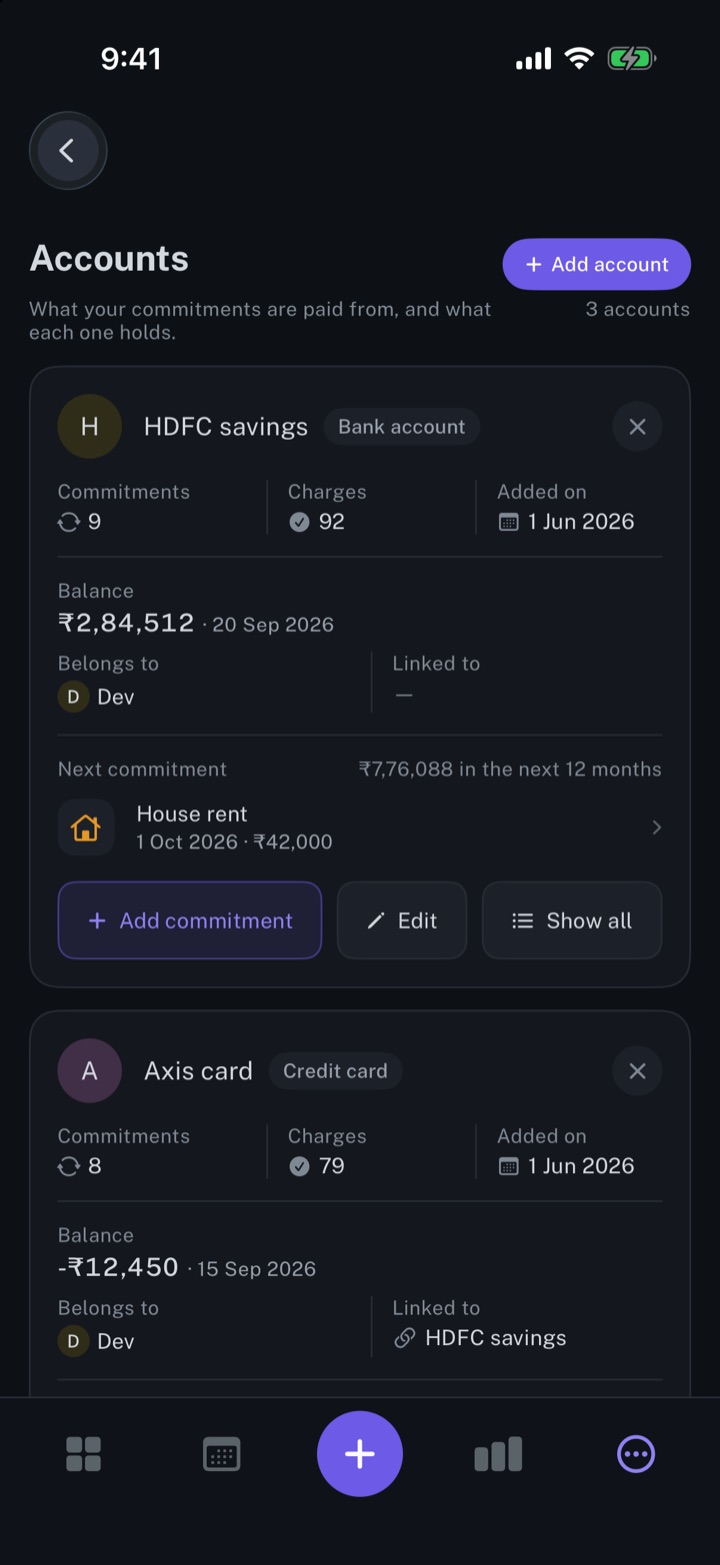
View expenses from multiple bank accounts
Every bank account and card with its balance, the commitments it pays and its next charge.
iPhone and Mac
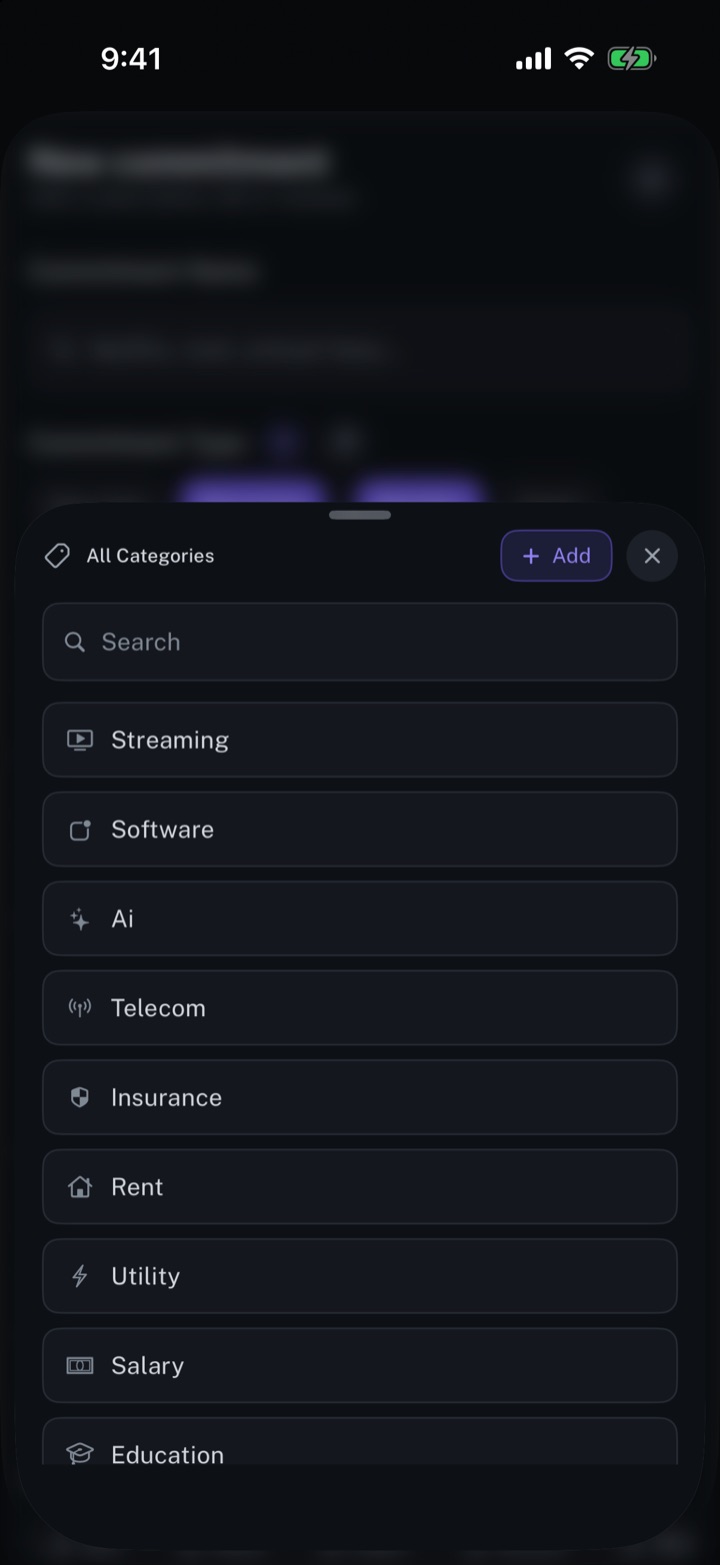
Categorise your expenses
One category per commitment, and each month's spending totalled by category.
iPhone and Mac
Bookmark your favourite subscriptions
Save the commitments you check most and open them as one short list.
iPhone and Mac
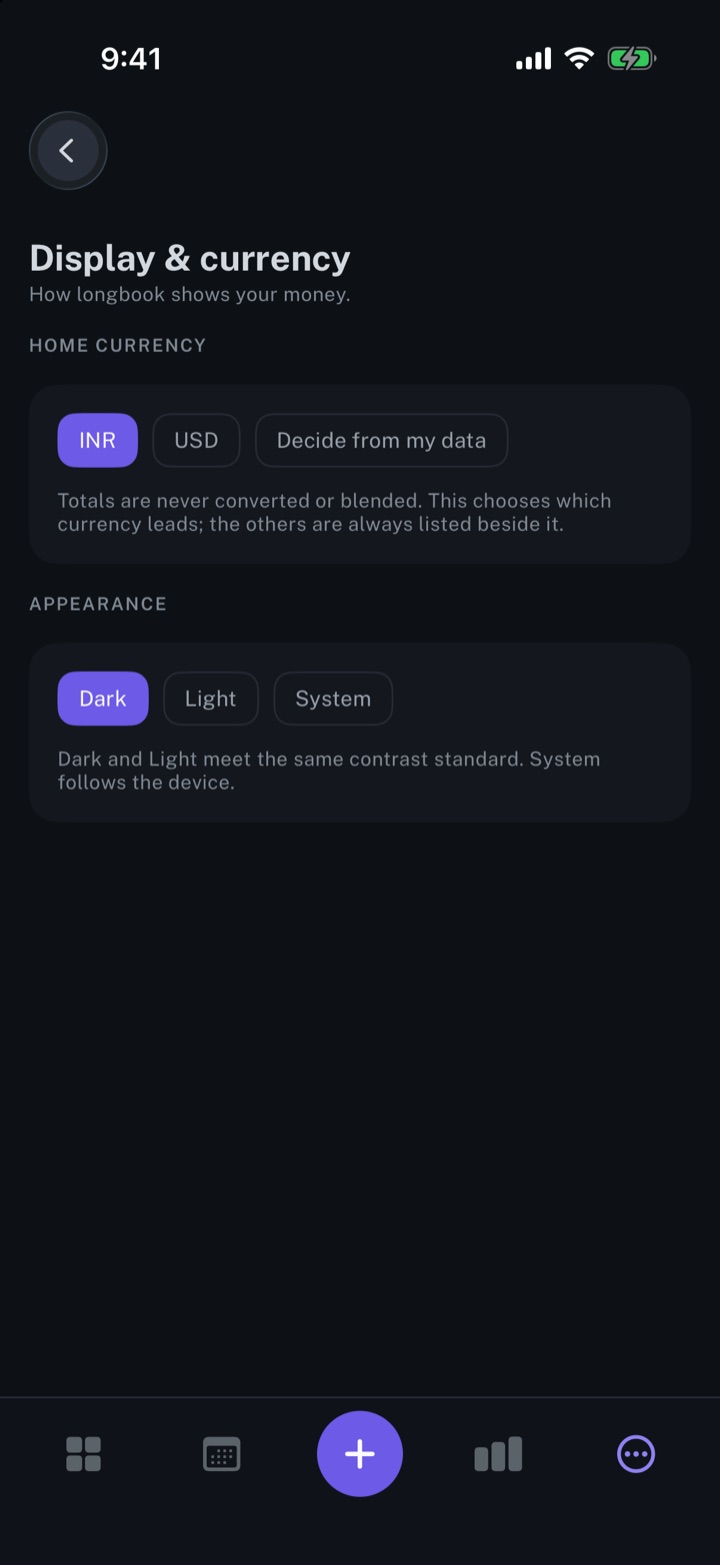
Track more than one currency
Every amount in its own currency, and each currency totalled on its own, never converted.
iPhone and Mac
Understand
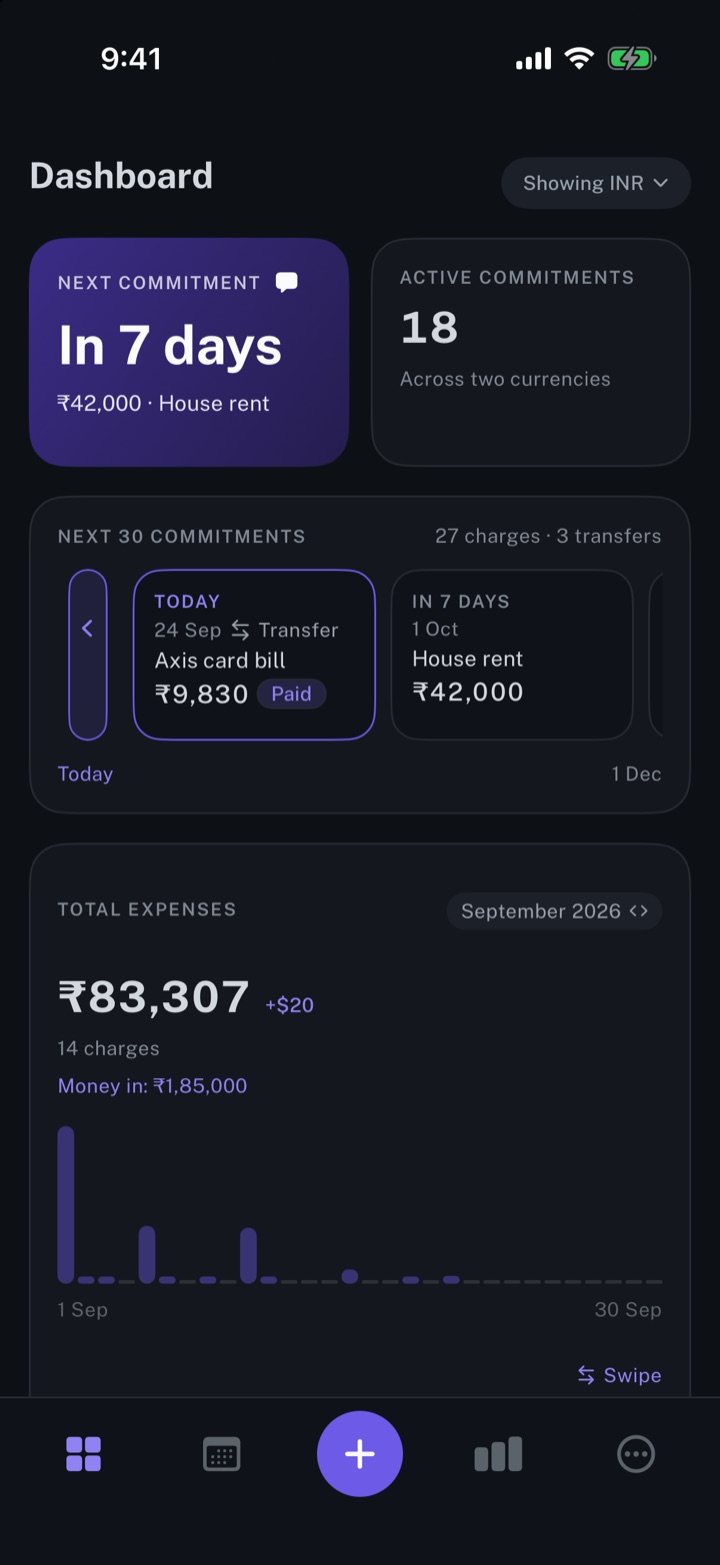
Get spending insights
The next payment, the month's total expenses, and the split by account and by category.
iPhone and Mac
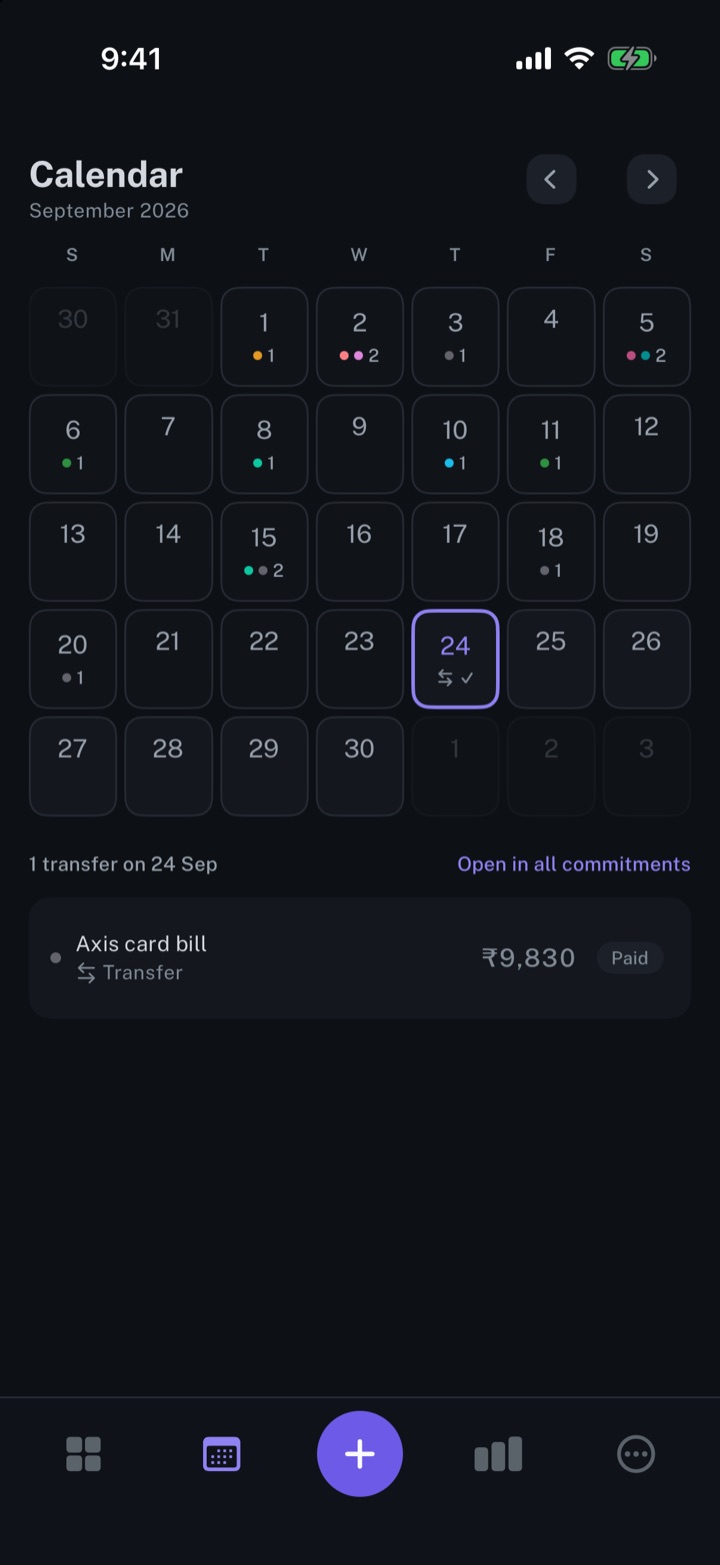
Calendar view of your expenses
Every payment on its day, twelve months back and twelve months ahead.
iPhone and Mac
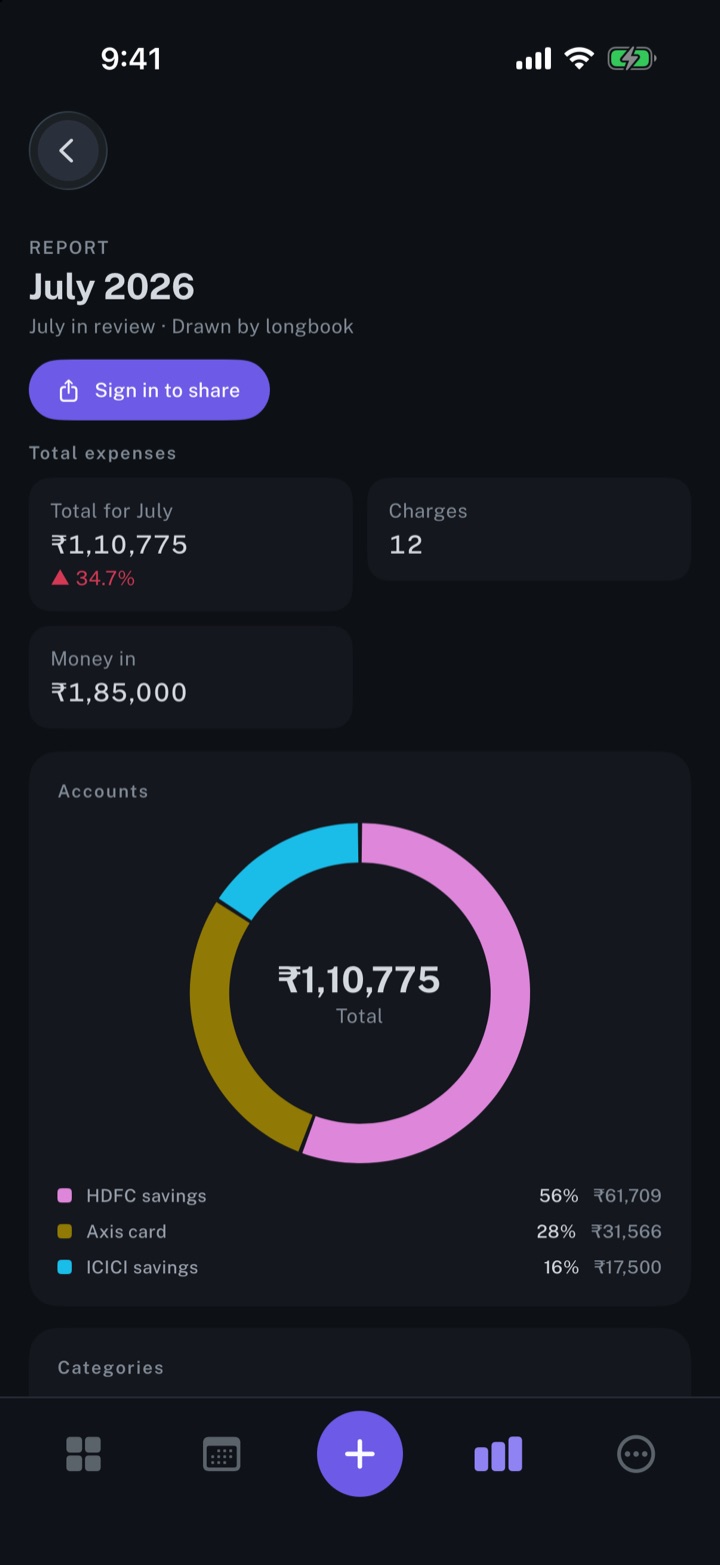
Create monthly expense reports
A report for every month with a confirmed charge: the total, accounts, categories and every charge.
iPhone and Mac
Share monthly expense reports with others
A monthly report as a password-protected link, with comments that come back into the report.
iPhone and Mac
Import
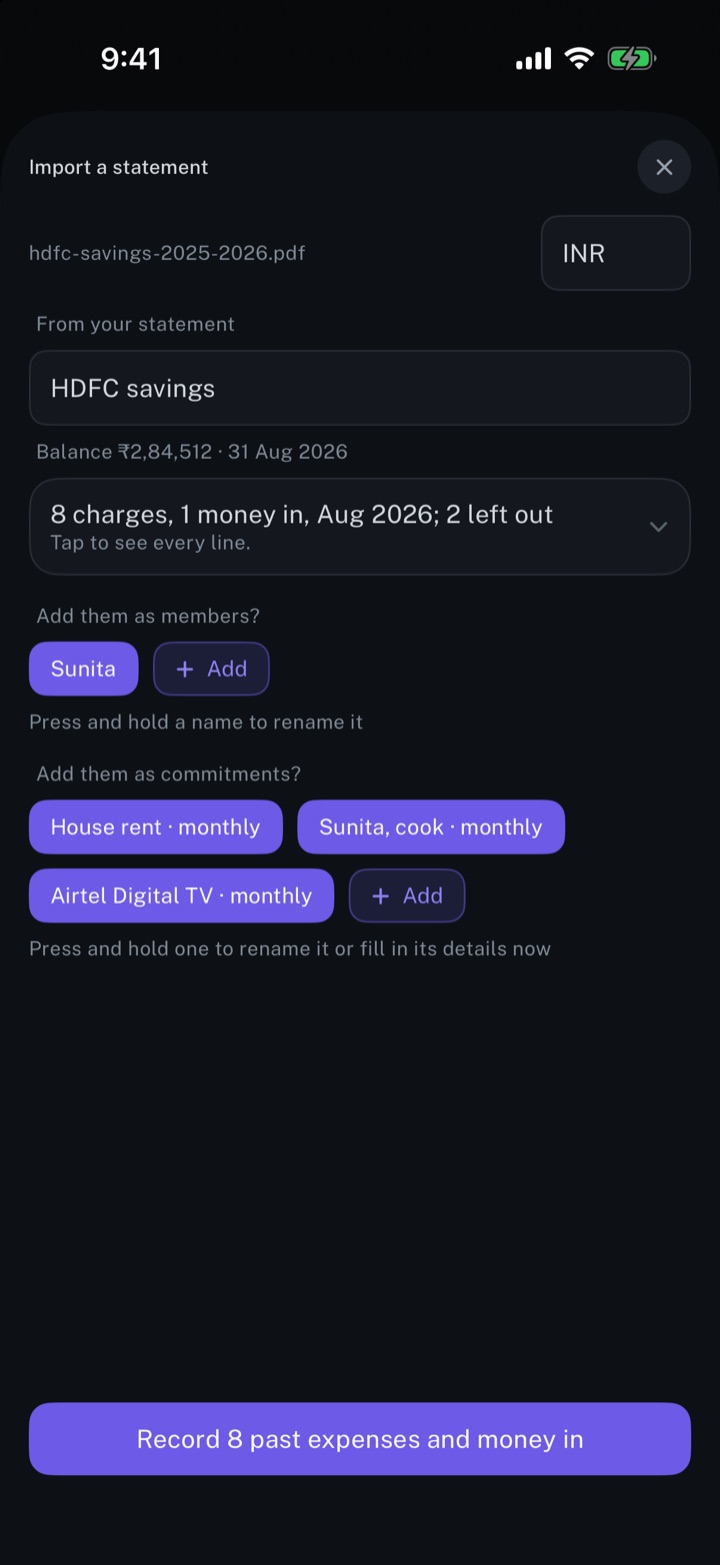
Automations & AI
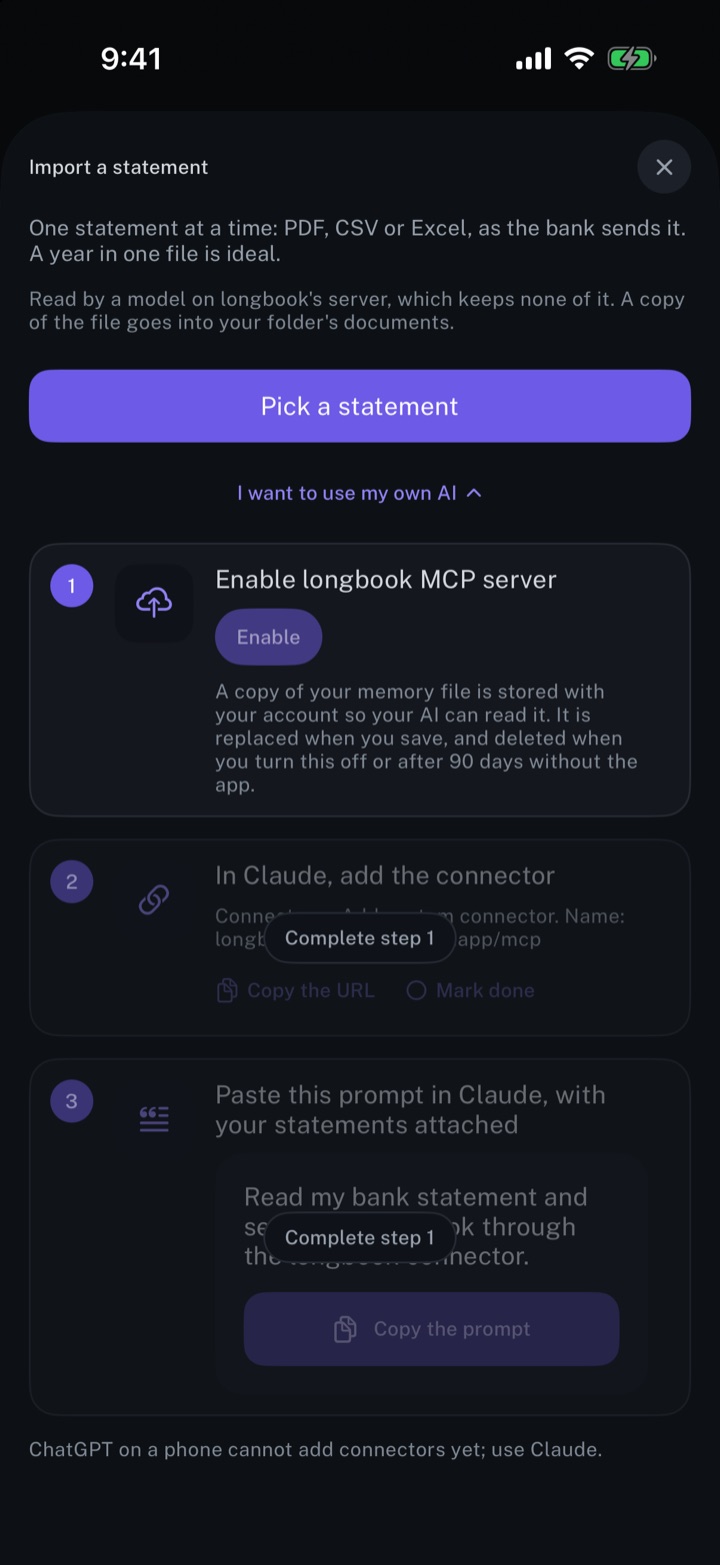
Automate longbook with Claude
Claude reads your longbook and keeps it up to date through longbook's MCP server.
iPhone and Mac
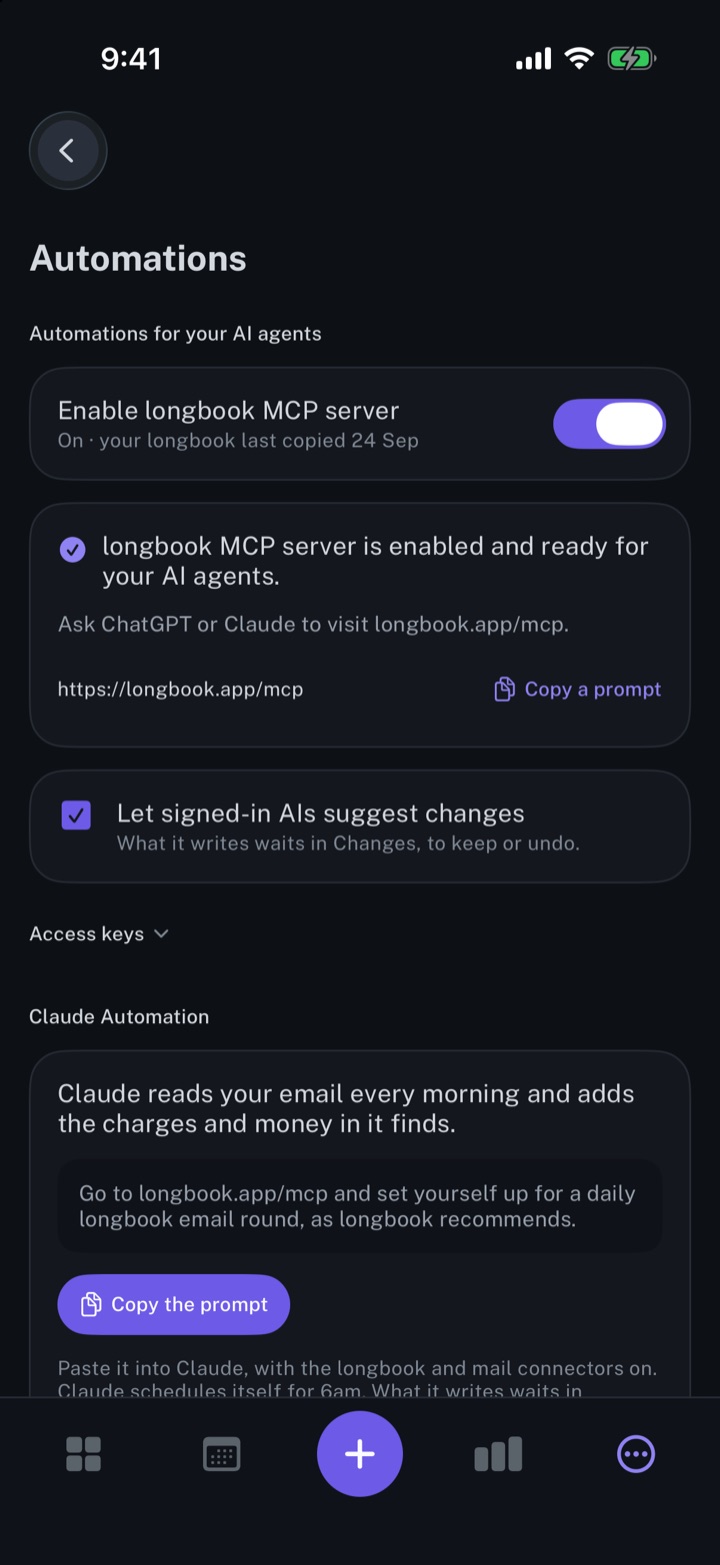
Automate longbook with Siri and Shortcuts
Siri adds expenses and commitments by voice; a Shortcuts action records charges from a bank's messages.
iPhone and Mac
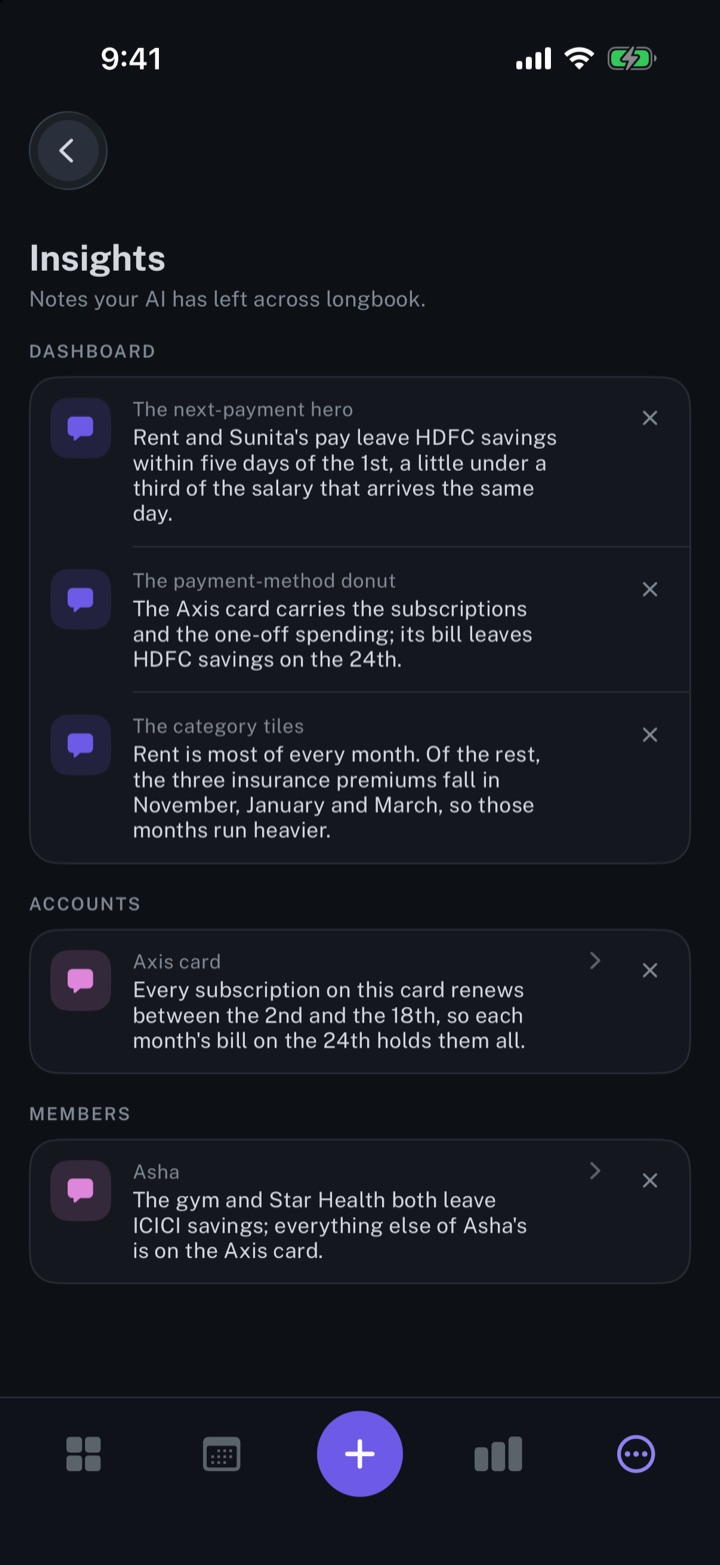
Get insights about your expenses from your AI
Short notes from your AI, shown beside the dashboard, account or member card each one is about.
iPhone and Mac
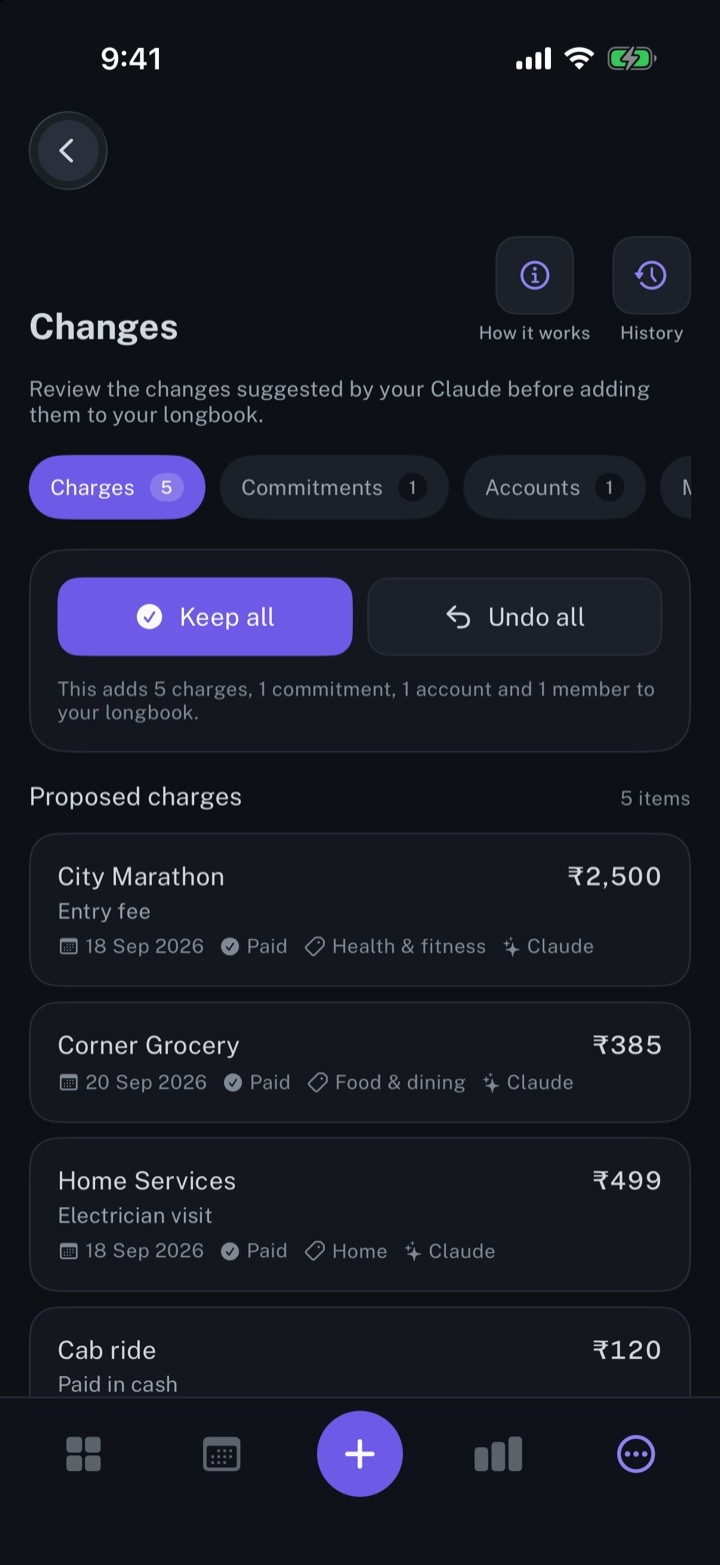
Review every change your AI makes
Every row your AI, Siri or an import writes shows in Changes, to keep, edit or undo.
iPhone and Mac

Use your longbook in any AI app on your computer
One command lets Cursor, VS Code, Claude Code and other AI apps on your computer read your longbook, free and private.
Mac
iPhone and Mac
Add the longbook widget to your iPhone
The next payment on your iPhone Home Screen: the day it is due, the amount and what it is for.
iPhone
See your next payment in the Mac menu bar
The next payment and how many days away it is, in the Mac menu bar, even with every window closed.
Mac
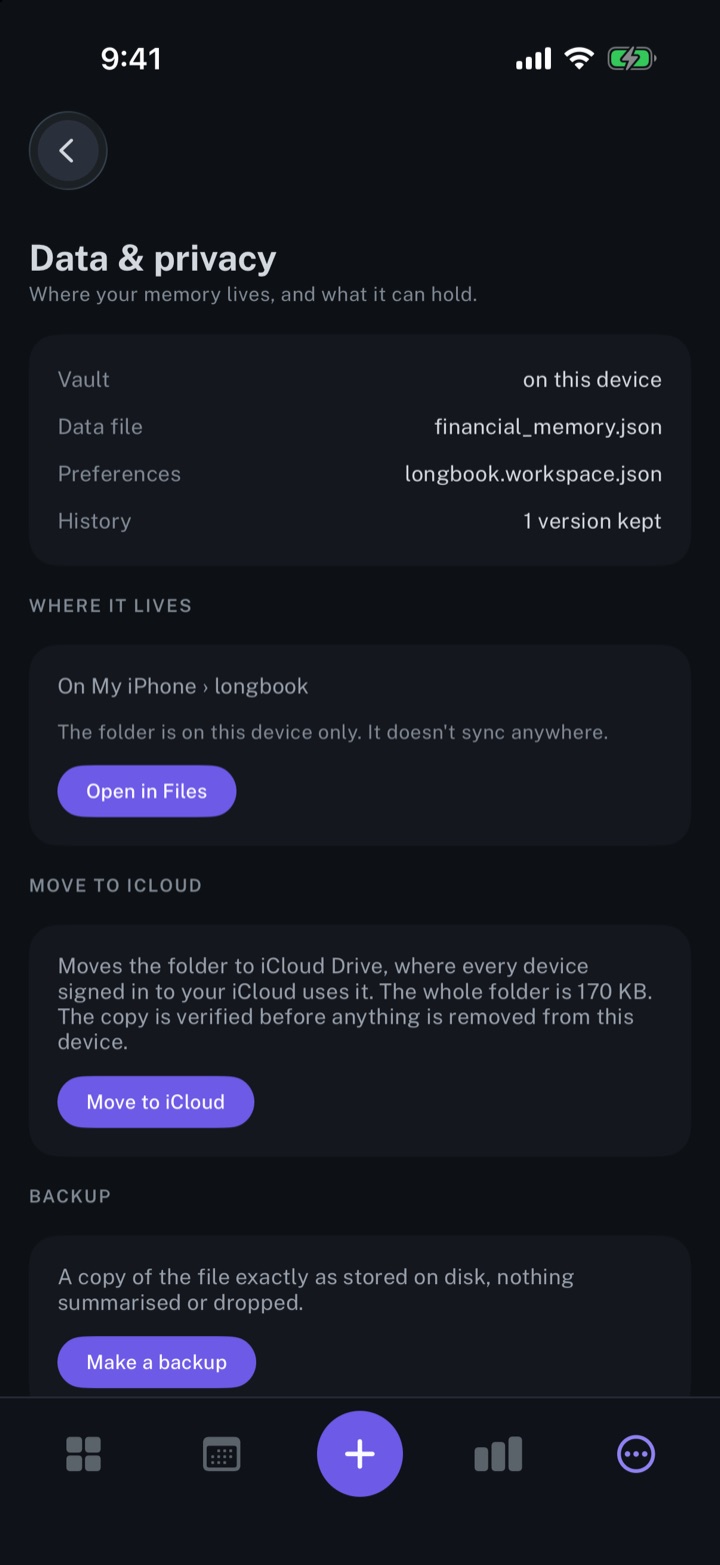
Keep your longbook in your own iCloud
Plain JSON files in a longbook folder in your own iCloud Drive, synced by Apple to your iPhone and Mac.
iPhone and Mac
What is longbook Cloud
An optional subscription, $4 a month through Apple, for the features that use longbook's server.
iPhone and Mac
About longbook
longbook is a memory for your financial commitments: subscriptions, insurance, rent, loans and every other payment that comes back. It runs on iPhone and Mac and keeps its records as plain files in your own iCloud.
The next payment stays in view on the iPhone widget and in the Mac menu bar. Your AI can read your longbook and update it through longbook's MCP server, and every change it makes shows in Changes, to keep or undo.