
iPhone and Mac
See your next payment in the Mac menu bar
The next payment in the Mac menu bar: the amount due and how many days away it is, even with every window closed.
longbook for Mac
What it does
The next payment at a glance
The menu bar shows the total due on the next payment day and how far away it is: Today, Tomorrow or a count of days. Totals are per currency and never converted. Paused and cancelled commitments, charges marked paid, and money in are left out.
Every payment that day
The menu names each commitment due that day after the total, and lists a transfer, such as a card bill, separately with its own amount. Open longbook brings back the window, Refresh reads the folder again, and Quit longbook closes the app.
Read from the folder
The menu bar item reads the longbook folder itself, even with every window closed. It reads the folder again when the day changes, when the Mac wakes from sleep, when the app loads a change, and each time the menu opens.
Why it exists
longbook reminds you of the next payment from the Mac menu bar. It stays there while the app runs, in view until it is marked paid or its day has passed.
Questions
Does the menu bar item need a window open?+
No. It stays in the menu bar with every longbook window closed, as long as the app is running. longbook does not start itself at login, and Quit longbook removes the item.
Is there a widget for the Mac?+
No. On a Mac, the next payment is in the menu bar. The Home Screen widget is for iPhone.
Can the figure be out of date?+
Only between reads, and the menu reads the folder again each time it opens. When the folder cannot be read, for example while iCloud is still downloading it, longbook uses the copy it kept when it last loaded the folder, and the line in the menu is marked from the last copy.
Related features
Add the longbook widget to your iPhone
The next payment on your iPhone Home Screen: the day it is due, the amount and what it is for.
iPhone
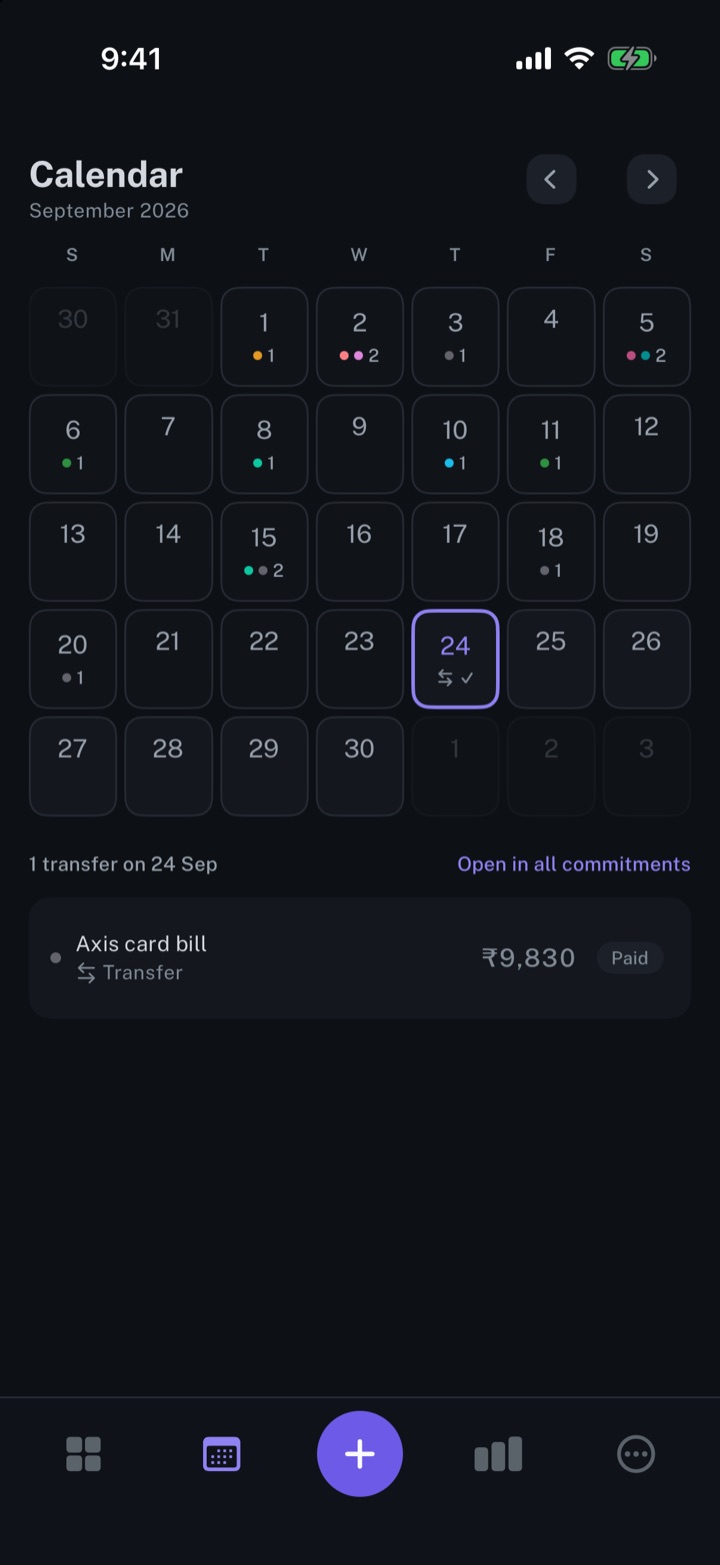
Calendar view of your expenses
Every payment on its day, twelve months back and twelve months ahead.
iPhone and Mac
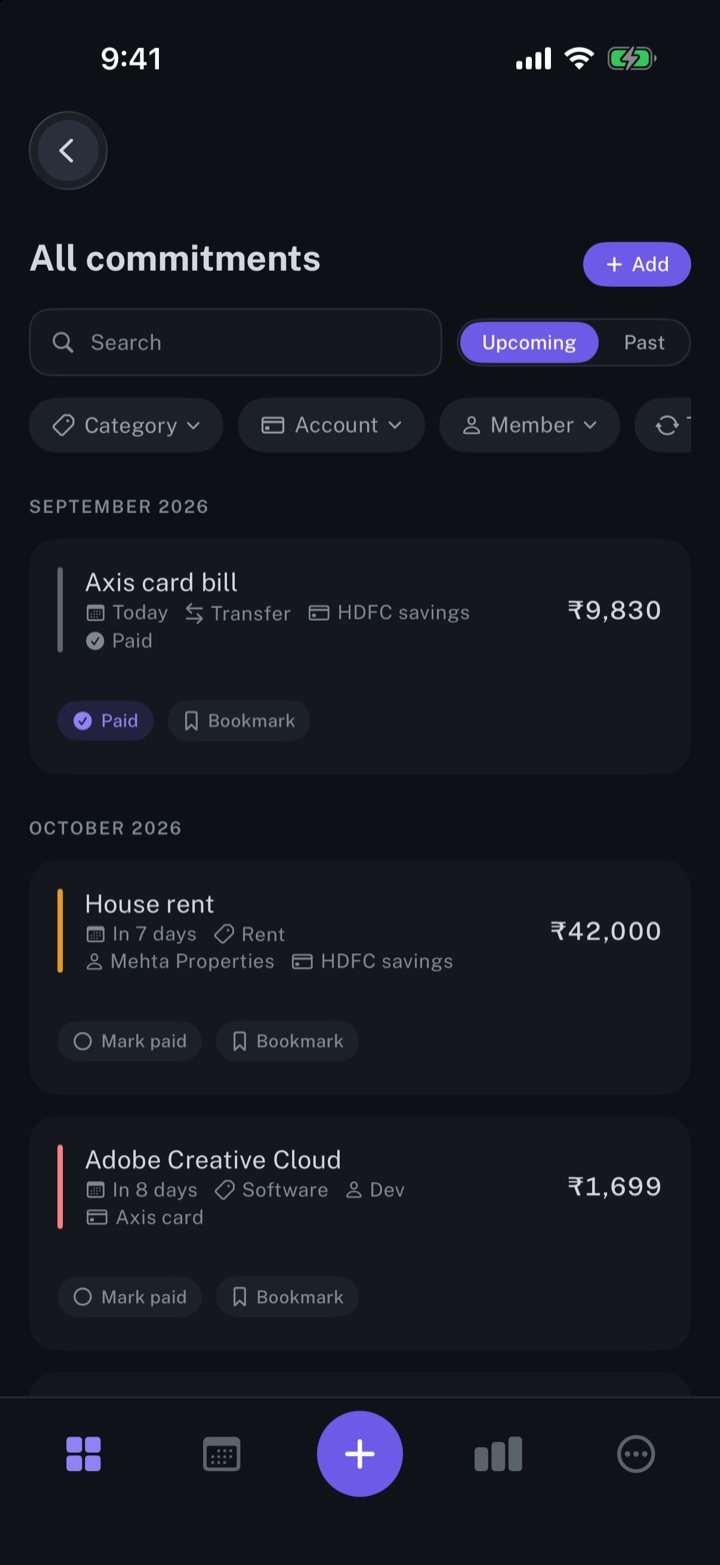
Manage your subscriptions
Every subscription, bill and repayment in one list, with the next charge in view.
iPhone and Mac
About longbook
longbook is a memory for your financial commitments: subscriptions, insurance, rent, loans and every other payment that comes back. It runs on iPhone and Mac and keeps its records as plain files in your own iCloud.
The next payment stays in view on the iPhone widget and in the Mac menu bar. Your AI can read your longbook and update it through longbook's MCP server, and every change it makes shows in Changes, to keep or undo.