
Track
Categorise your expenses
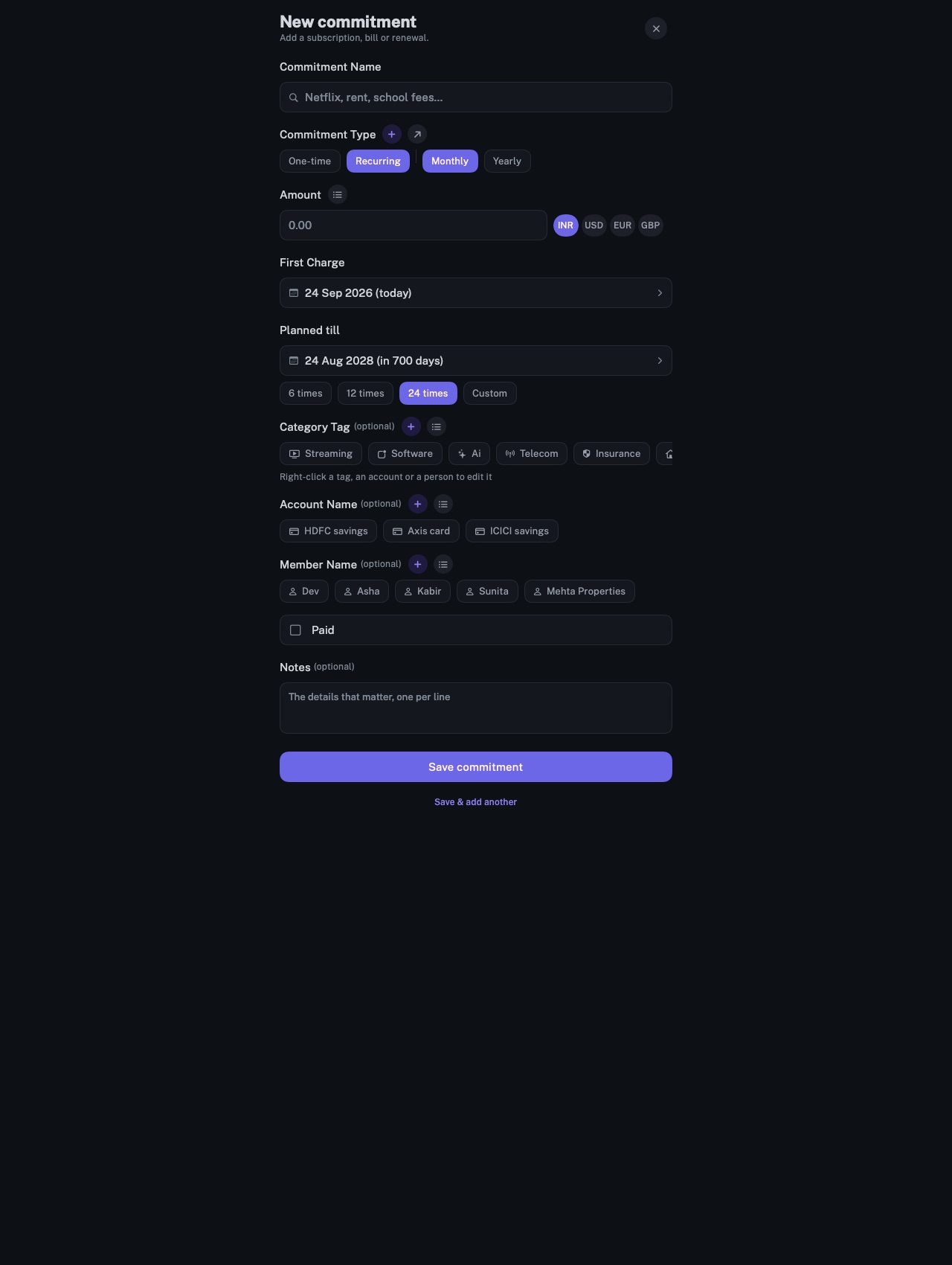
A commitment carries one category, and its charges take it. The dashboard, monthly reports and your AI total spending by category.
longbook for iPhone and Mac
What it does
One category per commitment
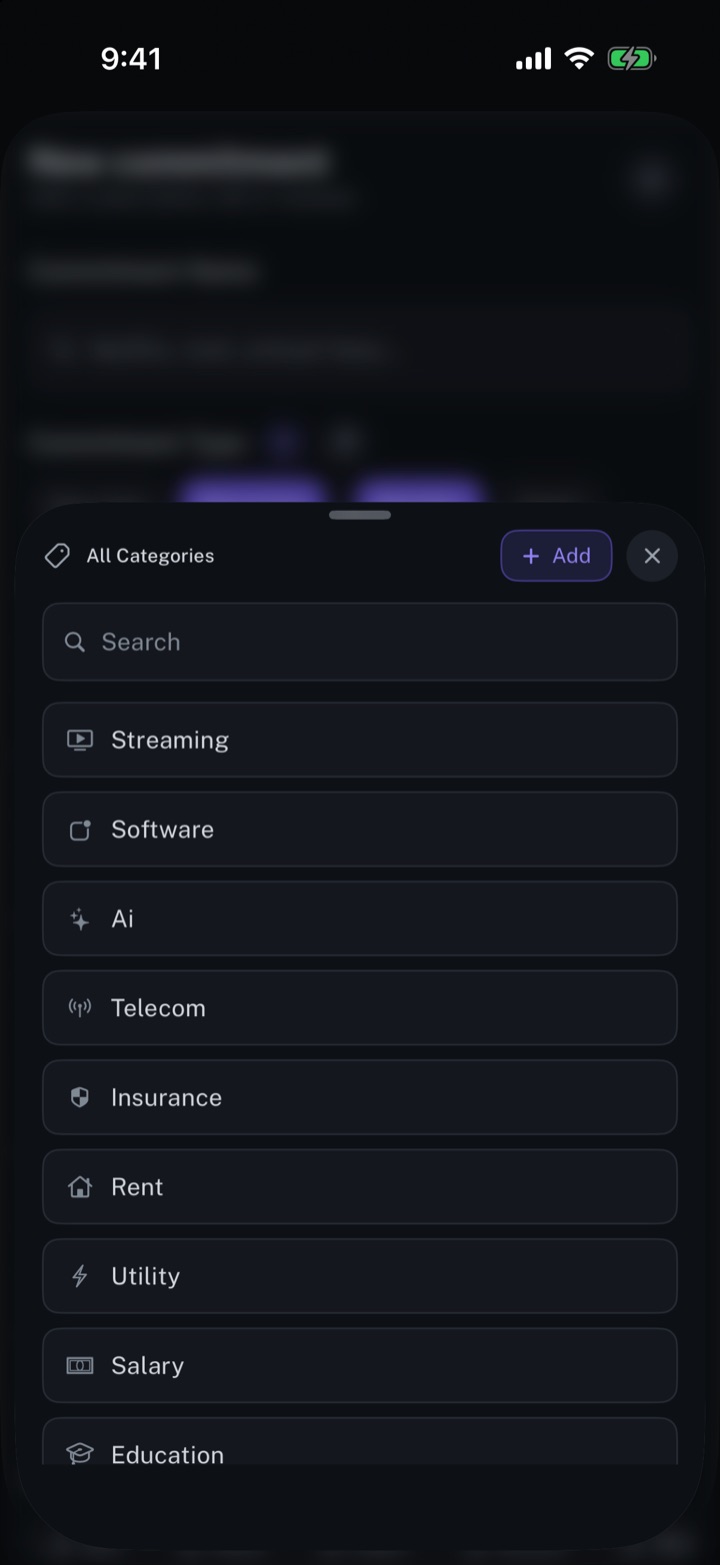
longbook comes with categories for subscriptions, streaming, rent, EMIs, insurance, salaries, utilities, education and more, each with its own icon. Any other is added by name. A category is optional.
Totals by category
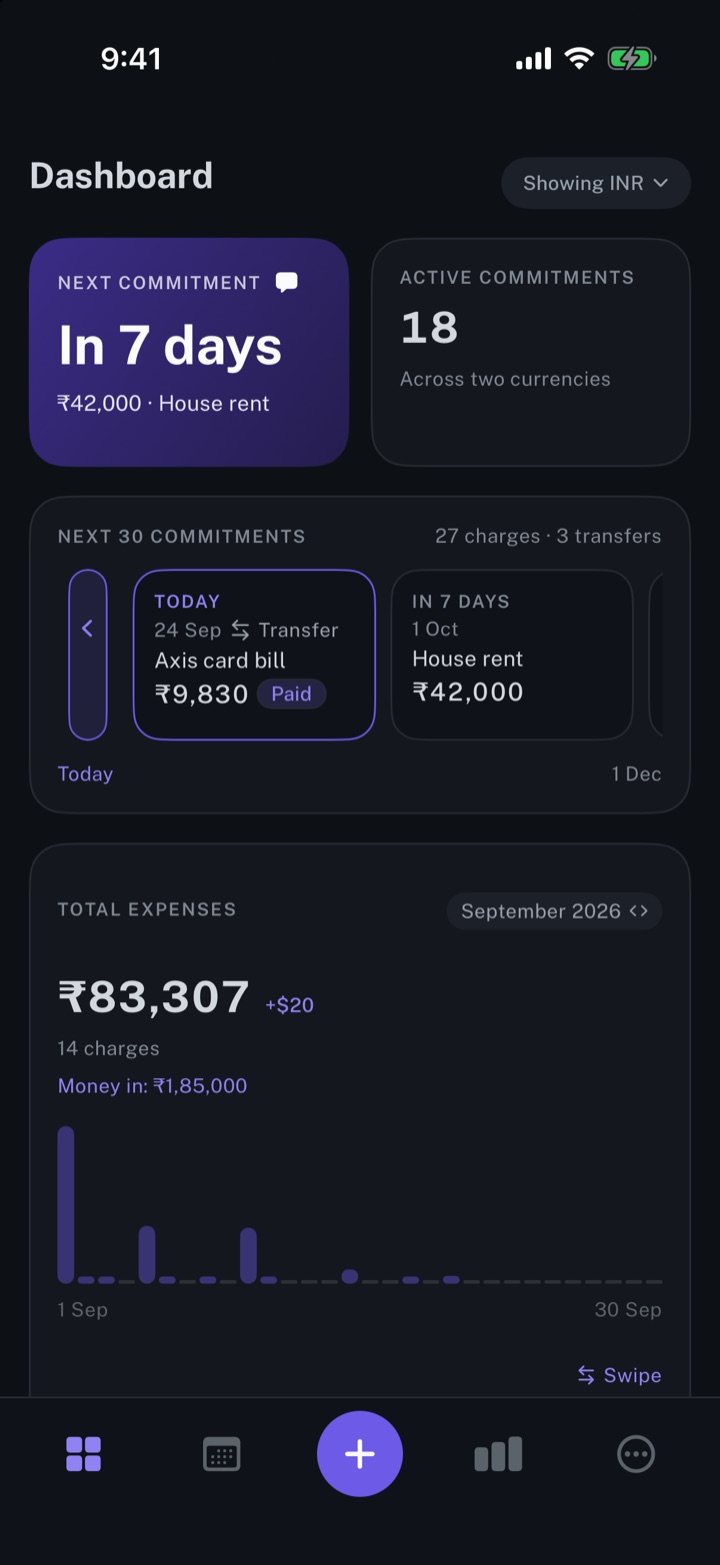
The CATEGORIES card on the dashboard totals the month by category, with each one's share, and each tile opens the list narrowed to that category and month. Monthly reports carry the same breakdown, and All charges filters by category.
One rename, every commitment
Edit Category lists every commitment in a category, and a rename updates all of them. It opens with a press and hold on a category in the commitment form, or a right-click on a Mac. A category you added can be deleted; its commitments keep their money and lose the label.
Why it exists
A total says how much went out, not where. A category on each commitment lets the dashboard, a monthly report and your AI group the same charges the same way, month after month.
Questions
Can a charge be in two categories?+
No. A commitment carries one category, and every charge takes it. Commitments without one are grouped under No category.
How are imported statement lines categorised?+
Statement import suggests a category for each line, from your categories and longbook's own, or leaves it empty. The review screen changes any of them before the lines are added.
Can my AI set categories?+
Yes. Through longbook's MCP server, your AI reads the categories in use and sets one on what it adds or updates. Each change waits in Changes.
Related features
Get spending insights
The next payment, the month's total expenses, and the split by account and by category.
iPhone and Mac
Manage your expenses
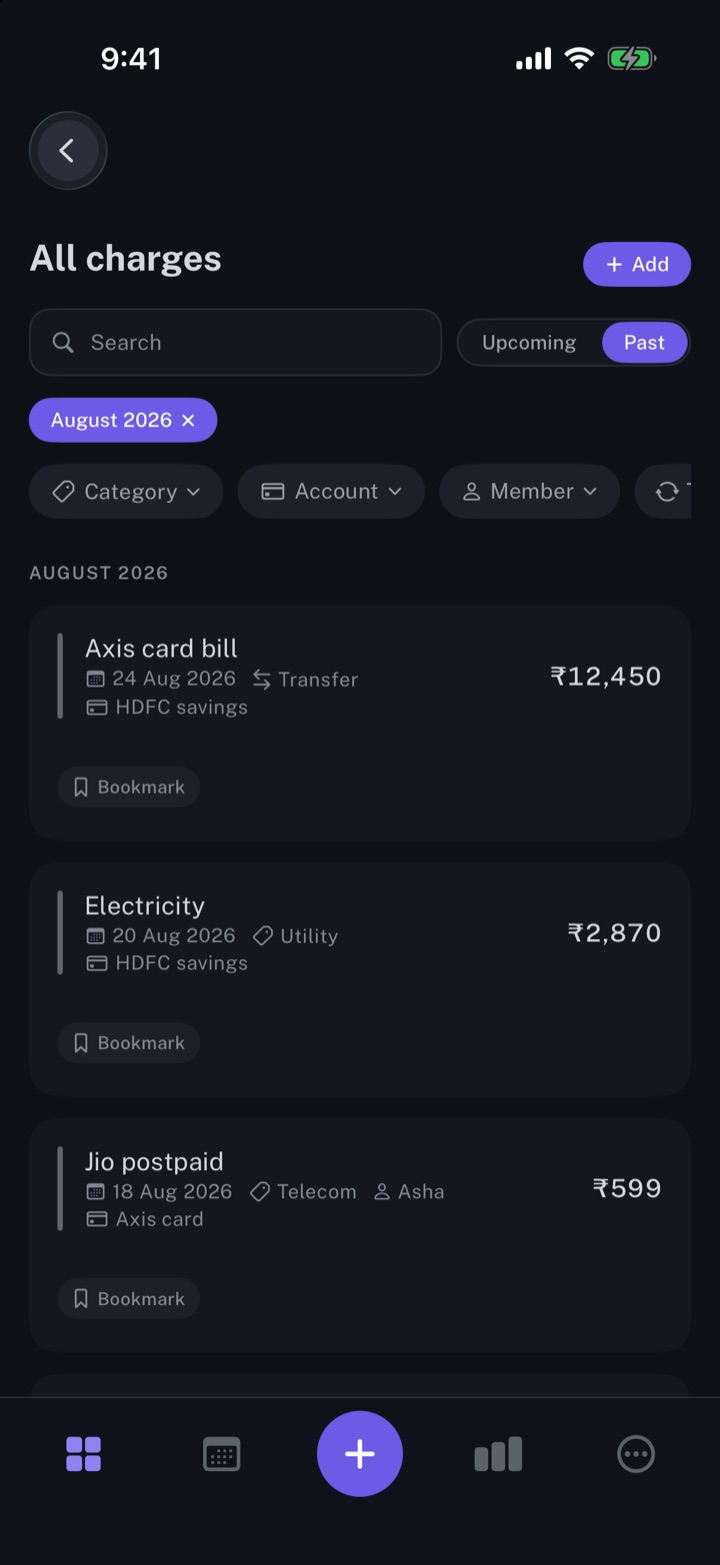
Every charge in one list, one-time or recurring, with its date, category and account.
iPhone and Mac
Create monthly expense reports
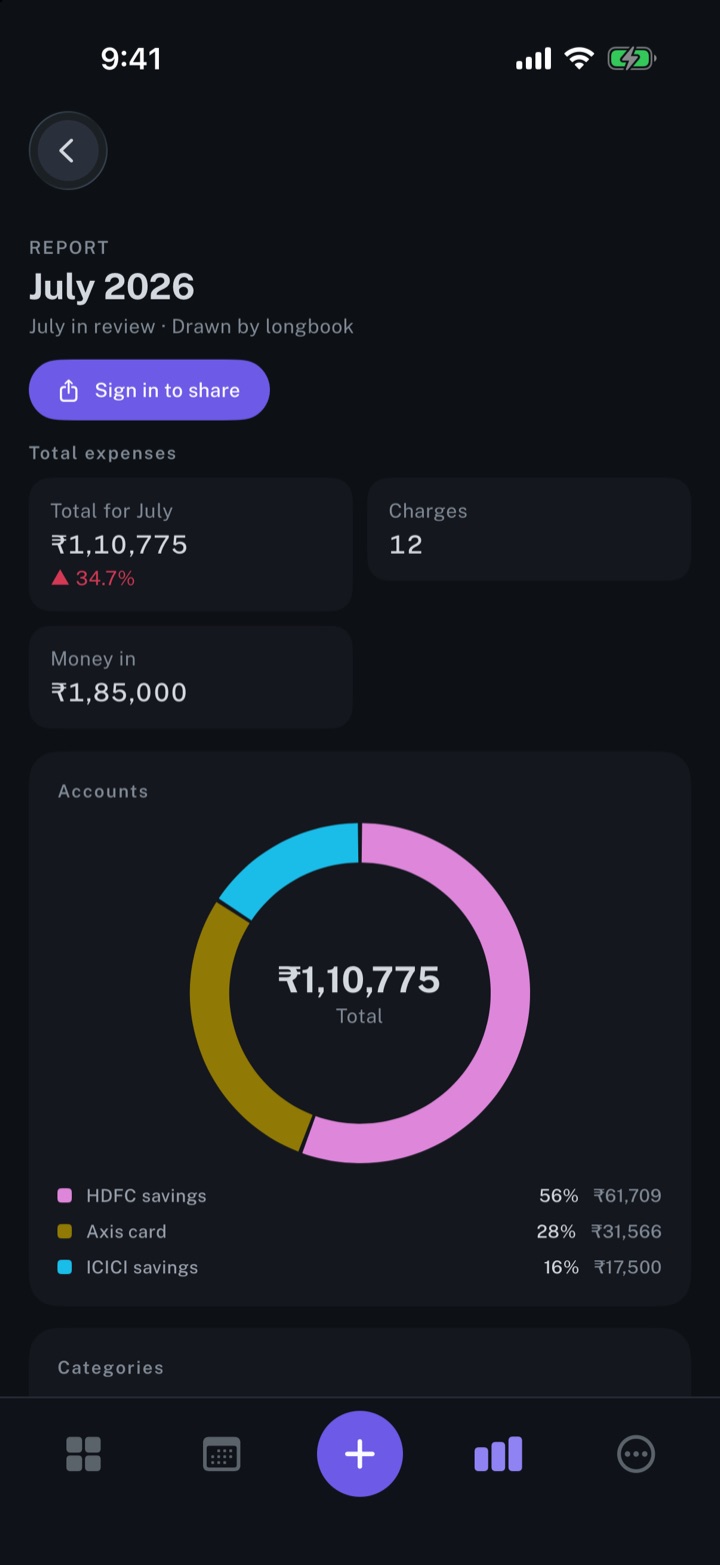
A report for every month with a confirmed charge: the total, accounts, categories and every charge.
iPhone and Mac
About longbook
longbook is a memory for your financial commitments: subscriptions, insurance, rent, loans and every other payment that comes back. It runs on iPhone and Mac and keeps its records as plain files in your own iCloud.
The next payment stays in view on the iPhone widget and in the Mac menu bar. Your AI can read your longbook and update it through longbook's MCP server, and every change it makes shows in Changes, to keep or undo.