
Track
Manage your expenses
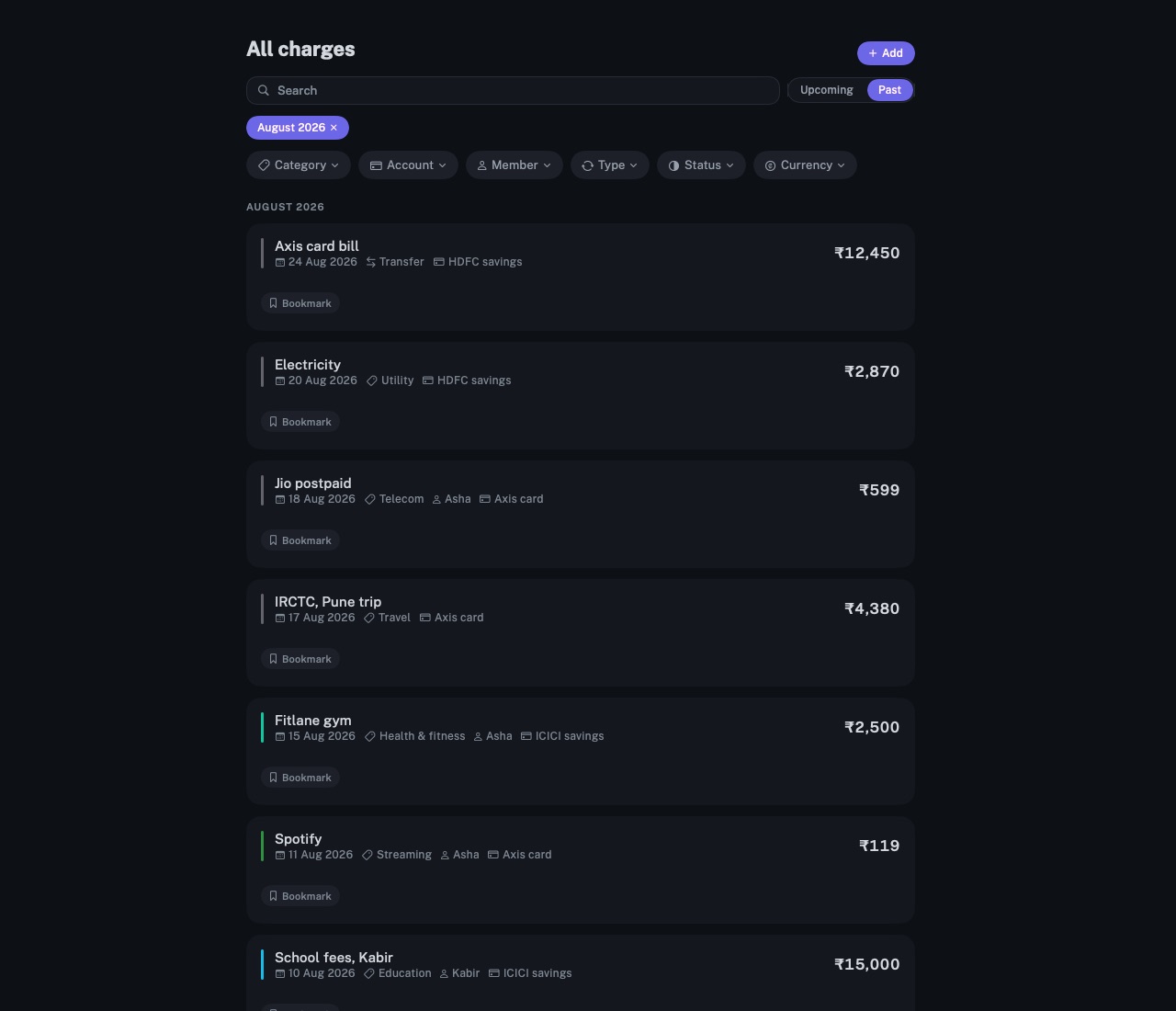
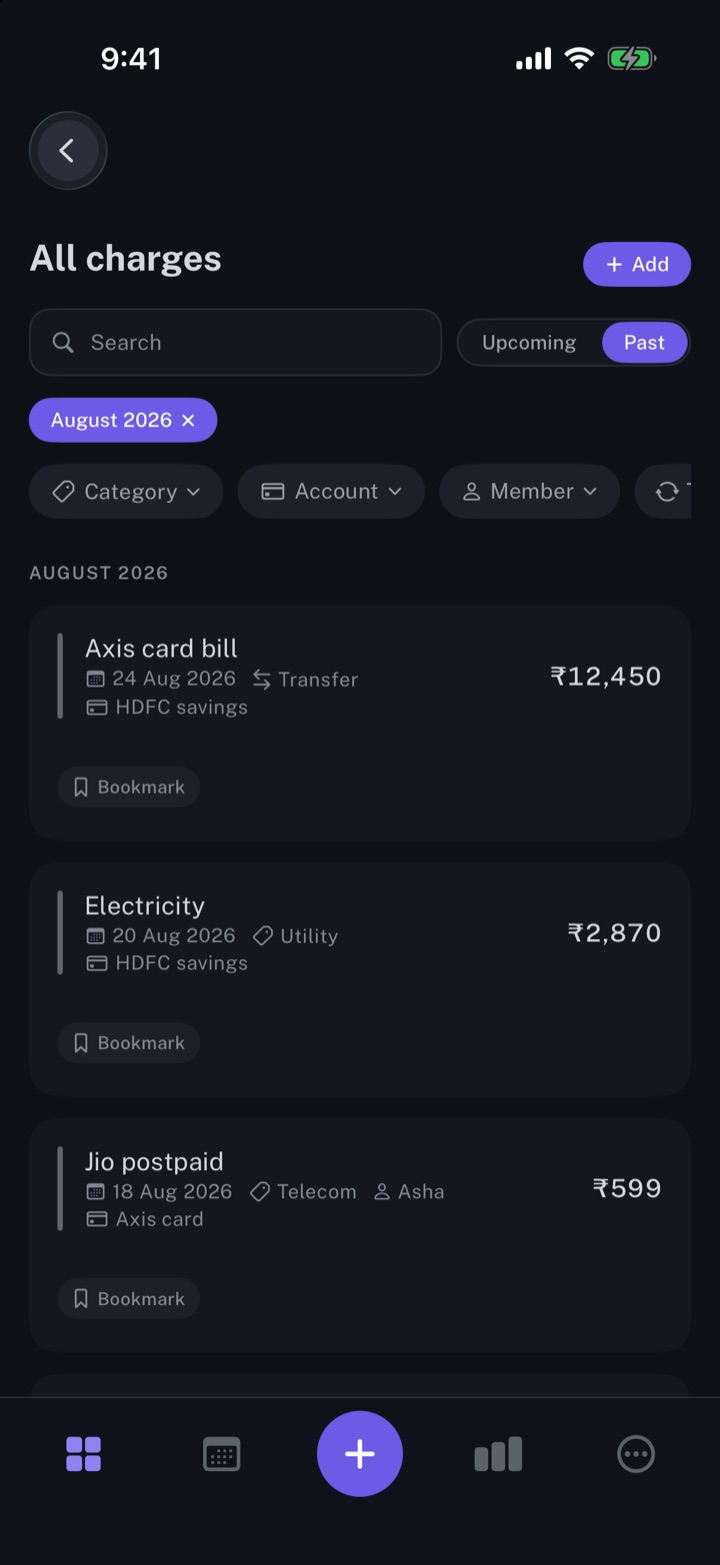
Every expense in one list: one-time purchases and recurring bills, each charge with its date, amount, category and account.
longbook for iPhone and Mac
What it does
One row per charge
One-time expenses and recurring bills share one list, and charges from a recurring commitment carry the Commitment badge. Each charge has its own amount, payment date and note.
Search and filters
Past lists every charge made, newest first, under its month. Search by name, or filter by category, account, member, type, status or currency; One-time under Type shows only one-time charges.
The month's total
The TOTAL EXPENSES card on the dashboard totals the calendar month, paid and still due, and counts its charges. Money in is listed under the total, not added to it, and transfers between your own accounts are left out.
Why it exists
Recurring payments are only part of what goes out. A repair, a flight or a gift is paid once and belongs in the same record. longbook keeps both kinds in one list, so the month's total covers both.
Questions
Where do expenses come from?+
They are typed in on the commitment form as One-time or recurring, read from a bank statement, found in Gmail by Claude, or added by Siri with "Add an expense in my longbook". Everything imported, and everything an AI or Siri adds, waits in Changes. longbook never connects to a bank.
Does longbook set a budget?+
No. longbook records and totals what goes out. It has no budgets.
Can one charge be changed on its own?+
Yes. Editing a charge changes that charge alone. A different amount on a recurring charge applies to Only this charge or to This and later charges, as you choose, and charges already paid keep their amount.
Related features
Manage your subscriptions
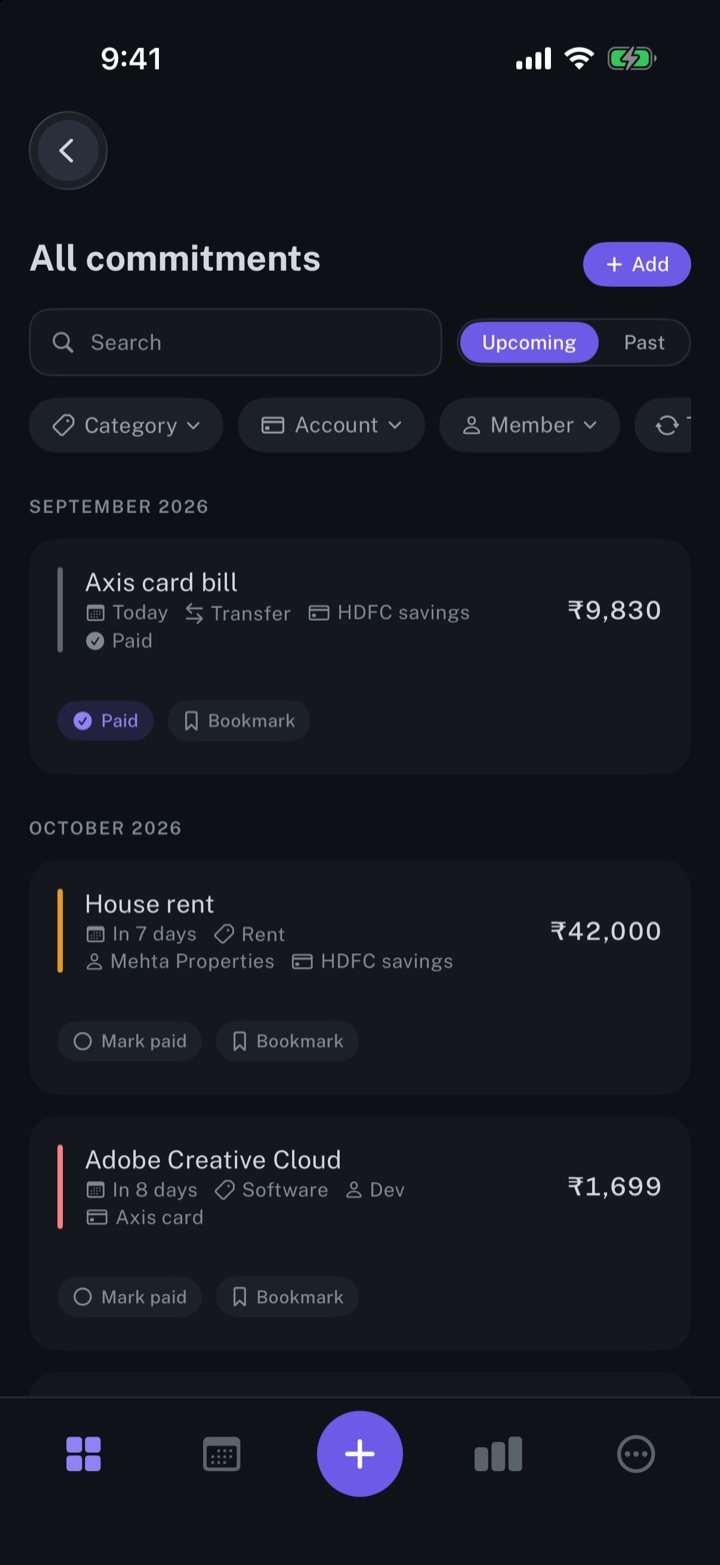
Every subscription, bill and repayment in one list, with the next charge in view.
iPhone and Mac
Categorise your expenses
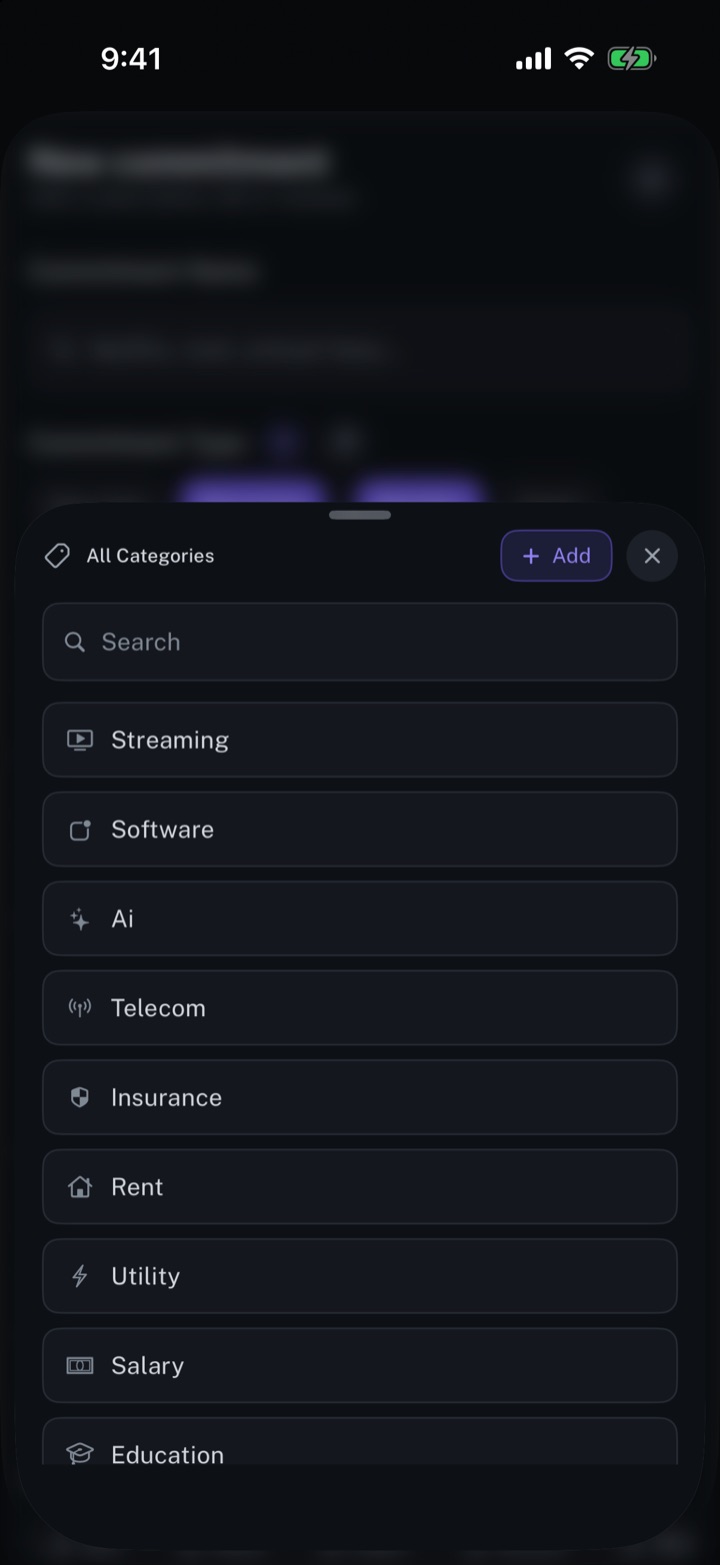
One category per commitment, and each month's spending totalled by category.
iPhone and Mac
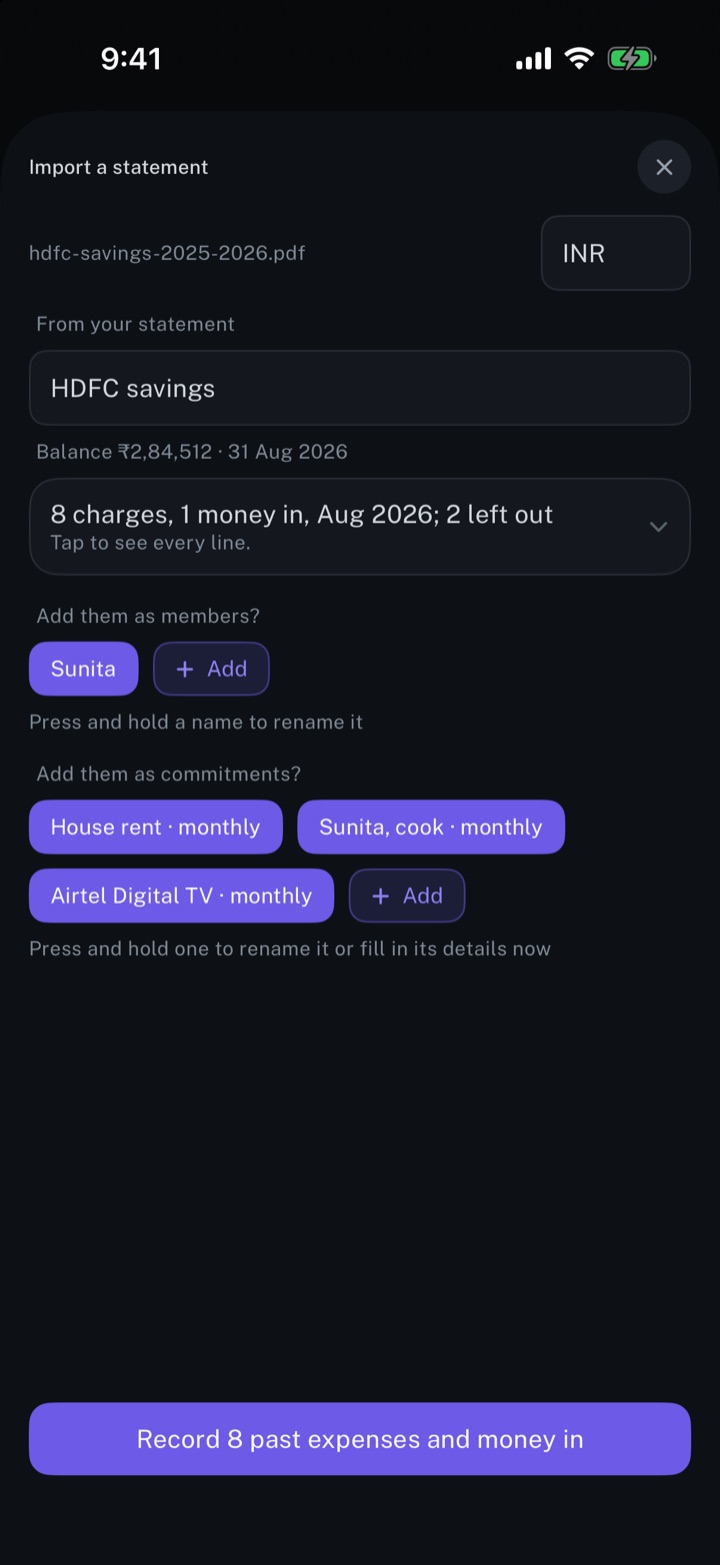
Import your bank statements
A bank statement read into charges, repeating payments and people, with every line open to review first.
iPhone and Mac
About longbook
longbook is a memory for your financial commitments: subscriptions, insurance, rent, loans and every other payment that comes back. It runs on iPhone and Mac and keeps its records as plain files in your own iCloud.
The next payment stays in view on the iPhone widget and in the Mac menu bar. Your AI can read your longbook and update it through longbook's MCP server, and every change it makes shows in Changes, to keep or undo.