
Track
Track more than one currency
Every commitment keeps its own currency, and each currency is totalled on its own, never converted.
longbook for iPhone and Mac
What it does
A currency on every amount
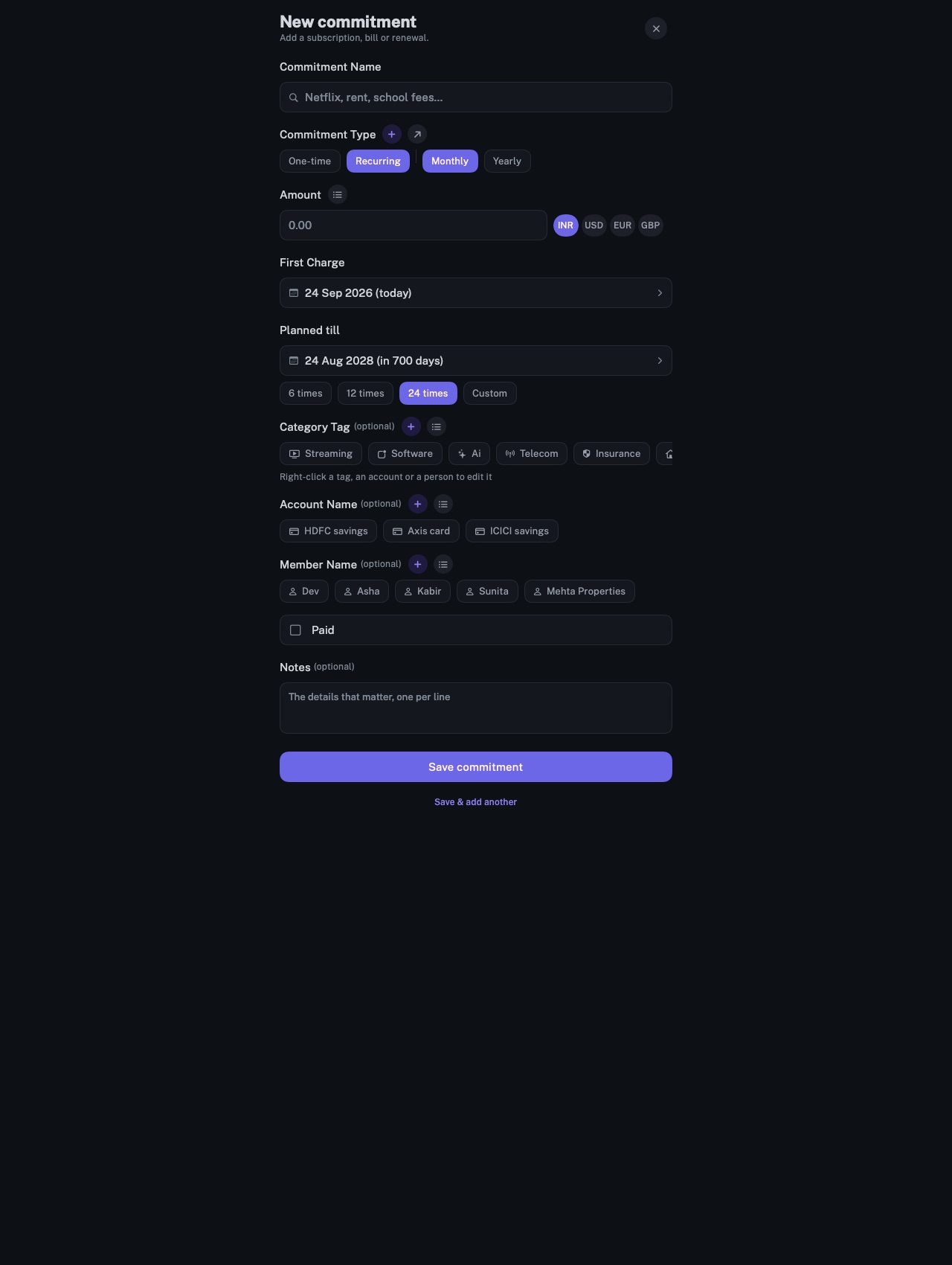
The commitment form carries a currency beside the amount: INR, USD, EUR and GBP by default, or any other from the Currency list, searchable by code or name. Each charge is totalled in the currency it was charged in.
Totals kept apart
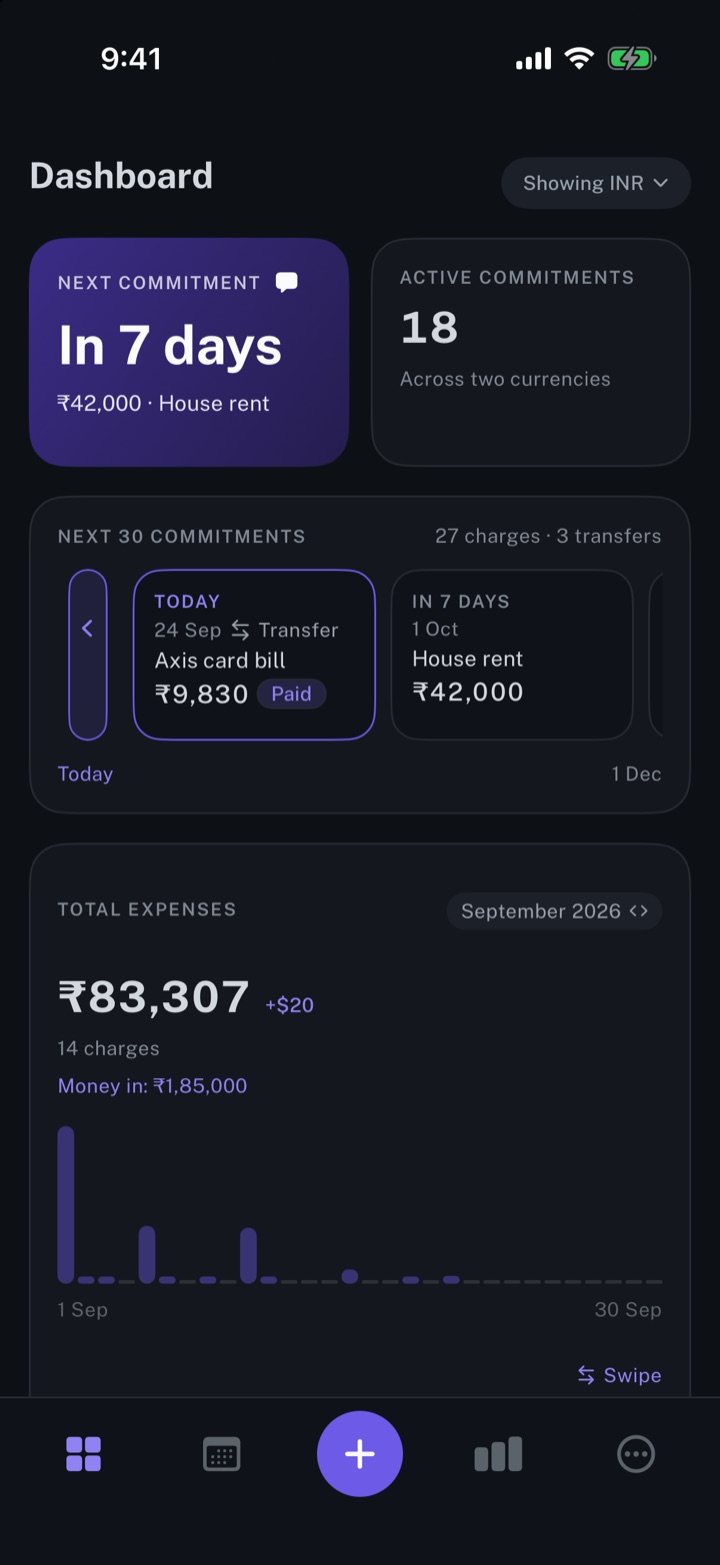
Totals are never converted or blended. The dashboard totals one currency, lists the others beside it, and switches between them from a menu at the top. All commitments and All charges filter by currency.
A home currency
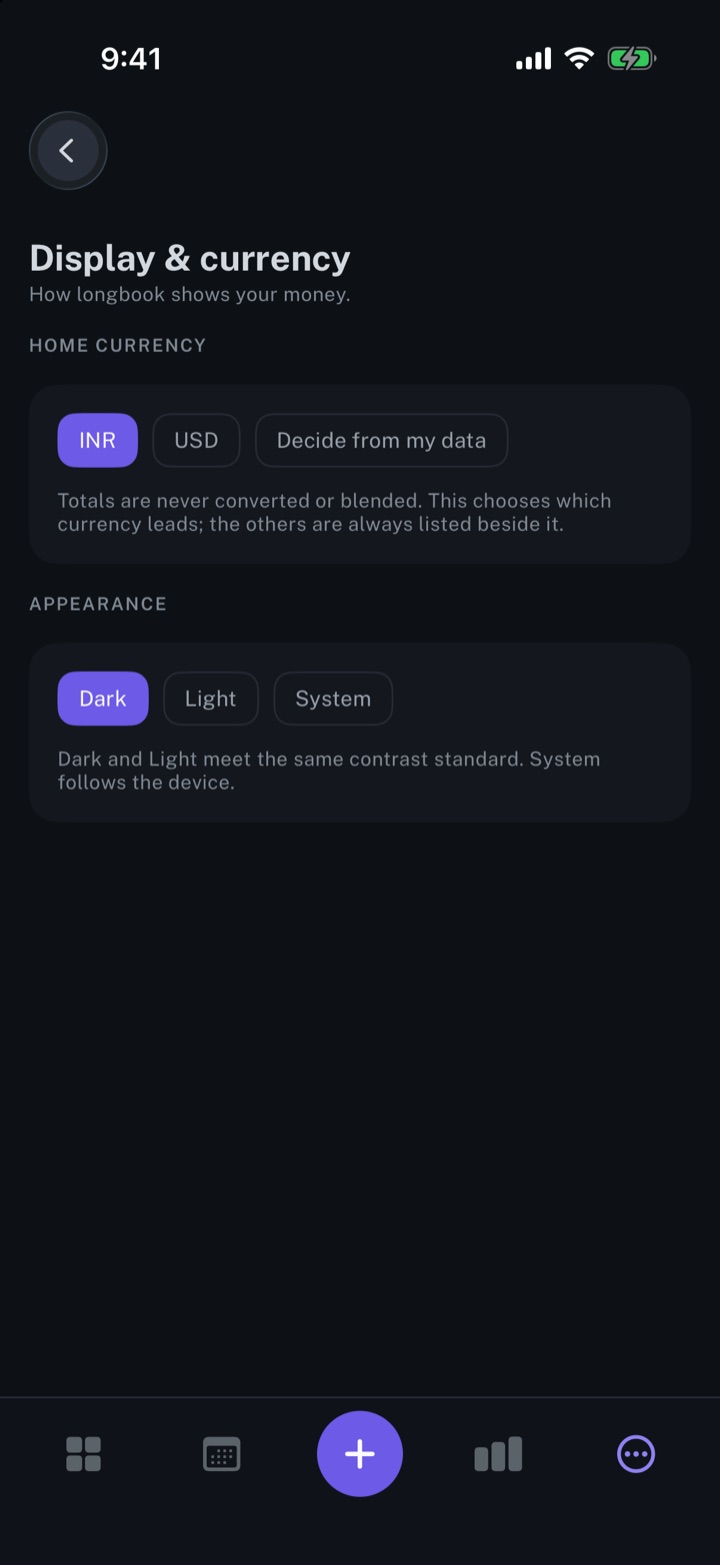
HOME CURRENCY under Display & currency sets the currency the dashboard leads with, and Decide from my data leads with the one most recurring commitments use. The choice appears once recurring commitments use more than one currency.
Why it exists
Many households pay in more than one currency: software billed in dollars, rent in rupees, fees abroad in euros or pounds. A converted total moves with the exchange rate and hides the amount charged. longbook keeps every amount as charged and totals each currency on its own.
Questions
Does longbook convert currencies?+
No. longbook holds no exchange rates. Each currency is totalled on its own, and the others are listed beside it.
Which currencies can be used?+
Any currency in current use, by its three-letter ISO code. INR, USD, EUR and GBP are on the quick selector by default, and the Currency list adds the rest.
How do reports and my AI handle a second currency?+
A monthly report totals one currency and lists every charge in its own. Through longbook's MCP server, your AI gets totals per currency, never converted.
Related features
Manage your subscriptions
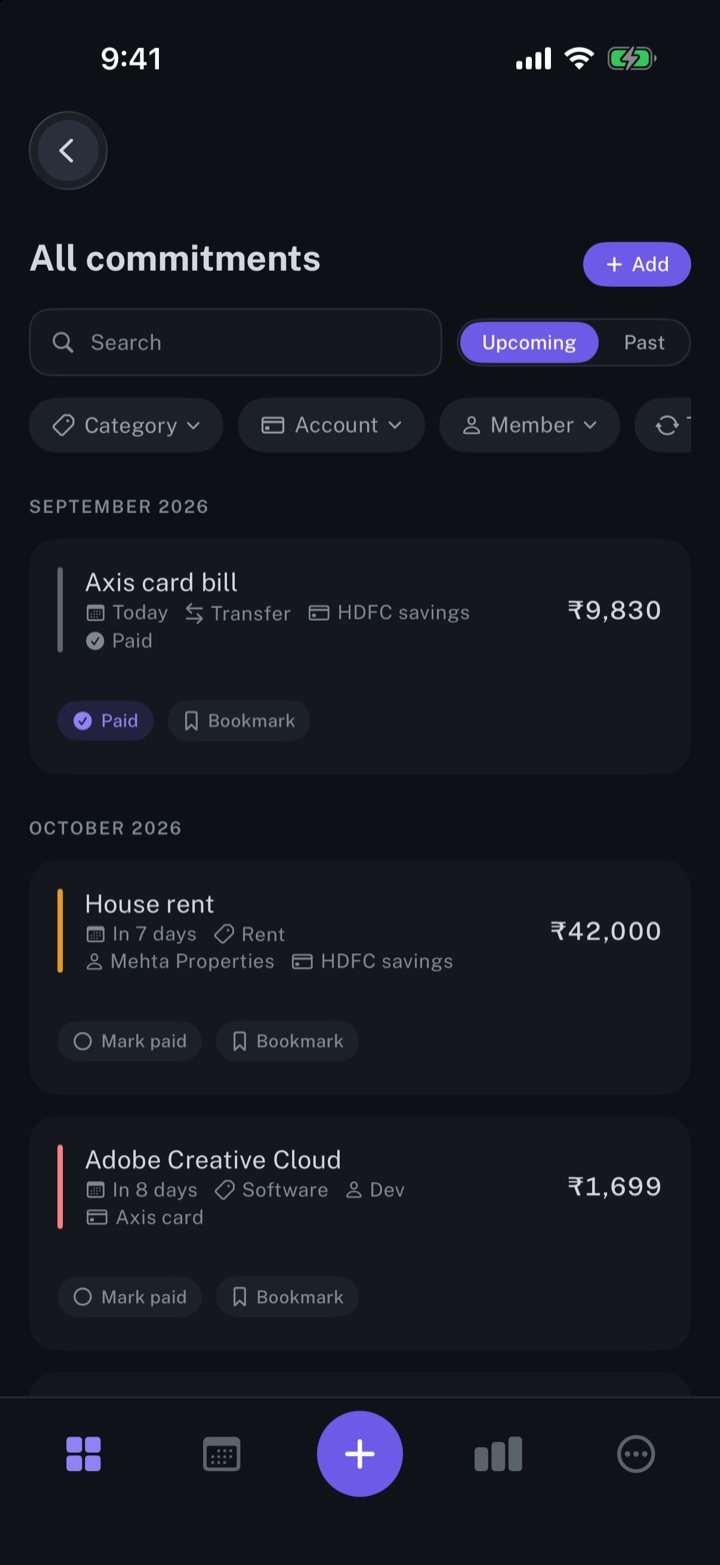
Every subscription, bill and repayment in one list, with the next charge in view.
iPhone and Mac
Get spending insights
The next payment, the month's total expenses, and the split by account and by category.
iPhone and Mac
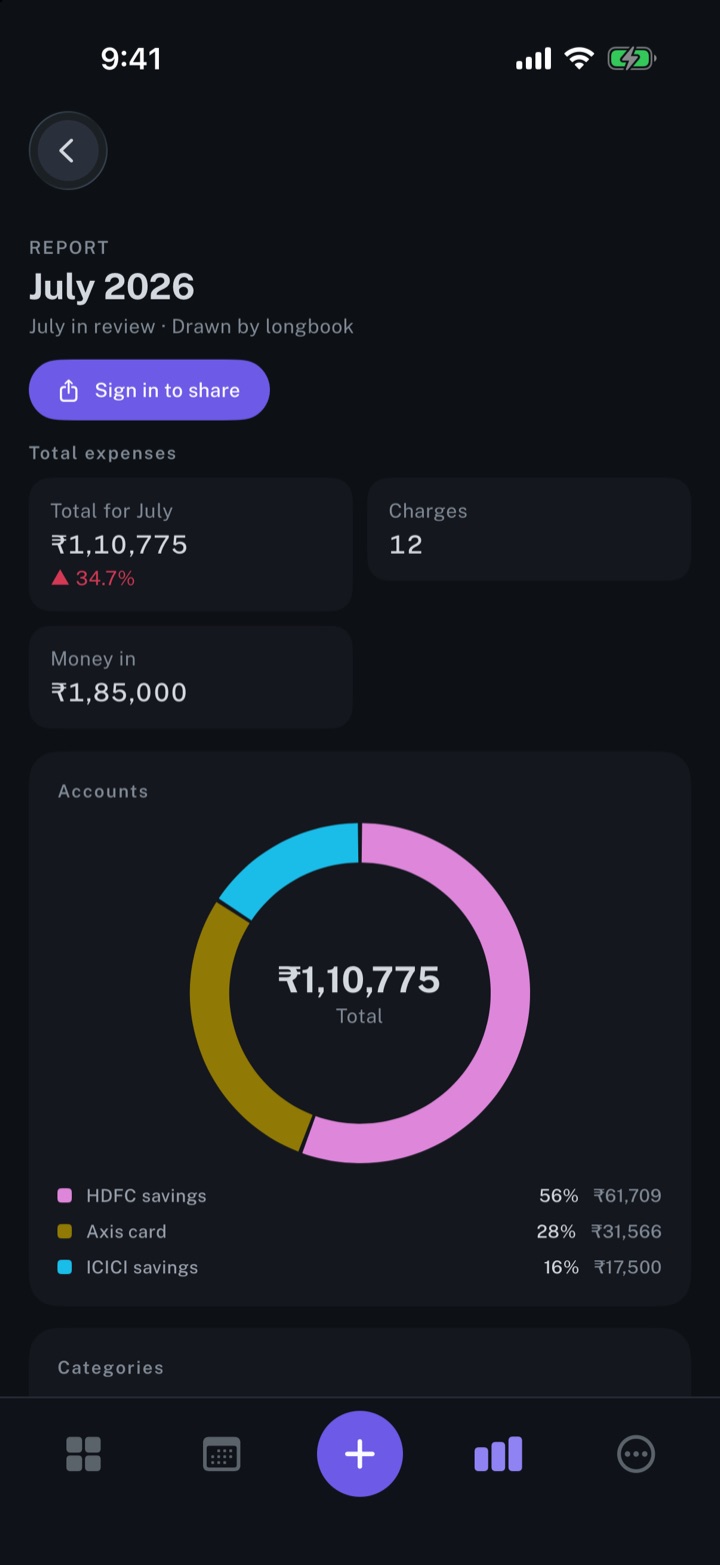
Create monthly expense reports
A report for every month with a confirmed charge: the total, accounts, categories and every charge.
iPhone and Mac
About longbook
longbook is a memory for your financial commitments: subscriptions, insurance, rent, loans and every other payment that comes back. It runs on iPhone and Mac and keeps its records as plain files in your own iCloud.
The next payment stays in view on the iPhone widget and in the Mac menu bar. Your AI can read your longbook and update it through longbook's MCP server, and every change it makes shows in Changes, to keep or undo.