
Understand
Create monthly expense reports
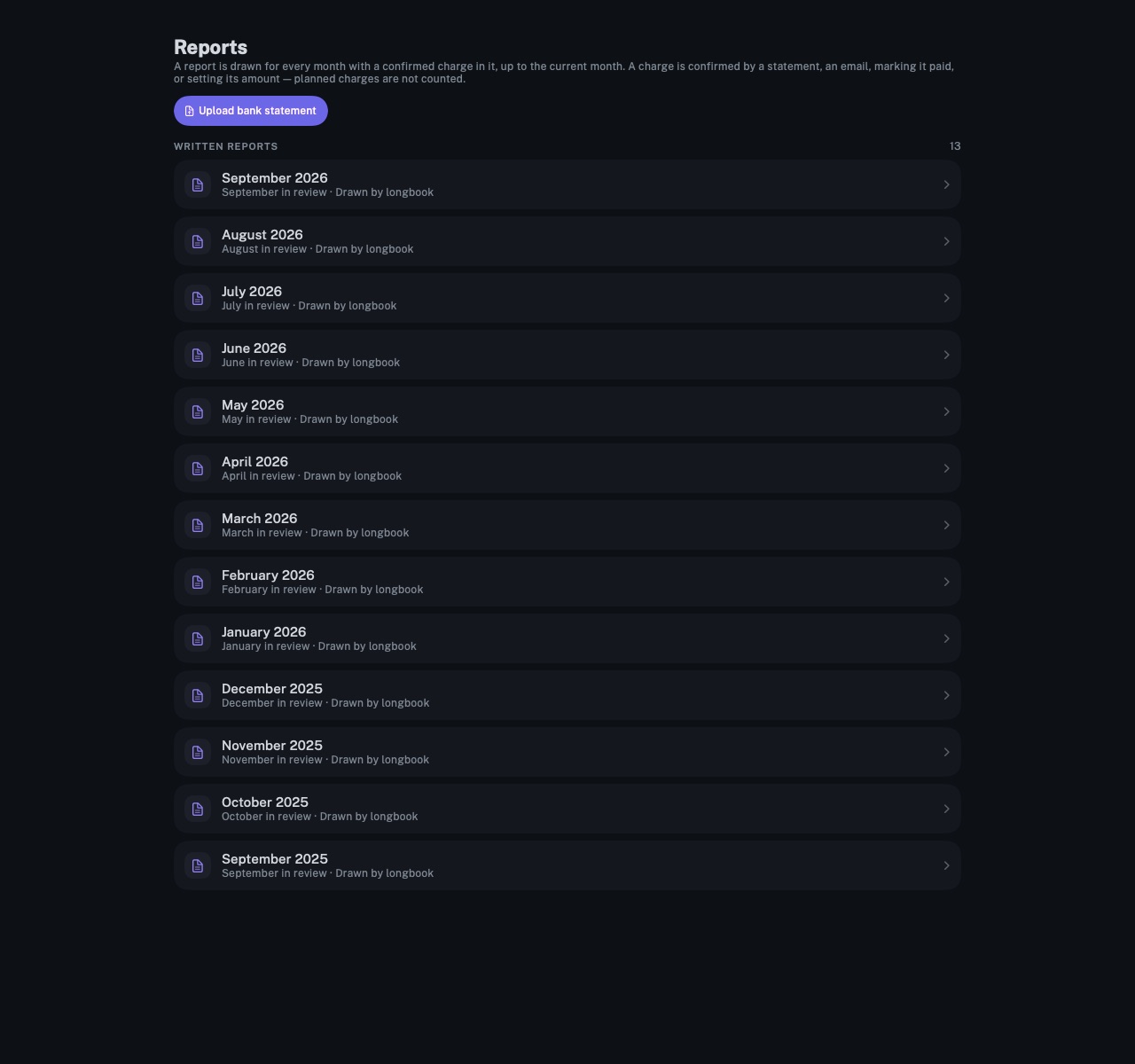
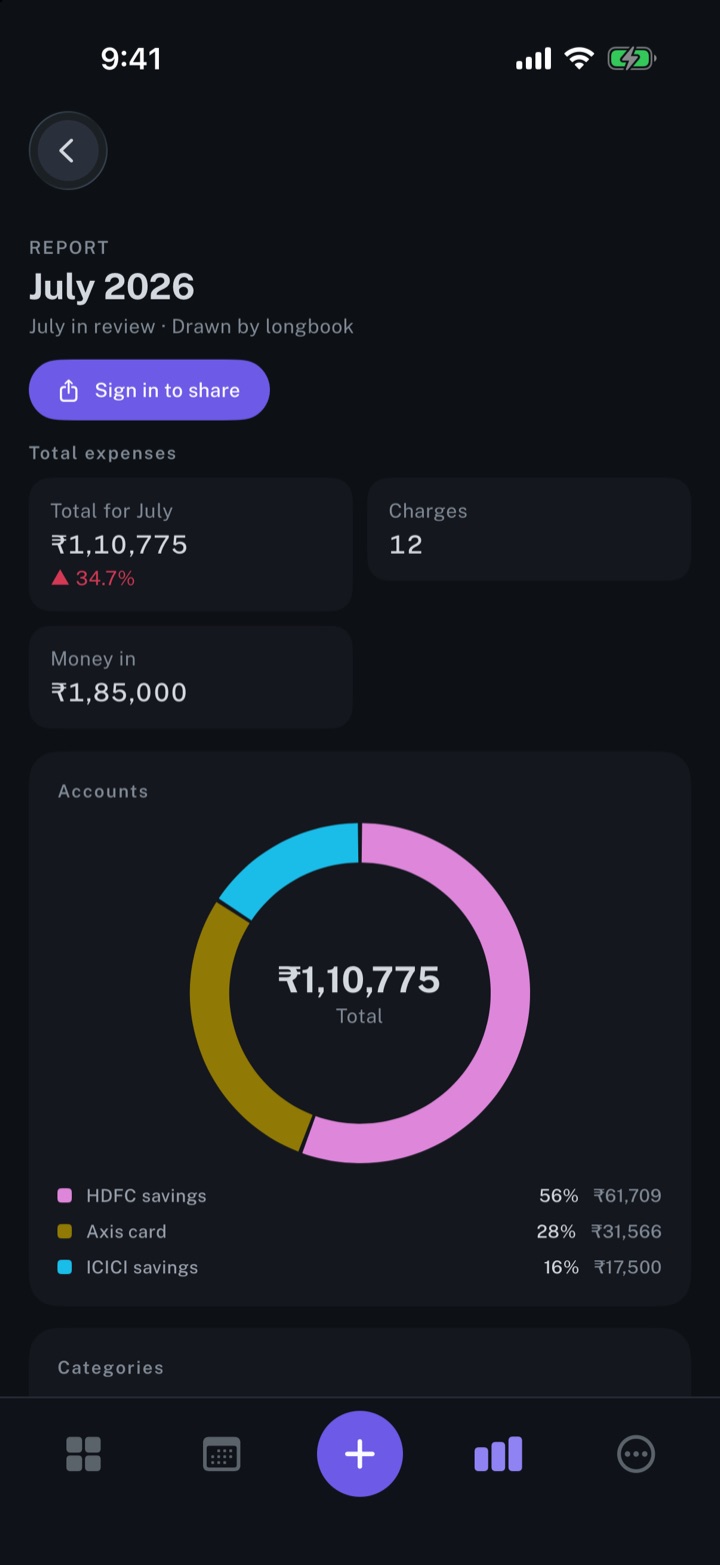
longbook draws a report for every month that holds a confirmed charge: the month's total, spending by account and by category, and every confirmed charge.
longbook for iPhone and Mac
What it does
One report per month
A month gets its report once a charge in it is confirmed: read from a bank statement or your email, marked paid, or given its amount. A charge longbook only planned ahead is not counted, and a month still to come gets no report. Upload bank statement on Reports opens the statement import.
What a report holds
A report is named for its month and says the days it covers. Total expenses is the month's figure, with the change from the month before beside it, the number of charges and any Money in. Accounts is a ring, Categories a row of tiles, both as the dashboard draws them, and tapping either narrows the charge list. All charges lists every confirmed charge, largest first, each with its date, category, member and account, with search and filters for category, account, member and currency. Transfers stay out of every report.
A month still being confirmed
When some of a month's past charges are not confirmed yet, the report says so: Not yet confirmed counts them beside the total. The change from the month before shows only when both months are over and whole, so a partly confirmed month never reads as a cheaper one.
Taking a charge out
Press and hold a charge for Remove from report: it moves to the end of the report, under its own heading, and every figure is redrawn without it. From there, Put back restores it, and Remove for good drops it from the report altogether. The charge itself stays in your longbook. Each report is a JSON file in the reports folder of your longbook, named for its month, and is redrawn to match when the month's charges change.
Why it exists
A bank statement lists lines; it does not say what the month came to or where it went. A report puts the month on one page, drawn only from charges something real confirms, and keeps it as a file in your own folder, to read later or share through a password-protected link.
Questions
Which months get a report?+
Every month up to the current one that holds a confirmed charge or money in. A charge is confirmed by a bank statement, an email, marking it paid or setting its amount. A month holding only planned charges gets no report.
What currency is a report in?+
The home currency chosen in Settings, or, until one is chosen, the currency most commitments are in. The total and both rings count only charges in that currency; All charges lists every confirmed charge in its own currency, and nothing is converted.
Can a report be edited?+
A charge can be taken out of a report, and put back. Everything else is drawn from the records: correct the month's charges and the report is redrawn to match. Comments pulled back from a shared link stay with it.
Related features
Share monthly expense reports with others
A monthly report as a password-protected link, with comments that come back into the report.
iPhone and Mac
Import your bank statements
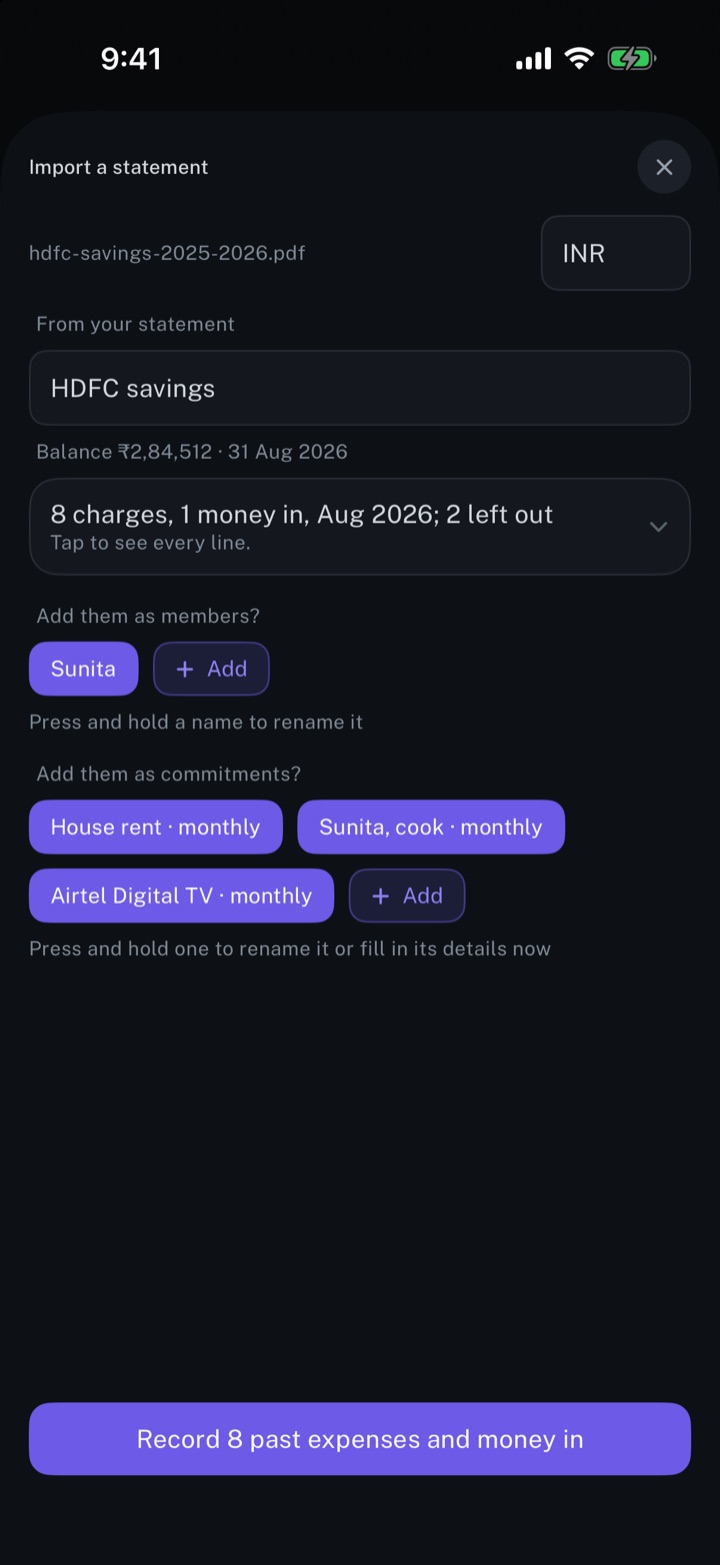
A bank statement read into charges, repeating payments and people, with every line open to review first.
iPhone and Mac
Get spending insights
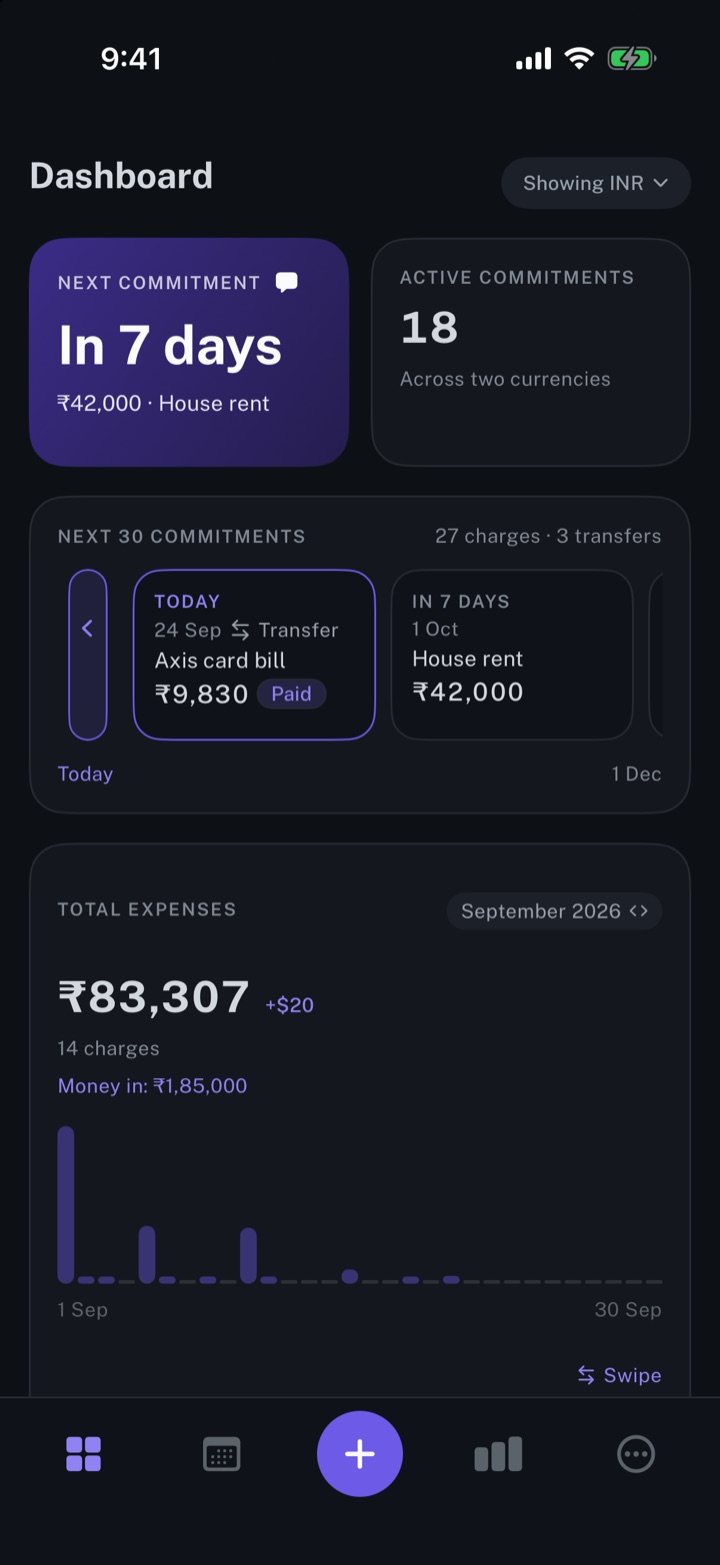
The next payment, the month's total expenses, and the split by account and by category.
iPhone and Mac
About longbook
longbook is a memory for your financial commitments: subscriptions, insurance, rent, loans and every other payment that comes back. It runs on iPhone and Mac and keeps its records as plain files in your own iCloud.
The next payment stays in view on the iPhone widget and in the Mac menu bar. Your AI can read your longbook and update it through longbook's MCP server, and every change it makes shows in Changes, to keep or undo.