
Track
View expenses from multiple bank accounts
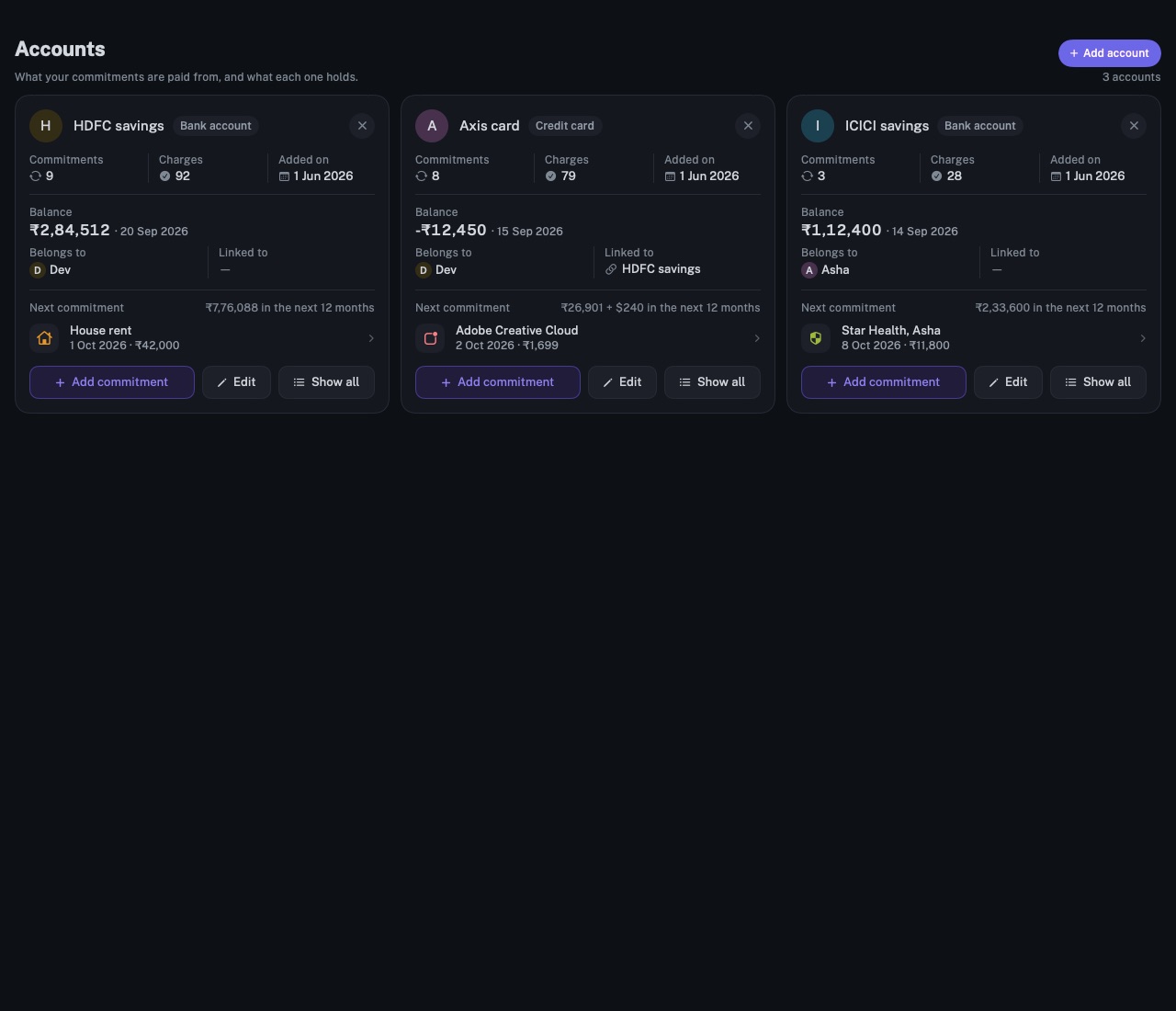
Every bank account, card and wallet in one place, with its balance, the commitments it pays and the next charge due from it.
longbook for iPhone and Mac
What it does
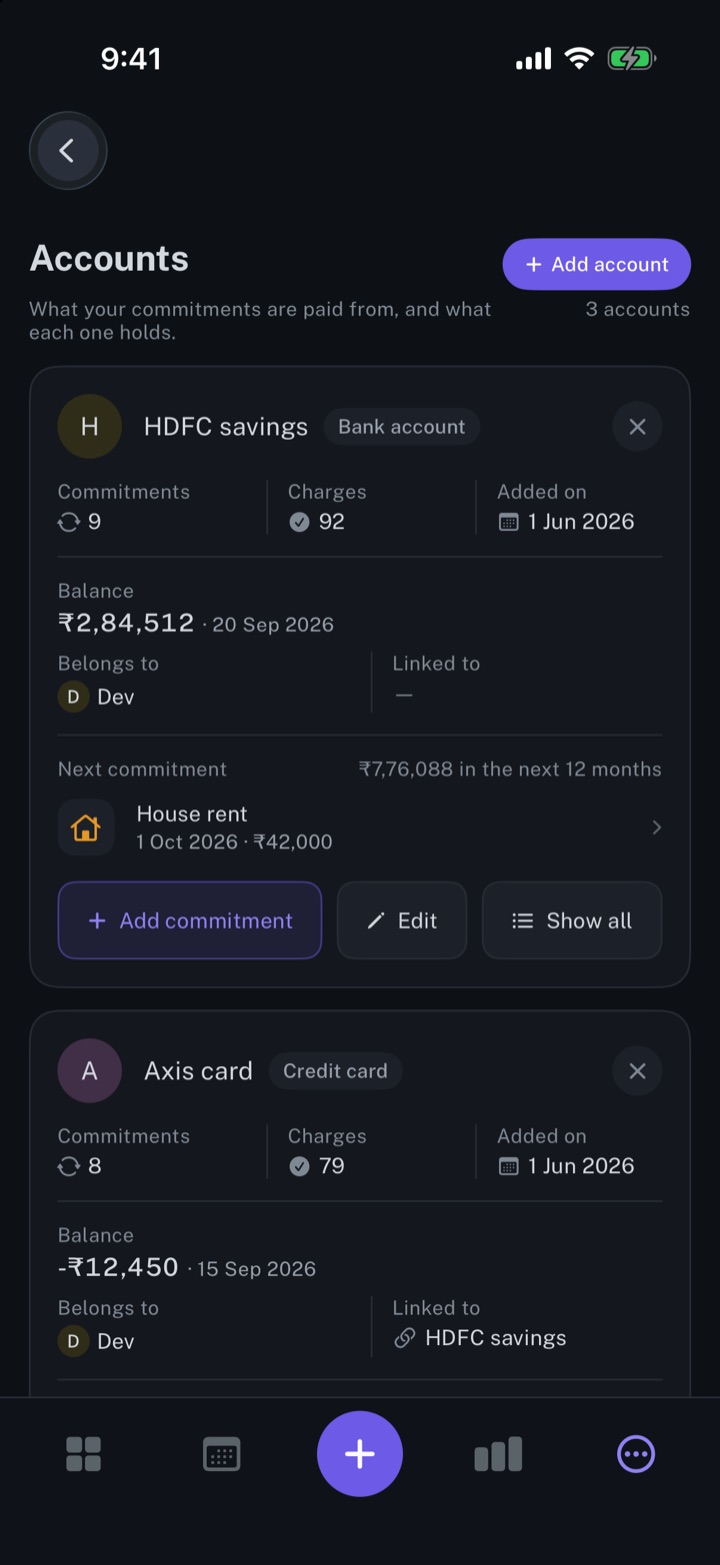
One card per account
Each account card counts its commitments and past charges, shows its balance on a given day, and names the next commitment due. The total for the next 12 months is per currency and counts spending only, not money in or transfers.
Cards and the accounts that pay them
A card links to the bank account that pays it and is listed right after it. Each account Belongs to one member at most. The name printed on a card goes in the account's notes as a line such as Card name: Platinum Reserve, never the card's number.
Spending by account
The dashboard's ACCOUNTS card splits a month's spending by account, and each account in it opens that month's list for the account. Show all lists an account's commitments; Past lists every charge made from it.
Why it exists
Recurring payments come out of several places: a salary account, two or three cards, a UPI app. longbook groups them by account, so it is clear which one pays what and what each one's commitments come to over the next 12 months.
Questions
Does longbook connect to my bank?+
No. Accounts are ticked at setup, typed in, read from a statement, or filled in by your AI. A balance changes only when you, a statement or your AI records one.
Can a statement fill in an account?+
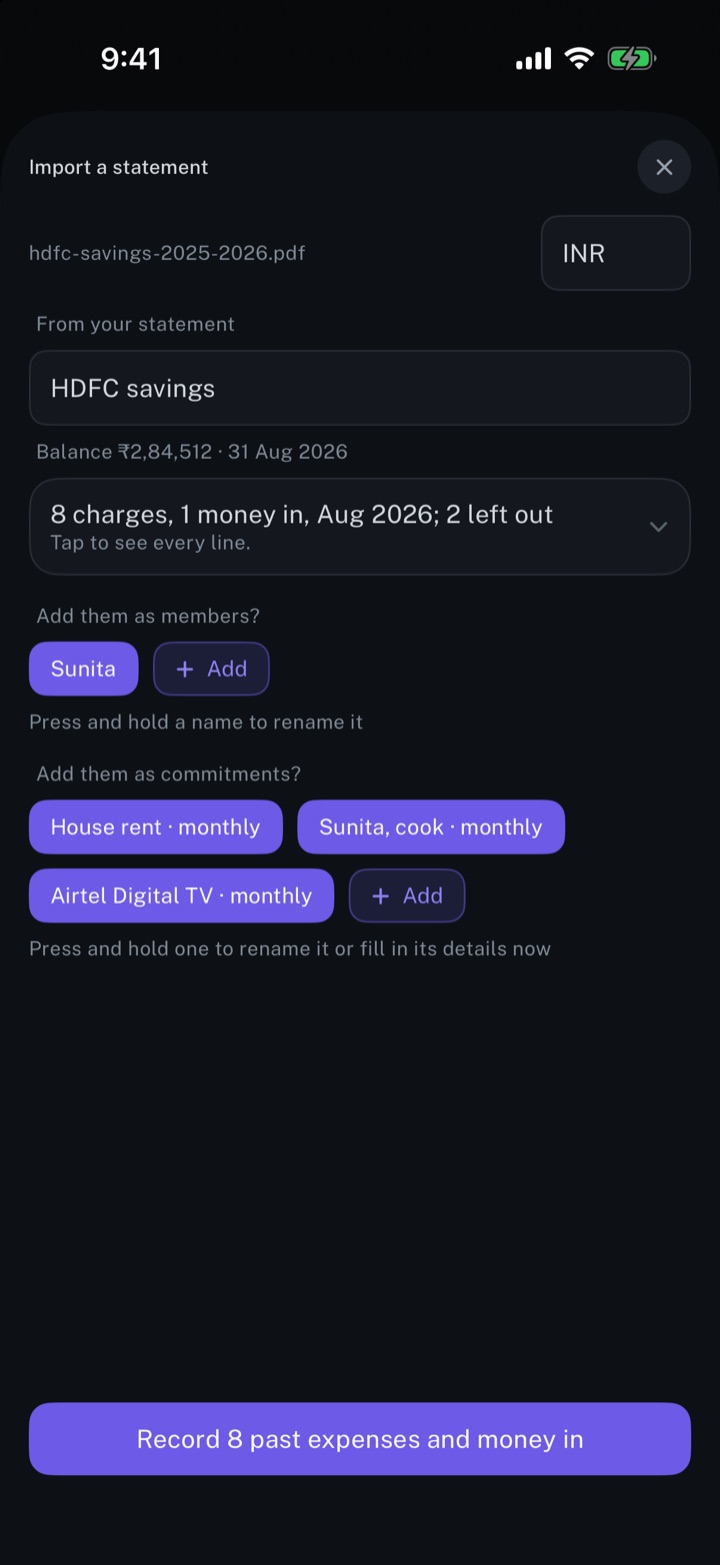
Yes. Importing a statement files its lines under the account the statement is from, and adds that account if it is missing. When the statement shows a closing balance, the account takes it, with its date.
Can Claude answer questions about my accounts?+
Yes. Through longbook's MCP server, Claude, ChatGPT or another assistant reads each account and the spending from it over any dates. The setup is on Automate longbook with Claude.
Related features
Add your accounts and members
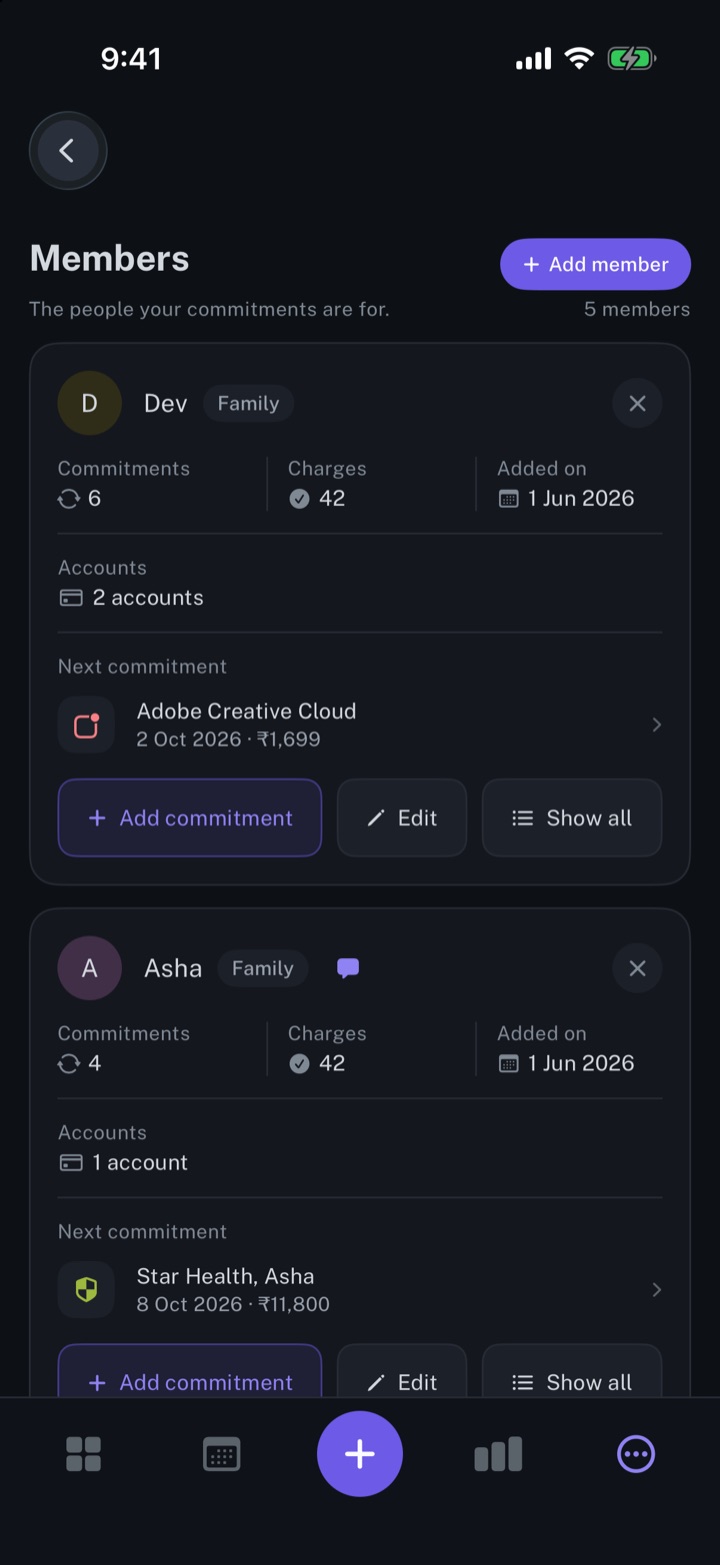
The people your commitments are for, and the accounts that pay them.
iPhone and Mac
Get spending insights
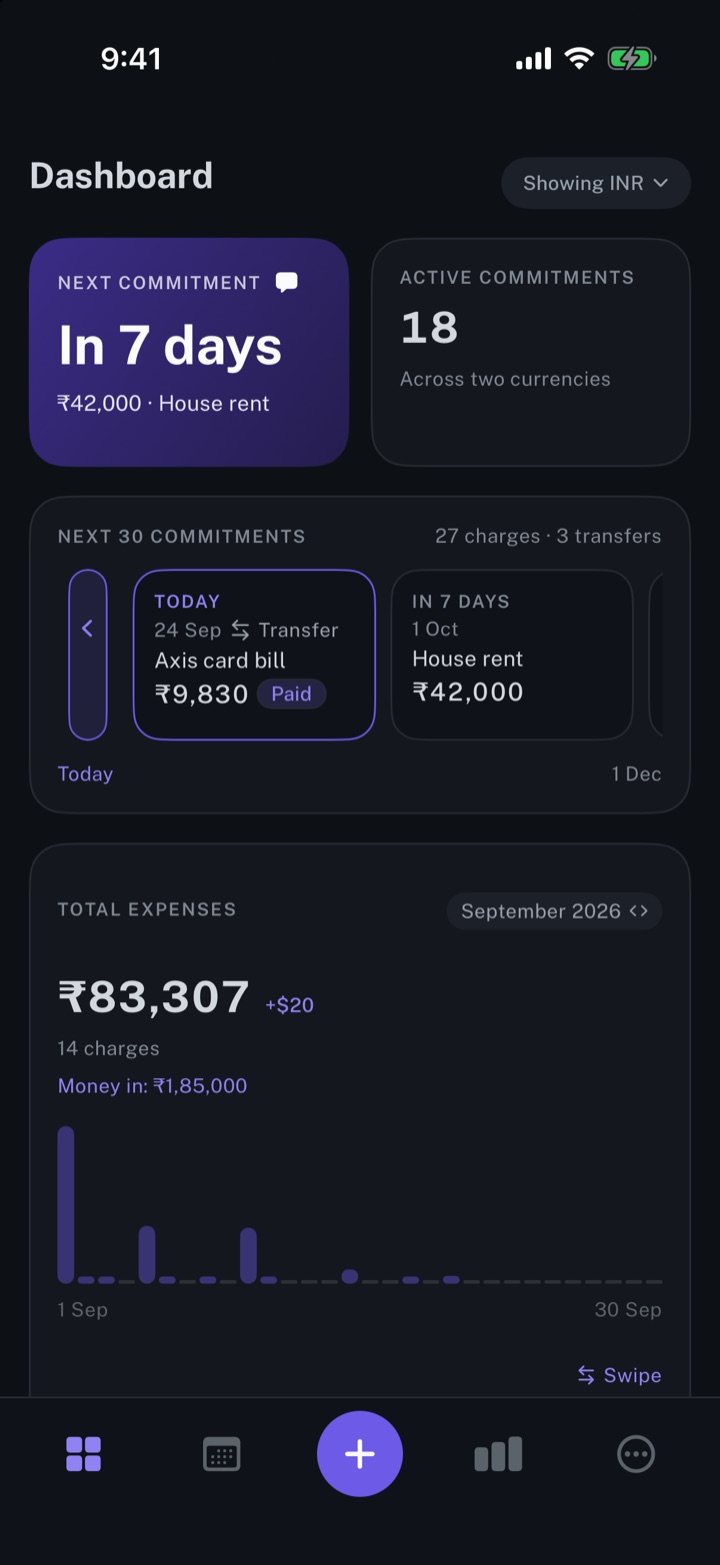
The next payment, the month's total expenses, and the split by account and by category.
iPhone and Mac
Import your bank statements
A bank statement read into charges, repeating payments and people, with every line open to review first.
iPhone and Mac
About longbook
longbook is a memory for your financial commitments: subscriptions, insurance, rent, loans and every other payment that comes back. It runs on iPhone and Mac and keeps its records as plain files in your own iCloud.
The next payment stays in view on the iPhone widget and in the Mac menu bar. Your AI can read your longbook and update it through longbook's MCP server, and every change it makes shows in Changes, to keep or undo.