
Track
Add your accounts and members
People are who your commitments are for. Accounts are what they are paid from. Each commitment can name one of each, and Commitments filters by both.
longbook for iPhone and Mac
What it does
Who a payment is for
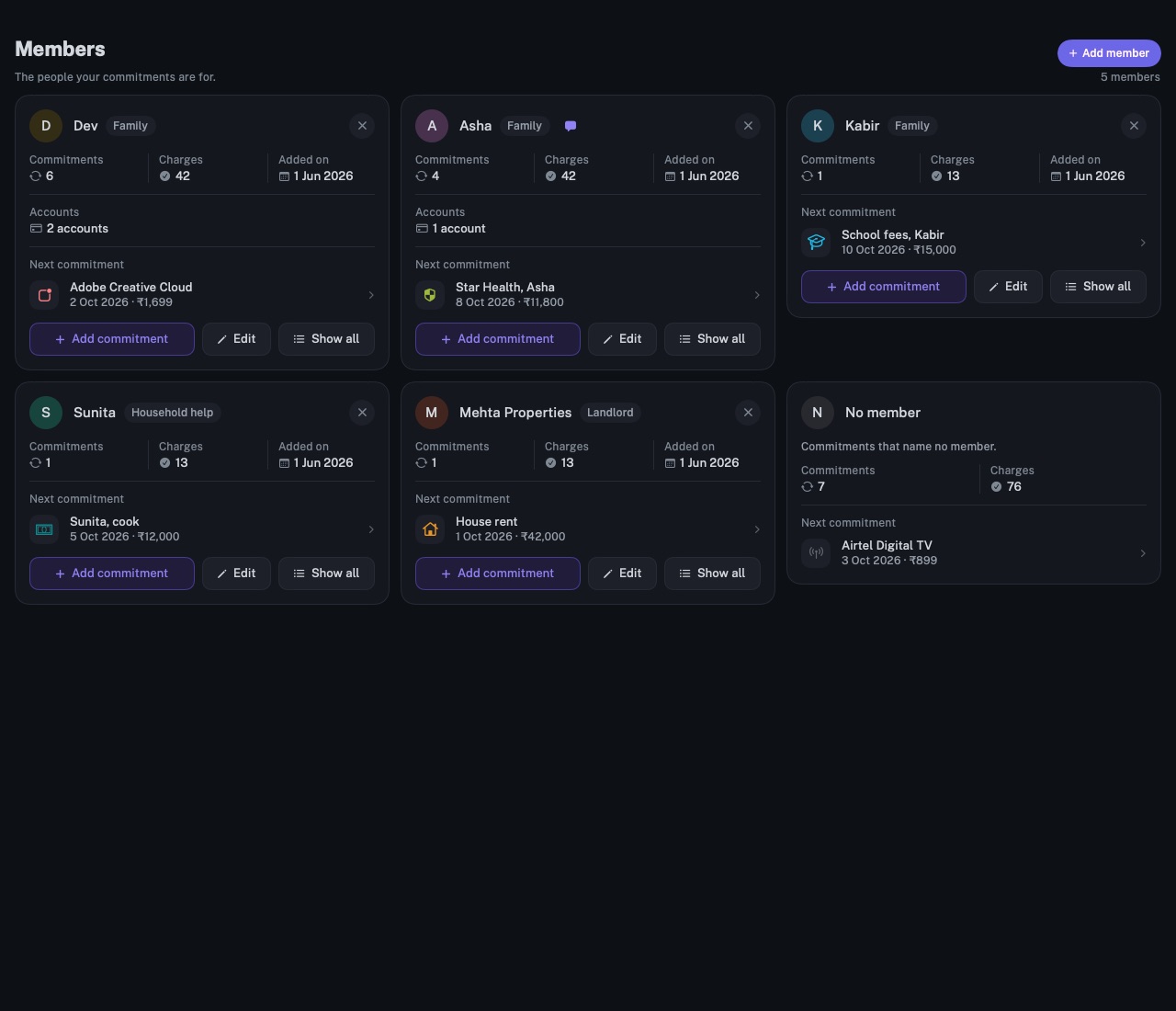
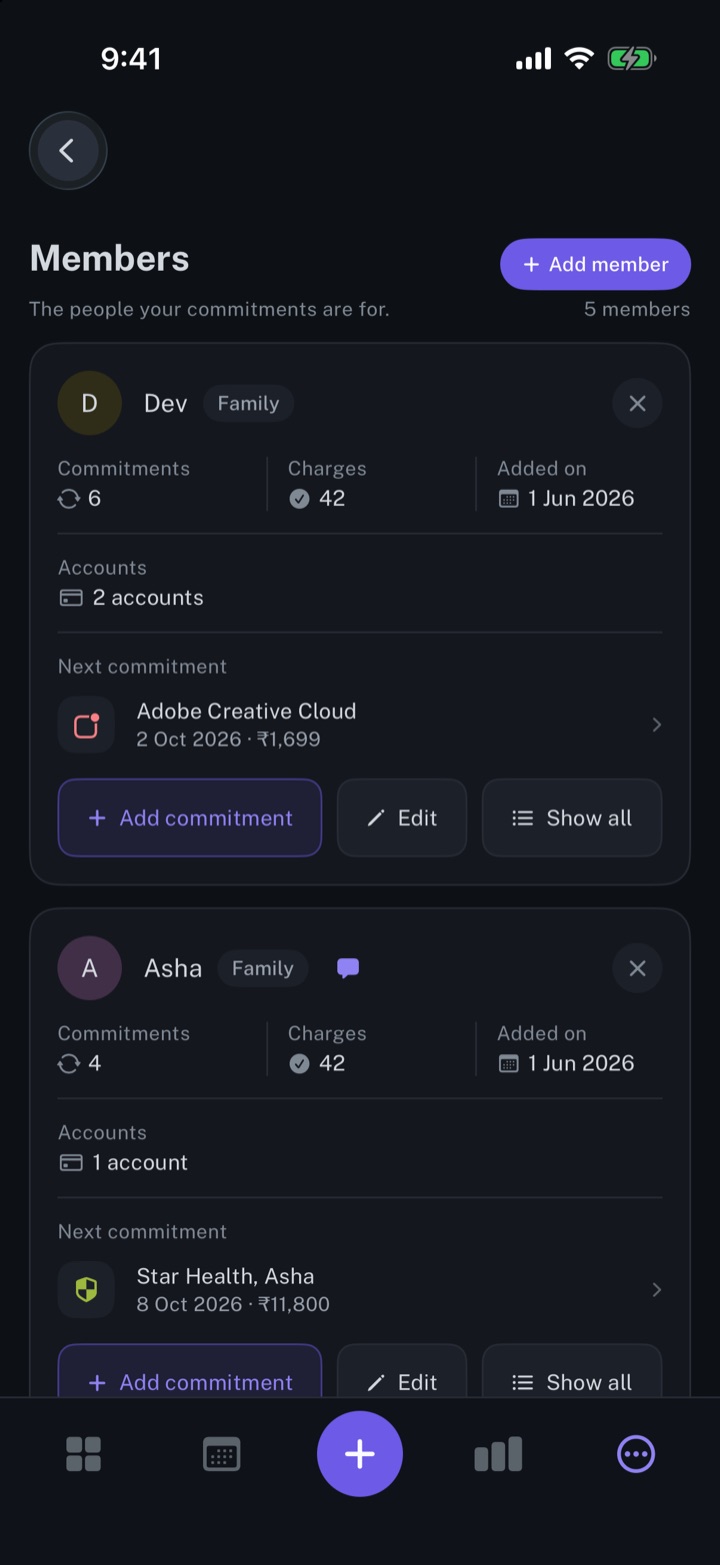
A person is anyone a commitment is for: family, household help, a landlord, a tenant or a vendor. An optional relationship gives their role, from longbook's list or typed in, such as Cook or Self.
What pays it
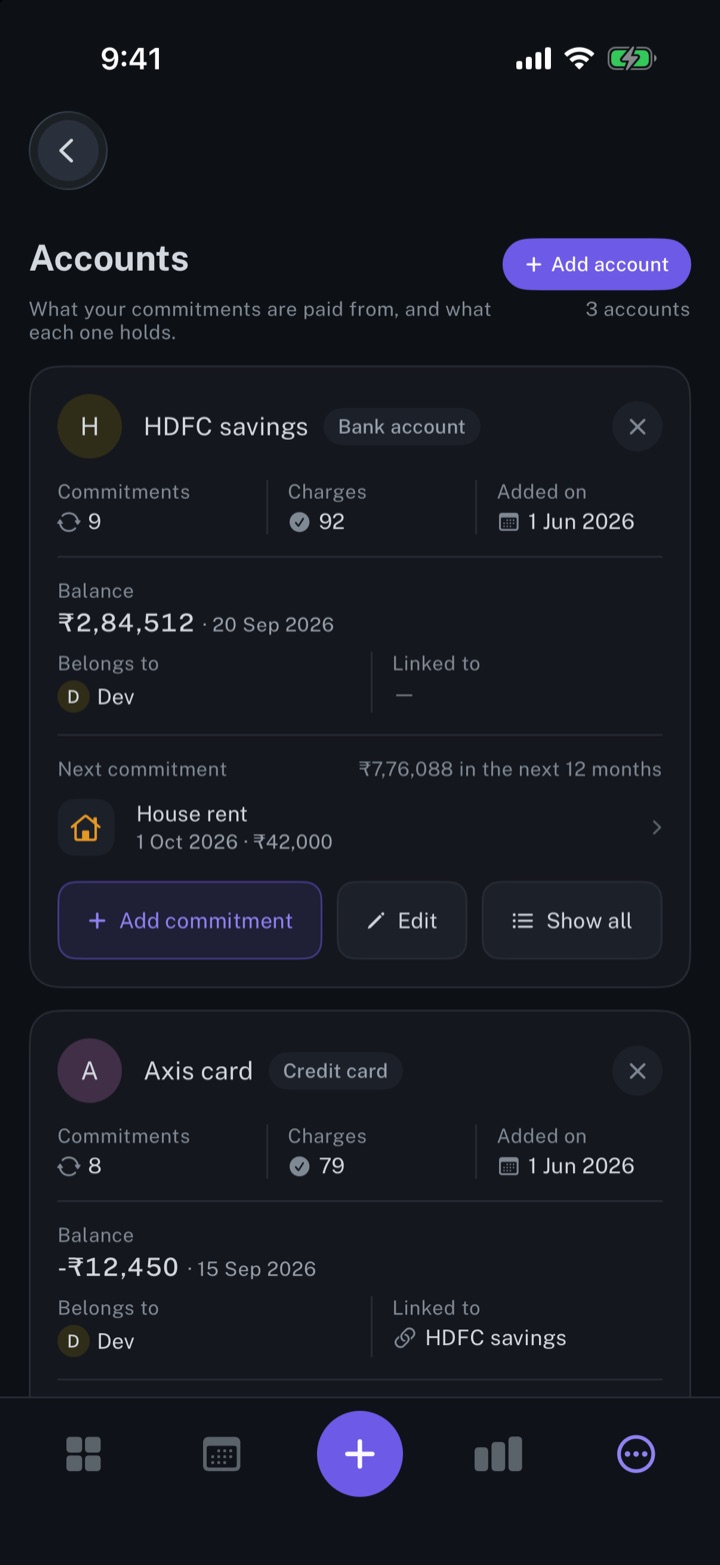
An account is what a commitment is paid from: a bank account, a credit or debit card, UPI, a wallet or cash. Each account has one Owner, a person, or Shared for a joint account.
One card per person
Each card counts a person's commitments, charges and accounts and names the next one due. Add commitment opens the form with that person chosen.
Why it exists
A household pays for more than one person, from more than one account. A cook's salary, a parent's insurance and a child's school fees each belong to someone. Naming the person and the account shows who each payment is for and where it is paid from.
Questions
What happens to commitments when a person is deleted?+
They stay, without a person. Before the delete, longbook states how many commitments, one-time charges and accounts name that person. Their accounts stay too, and belong to no one in particular. Deleting an account leaves its commitments in place the same way.
Can a bank statement add people and accounts?+
Yes. With Add accounts and people found in statements on, which it is unless you turn it off, an import adds the statement's own account, the people its lines name, and the accounts and people that transfers and card payments go to. Each one is matched to what you already have and shown in the steps after reading. With the switch off they are not added. More on Import your bank statements.
Are the people and accounts from setup added to these lists?+
No. The answers you give in setup are kept as hints for reading statements. People and Accounts list only what you add and what statements show.
Does a person need a longbook account?+
No. A person is a name in your records, not a sign-in. To show someone a month, share a report as a link.
Related features
View expenses from multiple bank accounts
Every bank account and card with its balance, the commitments it pays and its next charge.
iPhone and Mac
Share monthly expense reports with others
A monthly report as a password-protected link, with comments that come back into the report.
iPhone and Mac
Manage your expenses
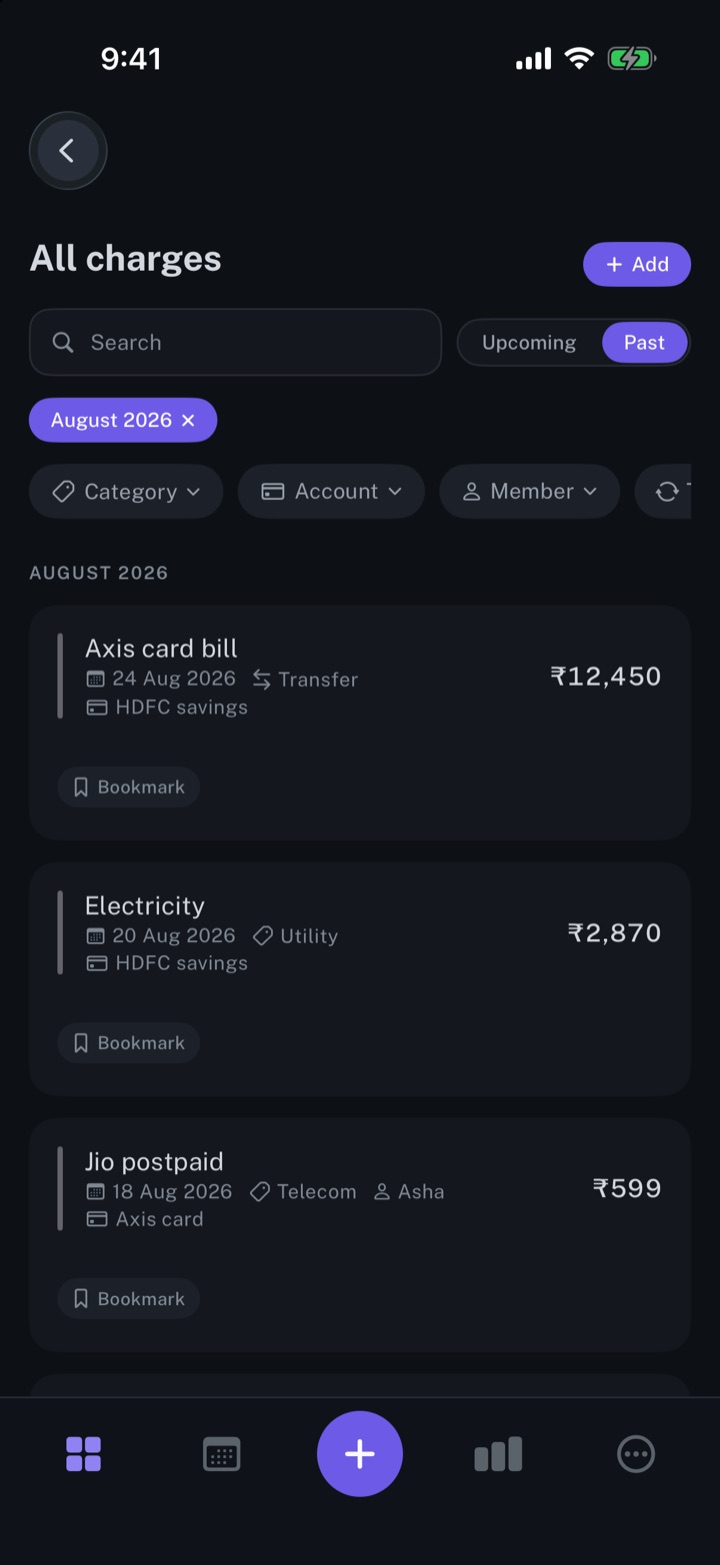
Every charge in one list, one-time or recurring, with its date, category and account.
iPhone and Mac
About longbook
longbook turns your bank statements into financial memory: subscriptions, insurance, rent, loans and every other payment that comes back. It runs on iPhone and Mac and keeps its records as plain files in your own iCloud.
The next payment stays in view on the iPhone widget and in the Mac menu bar. Your AI can read your longbook and update it through longbook's MCP server, and every change it makes shows in Proposals, to keep or undo.