
Understand
Get spending insights
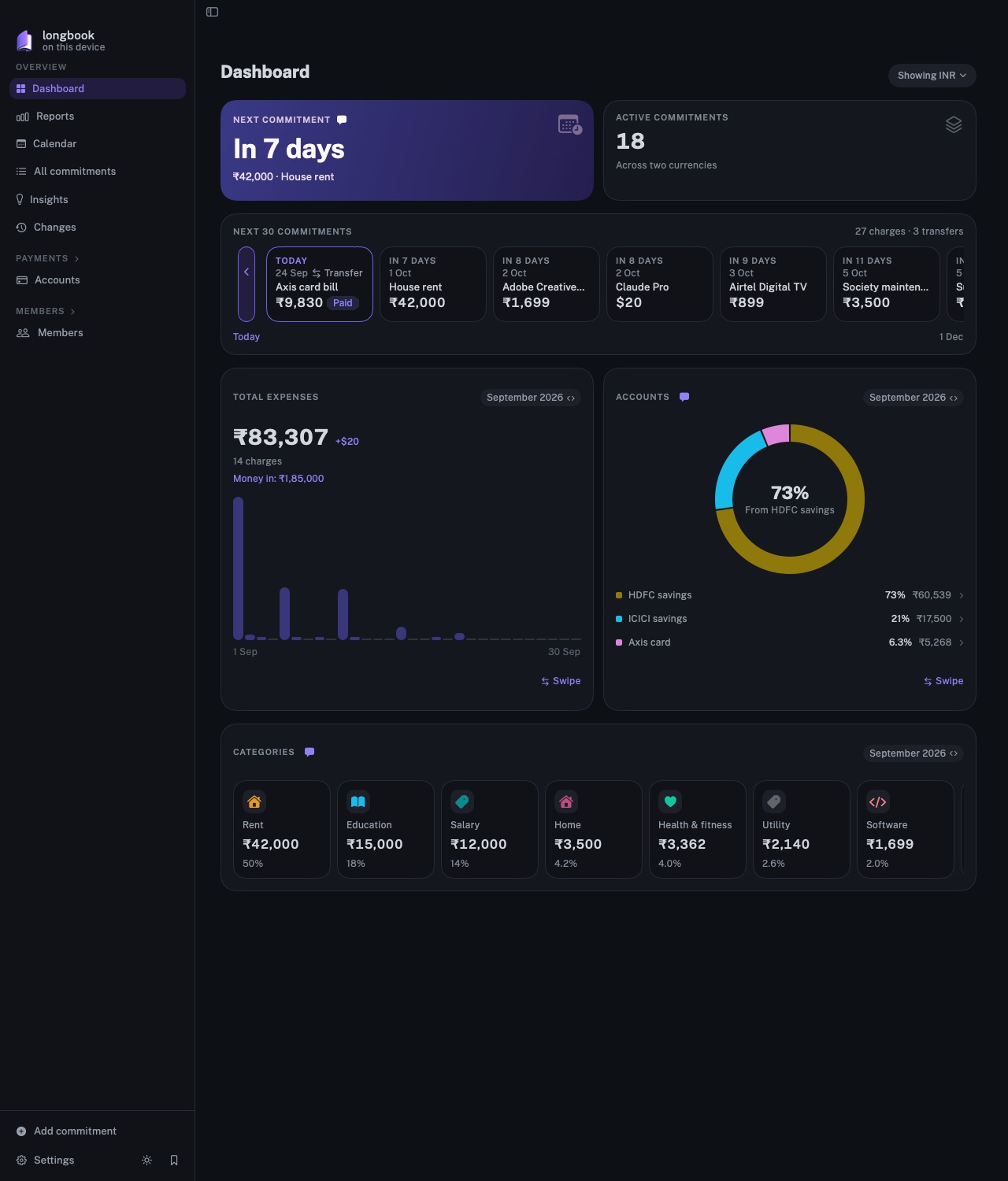
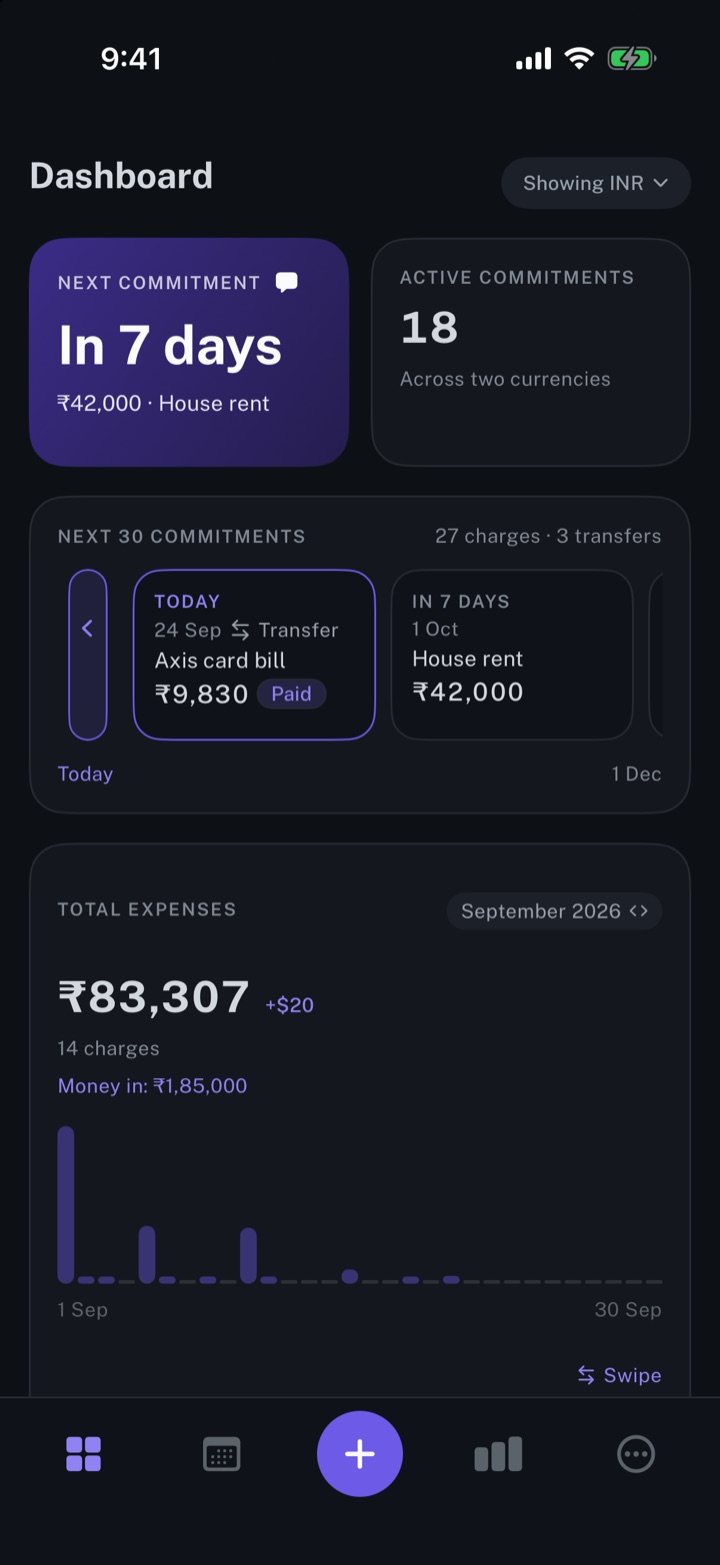
The dashboard shows what is due next and what each month cost, by day, by account and by category, one currency at a time.
longbook for iPhone and Mac
What it does
The days ahead
NEXT COMMITMENT gives the number of days to the next payment, with its name and amount. NEXT 30 COMMITMENTS lists the next thirty charges and transfers in date order; the control at its left edge switches to the PAST 30 CHARGES.
A month in figures
TOTAL EXPENSES gives a month's spending, its number of charges and a bar for each day, and for the current month the amount still to come. Money in is shown under the total, never added to it. The month picker opens any month that holds charges.
Where the money went
ACCOUNTS splits the month by the account that paid, in a ring, and CATEGORIES by category, each with its share. A tap on an account or a category opens All commitments for that month, narrowed to it.
Why it exists
A list of payments says what is due. It does not say what a month cost, or which accounts and categories carried it. The dashboard draws both from the same records as the list, and keeps every total in one currency.
Questions
Does longbook set budgets or forecast spending?+
No. longbook has no budgets, targets or forecasts. The dashboard reports the charges your records hold, past and planned, as they are.
How are several currencies shown?+
One at a time, never converted. The dashboard opens in the home currency chosen in Settings, and a menu at the top switches to any other currency your recurring commitments use. Amounts in other currencies are listed beside the total. More on tracking multiple currencies.
Does longbook write insights about my spending?+
No. longbook draws the figures and adds no commentary. When your AI leaves a note about a card, it shows as a mark beside that card's name. More on insights from your AI.
Related features
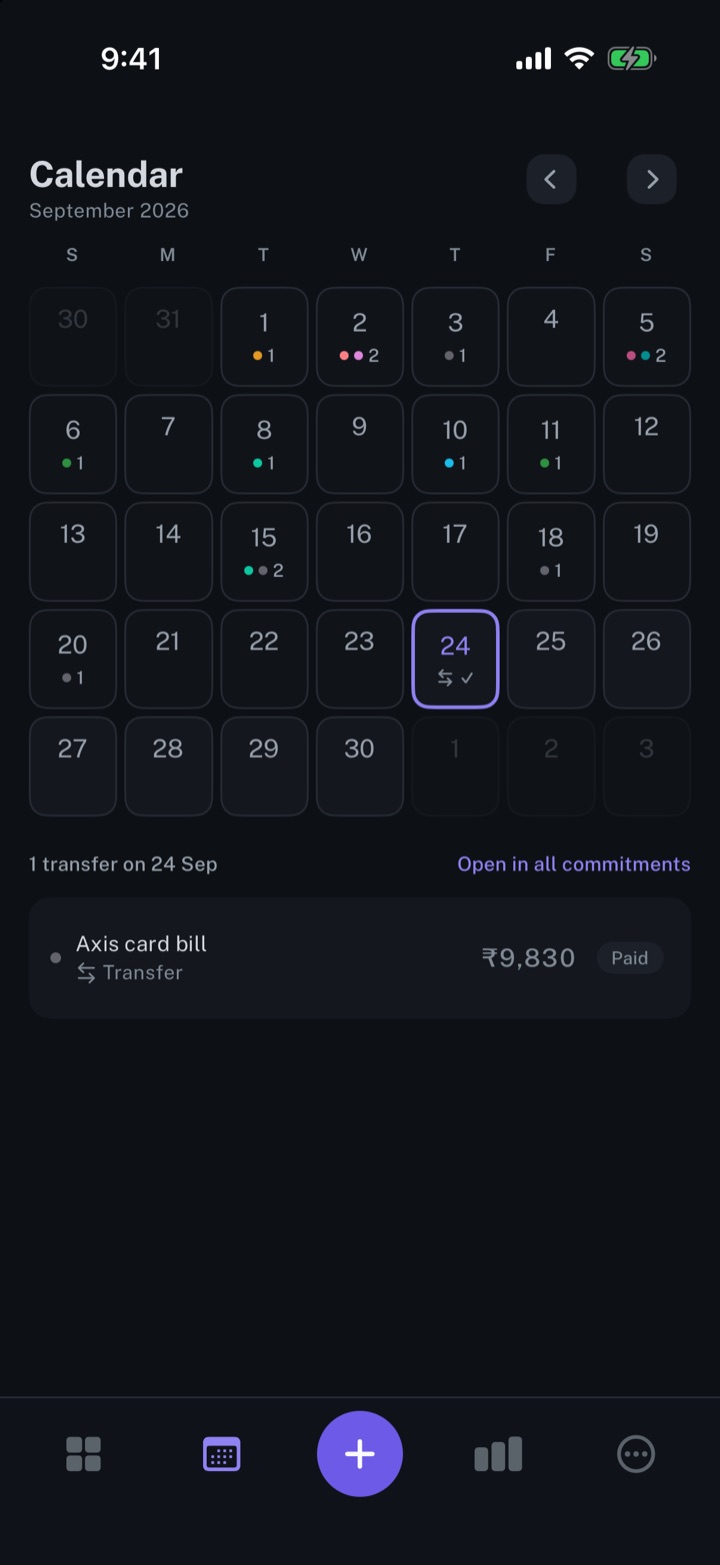
Calendar view of your expenses
Every payment on its day, twelve months back and twelve months ahead.
iPhone and Mac
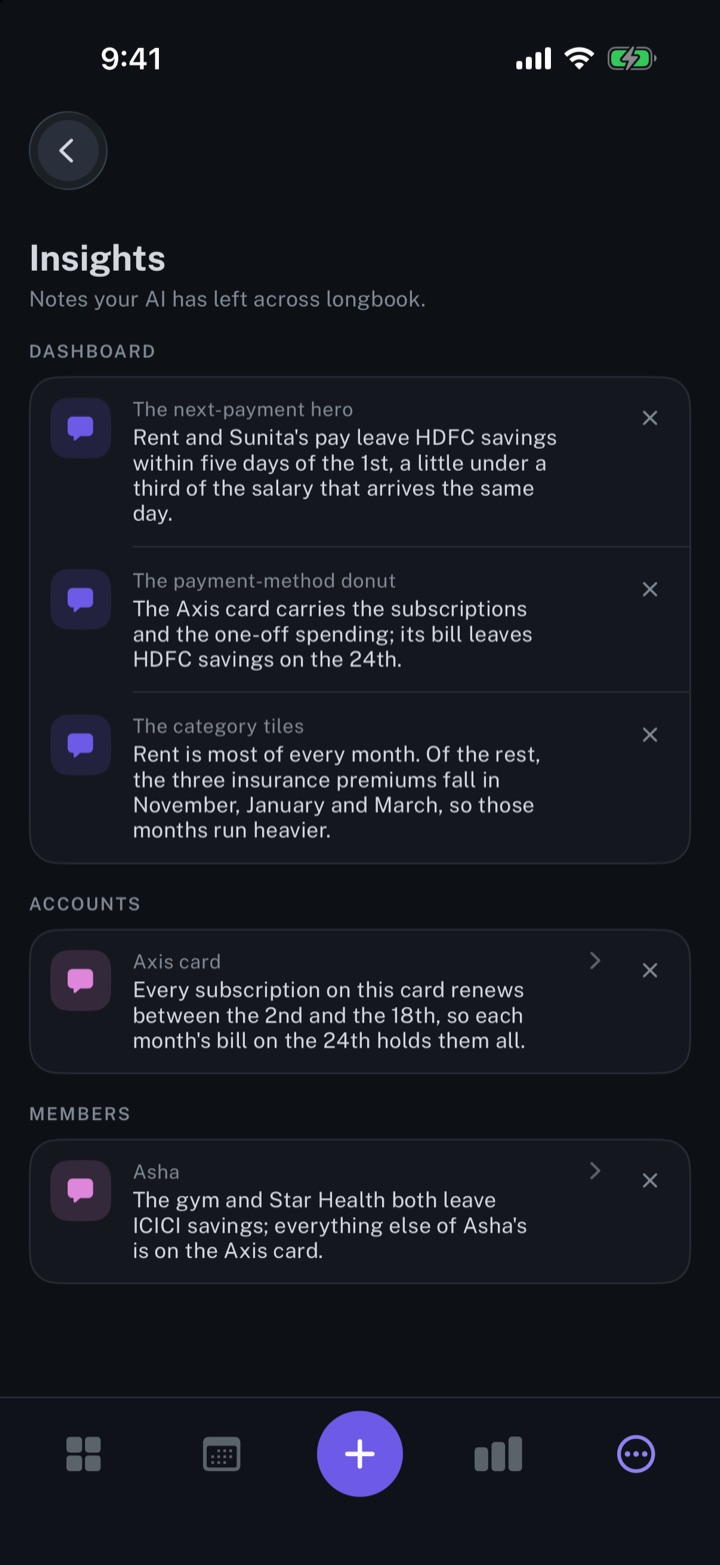
Get insights about your expenses from your AI
Short notes from your AI, shown beside the dashboard, account or member card each one is about.
iPhone and Mac
View expenses from multiple bank accounts
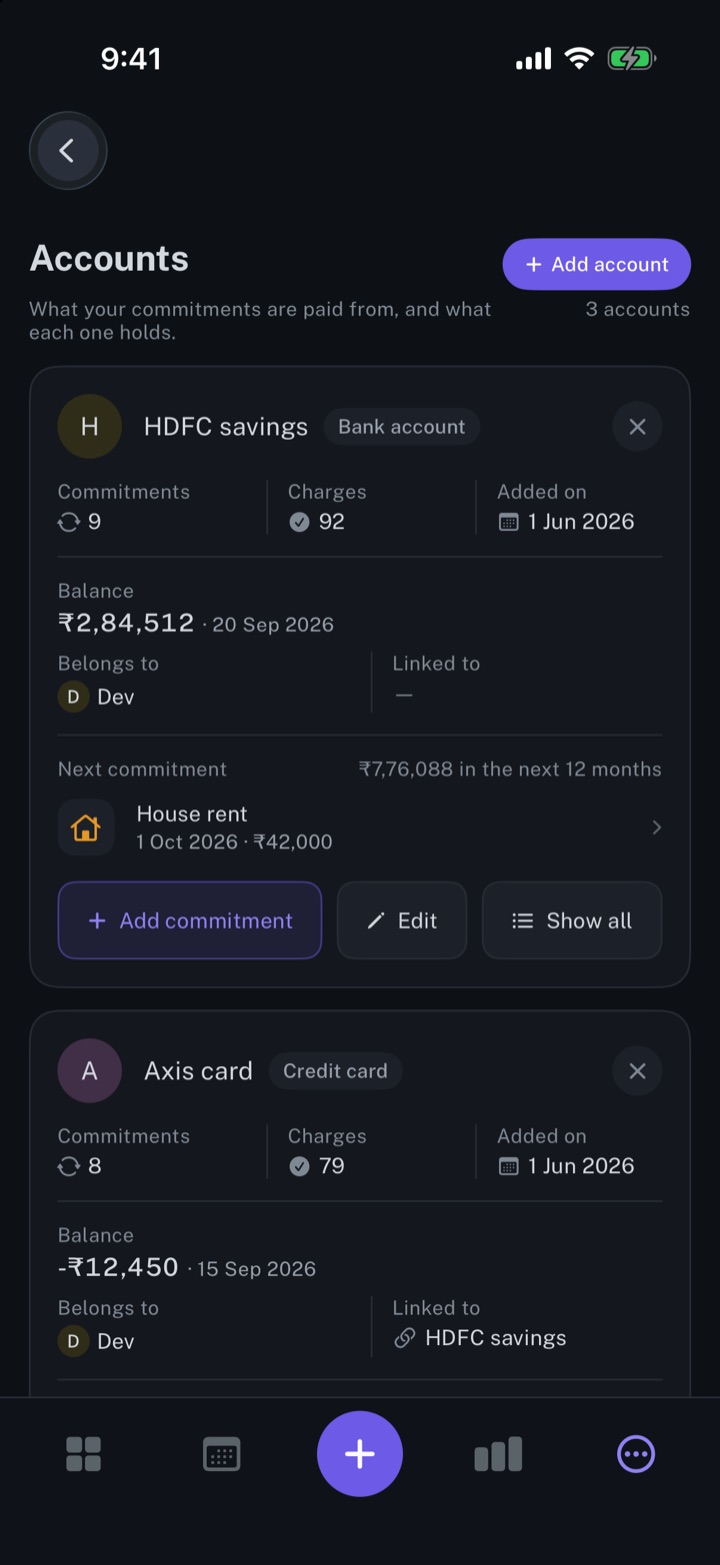
Every bank account and card with its balance, the commitments it pays and its next charge.
iPhone and Mac
About longbook
longbook is a memory for your financial commitments: subscriptions, insurance, rent, loans and every other payment that comes back. It runs on iPhone and Mac and keeps its records as plain files in your own iCloud.
The next payment stays in view on the iPhone widget and in the Mac menu bar. Your AI can read your longbook and update it through longbook's MCP server, and every change it makes shows in Changes, to keep or undo.