
Automations & AI
Automate longbook with Siri and Shortcuts
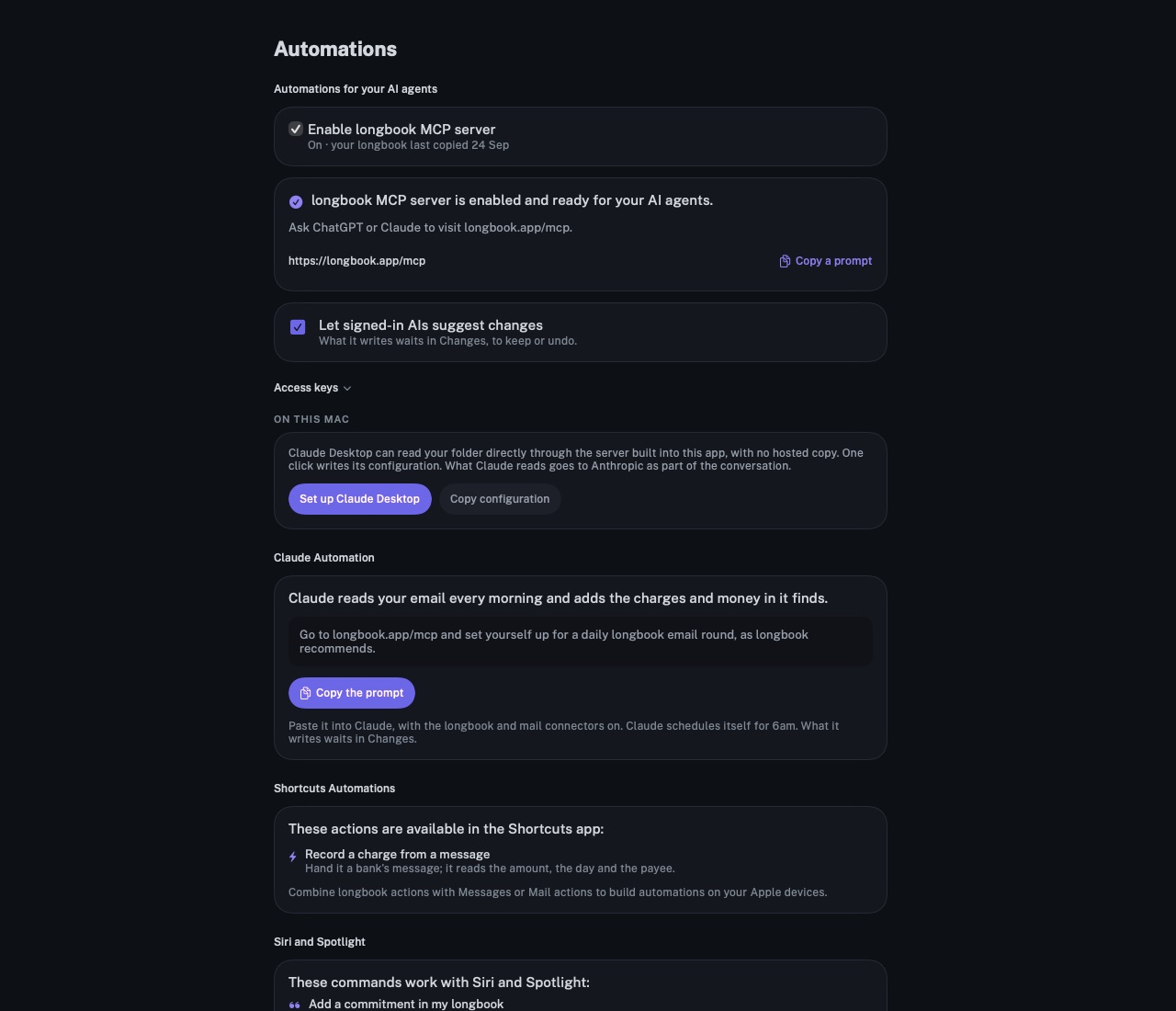
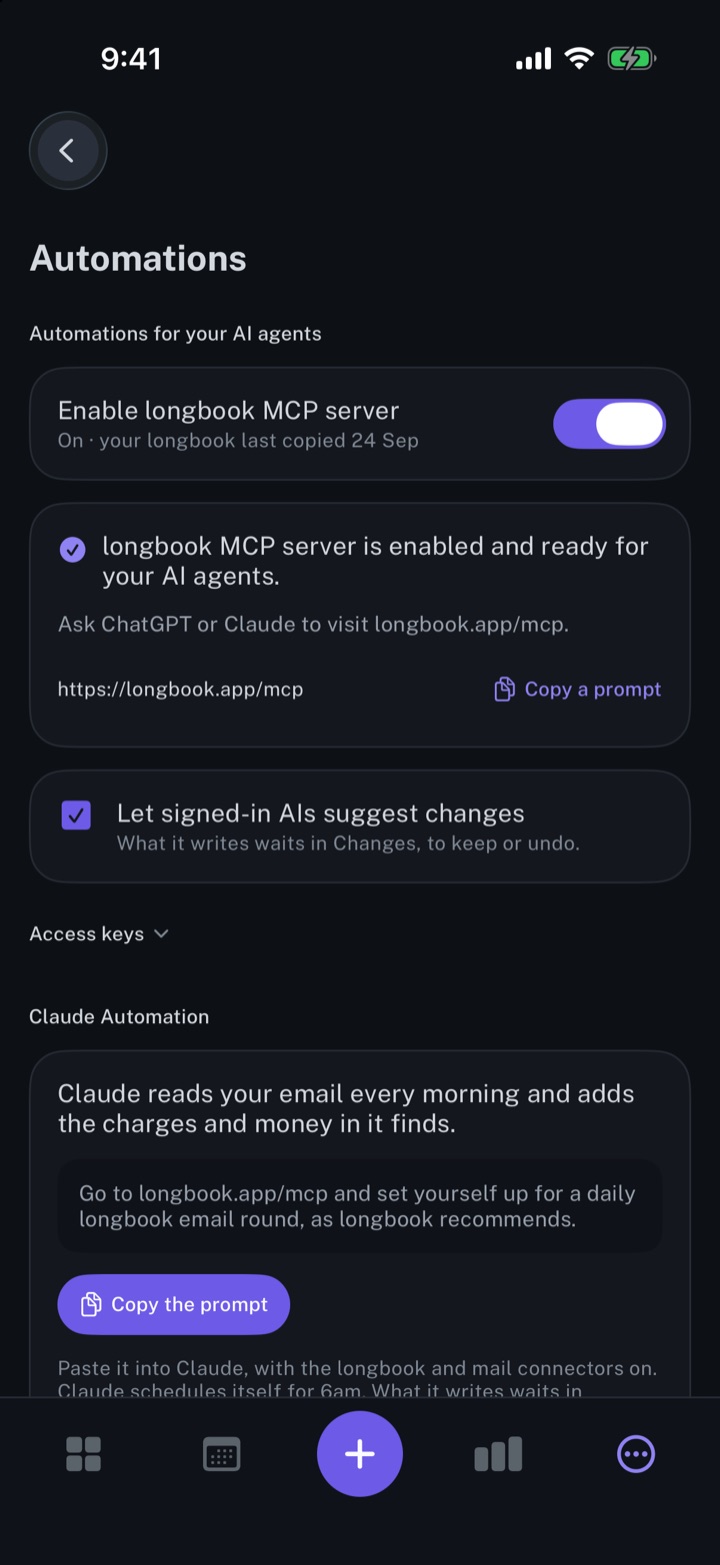
Siri adds expenses and commitments to longbook by voice and says what is due next. A Shortcuts action records charges from a bank's messages.
longbook for iPhone and Mac
What it does
Expenses and commitments by voice
Add an expense in my longbook records a payment already made; Add a commitment in my longbook adds a one-time payment due on a day. Siri asks for the name, the amount and the day. An amount said in rupees, dollars, pounds, euros, dirhams or yen keeps that currency; any other amount takes the currency most of your commitments use.
The next payment, spoken
What do I pay next in my longbook names each commitment due on the next day anything is owed, with its amount, and says whether that day is today, tomorrow or how many days away.
Charges from bank messages
The Record a charge from a message action reads a bank's message on the device: the amount, the day, the payee, and the account whose name holds the same last four digits. A credit is recorded as money in. One-time passwords, declined payments and balance alerts record nothing, and the same message handed over twice records one charge.
Why it exists
Many payments are made away from a computer: a cab fare, a shop bill, a transfer from the phone. Siri and the Shortcuts action record them there, without opening longbook. Everything they add shows in Changes under the name Siri or bank message, to keep or undo.
Questions
Can Siri add a monthly or yearly commitment?+
No. Siri adds a one-time commitment due on the day you name. A monthly, yearly or custom rhythm is set in the commitment's form in the app.
Does the Shortcuts action read my messages on its own?+
No. The action reads only the text a shortcut hands it. Combined with a Messages or Mail action in the Shortcuts app, it runs as part of an automation you build.
Which longbook do Siri and Shortcuts write to?+
The longbook folder in iCloud Drive. They read and write it without opening the app, so iCloud Drive has to be on for that iPhone or Mac. A longbook kept in a folder chosen elsewhere, or only on the device, is out of their reach.
Related features
Add the longbook widget to your iPhone
The next payment on your iPhone Home Screen: the day it is due, the amount and what it is for.
iPhone
Manage your expenses
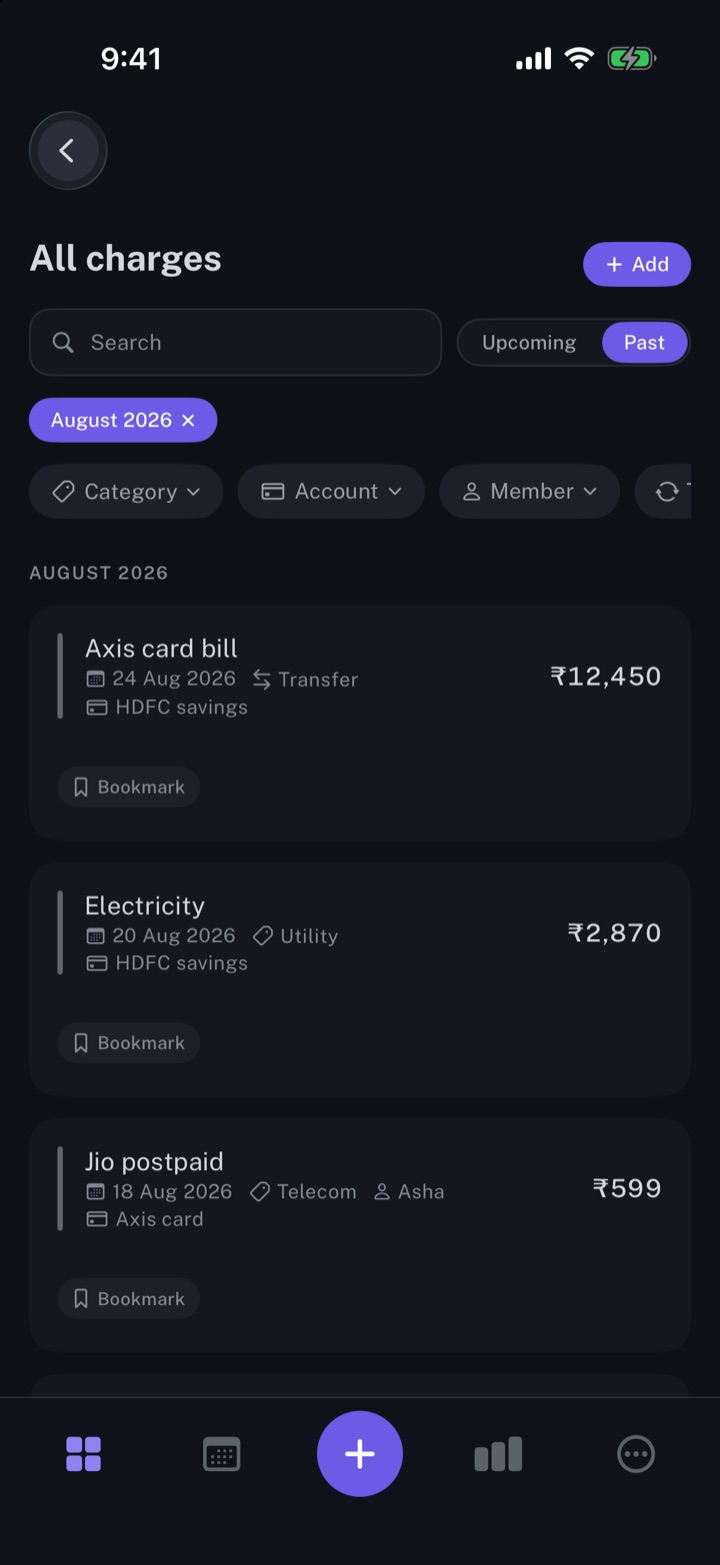
Every charge in one list, one-time or recurring, with its date, category and account.
iPhone and Mac
Review every change your AI makes
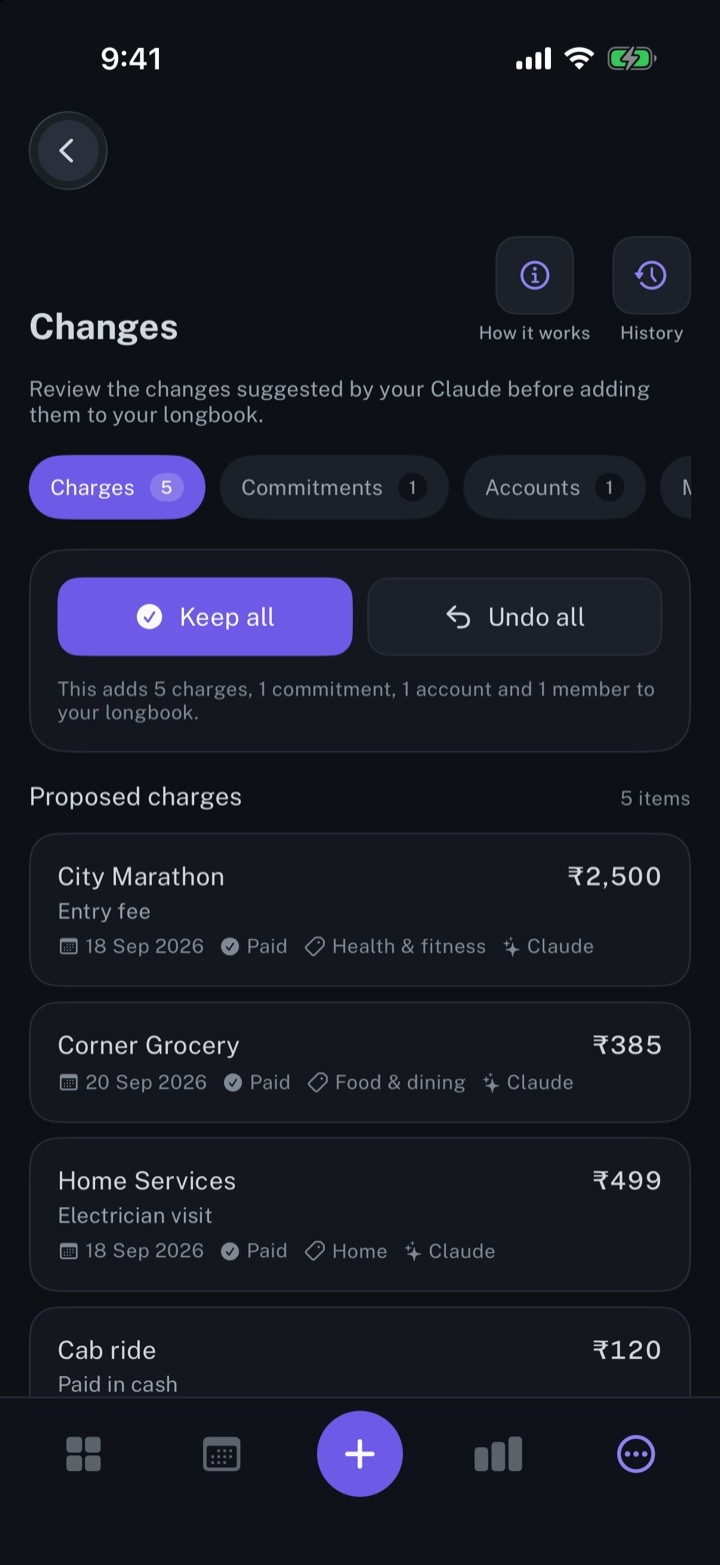
Every row your AI, Siri or an import writes shows in Changes, to keep, edit or undo.
iPhone and Mac
About longbook
longbook is a memory for your financial commitments: subscriptions, insurance, rent, loans and every other payment that comes back. It runs on iPhone and Mac and keeps its records as plain files in your own iCloud.
The next payment stays in view on the iPhone widget and in the Mac menu bar. Your AI can read your longbook and update it through longbook's MCP server, and every change it makes shows in Changes, to keep or undo.