longbook

Upcoming features

longbook tracks what leaves your accounts. Next, it comes to more of your devices, and three features cover the other side: what comes in, what you can still spend, and what you have saved.

None of these is in the app yet. Apart from the Mac and iPhone, which are the app today, the pictures are designs made with invented data, not screenshots, and they may change before they ship.

Every device, one licence

longbook launches on Mac and iPhone. iPad, Apple Watch and iPhone Duo come next, then Android. The licence you buy today covers each of them as it arrives.

Now
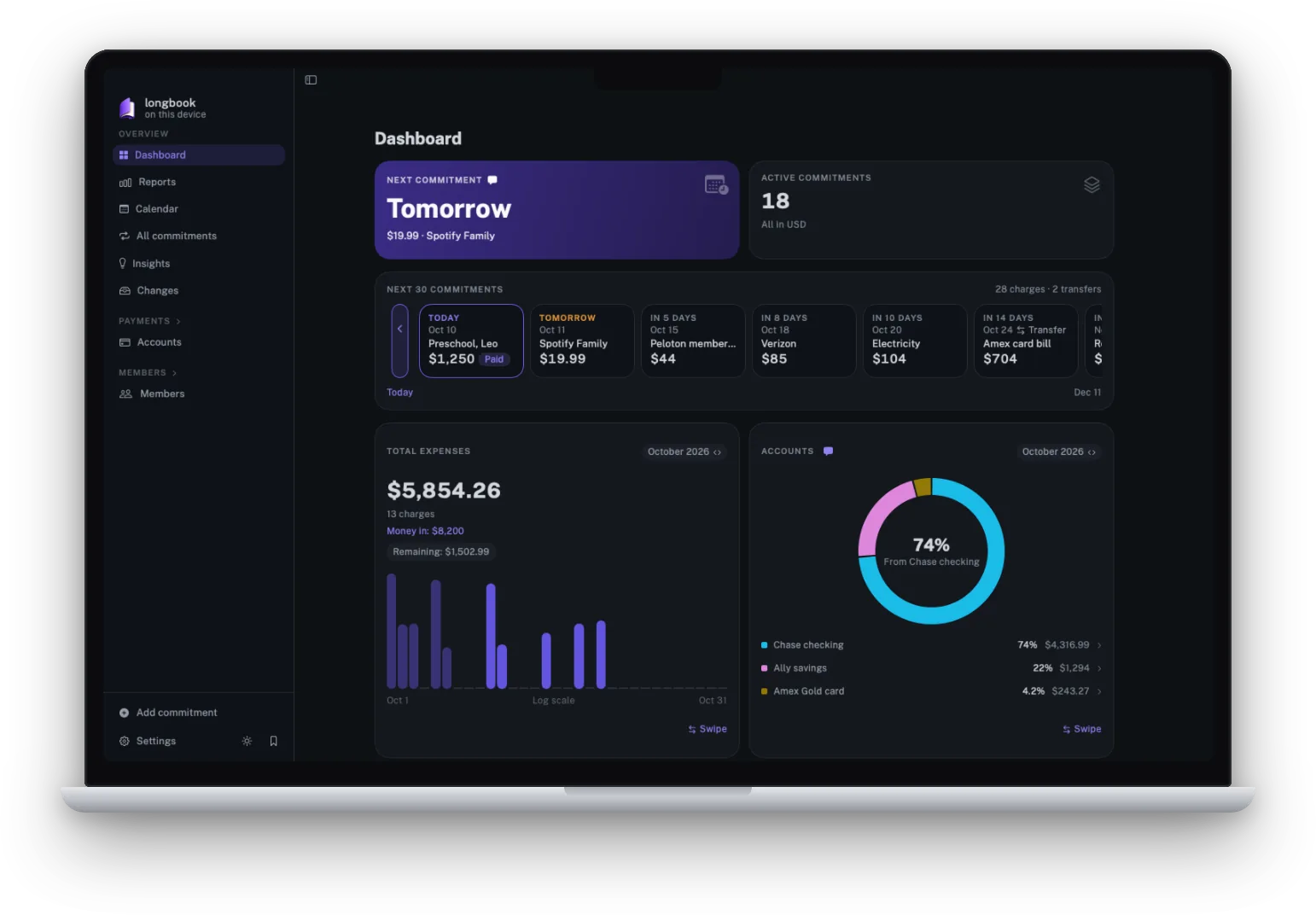
longbook's dashboard on a MacBook: the next payment, the month's commitments, total expenses and accounts
Mac
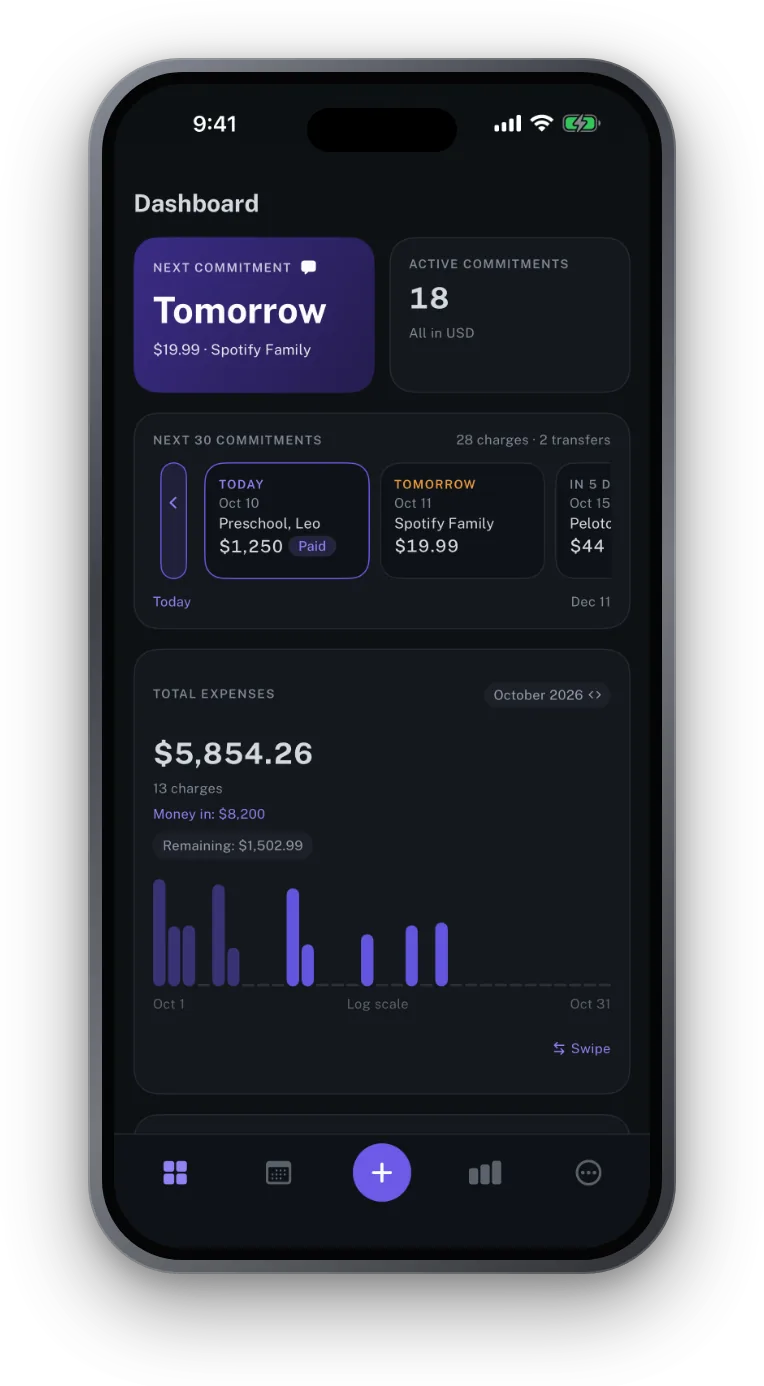
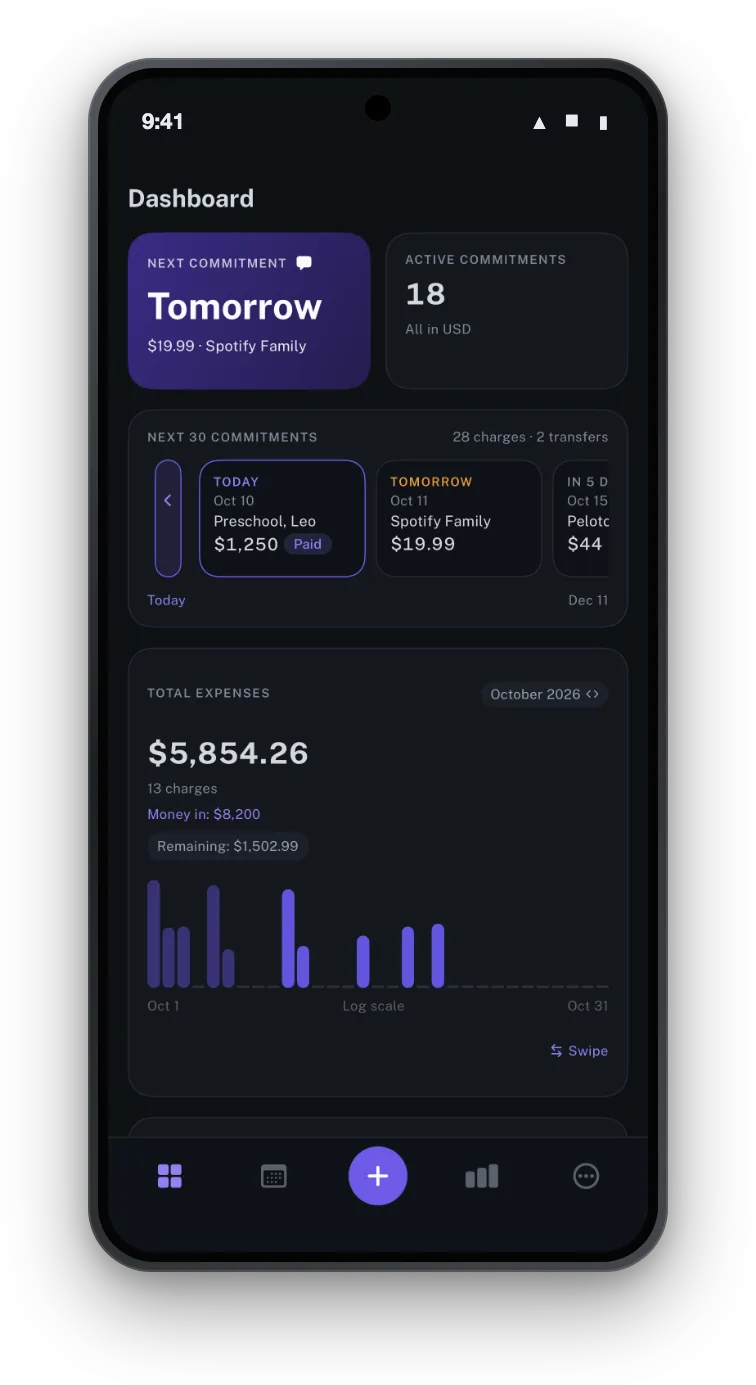
longbook's dashboard on an iPhone
iPhone

Next

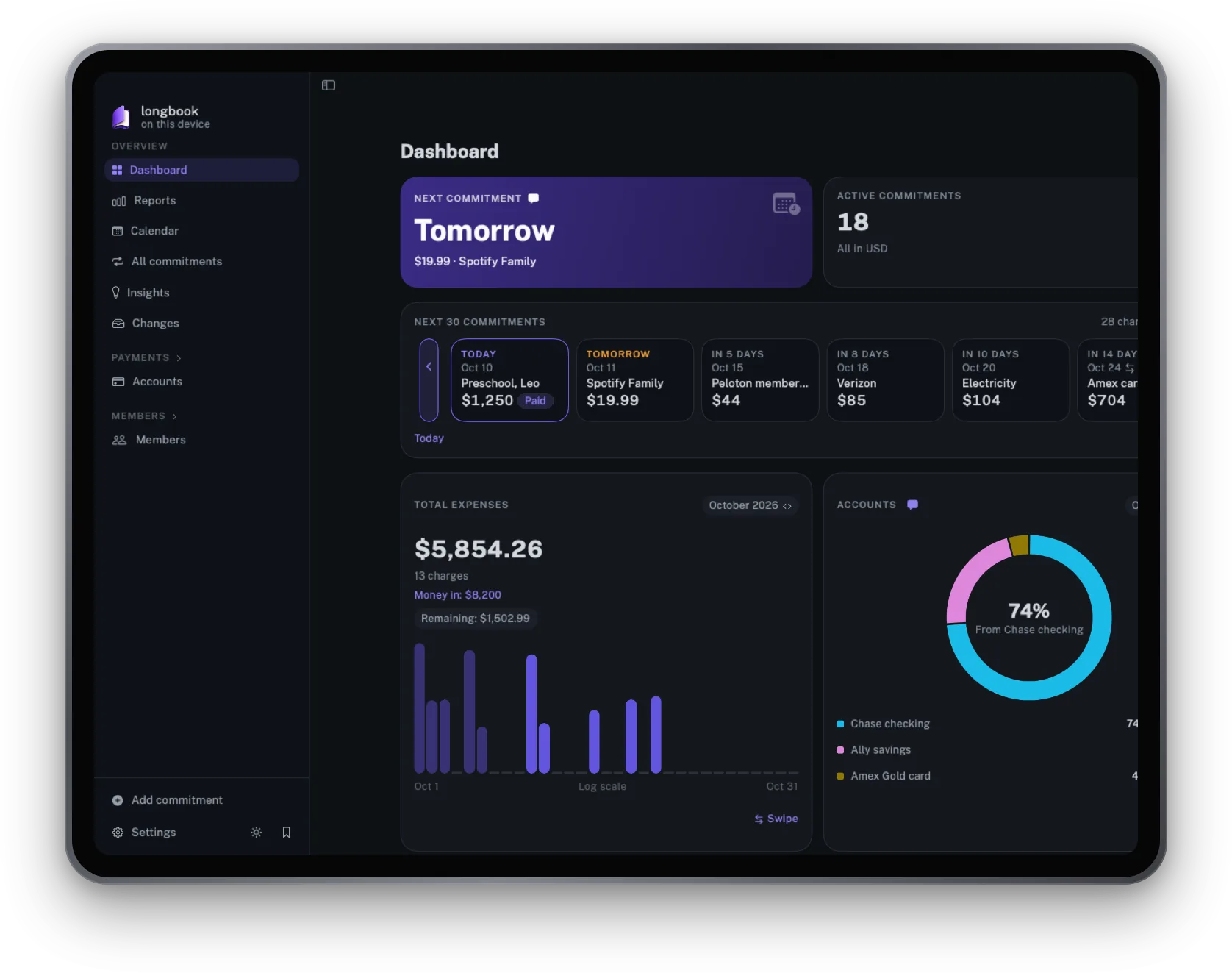
A design of longbook on an iPad, in the Mac app's sidebar layout
Design: iPad
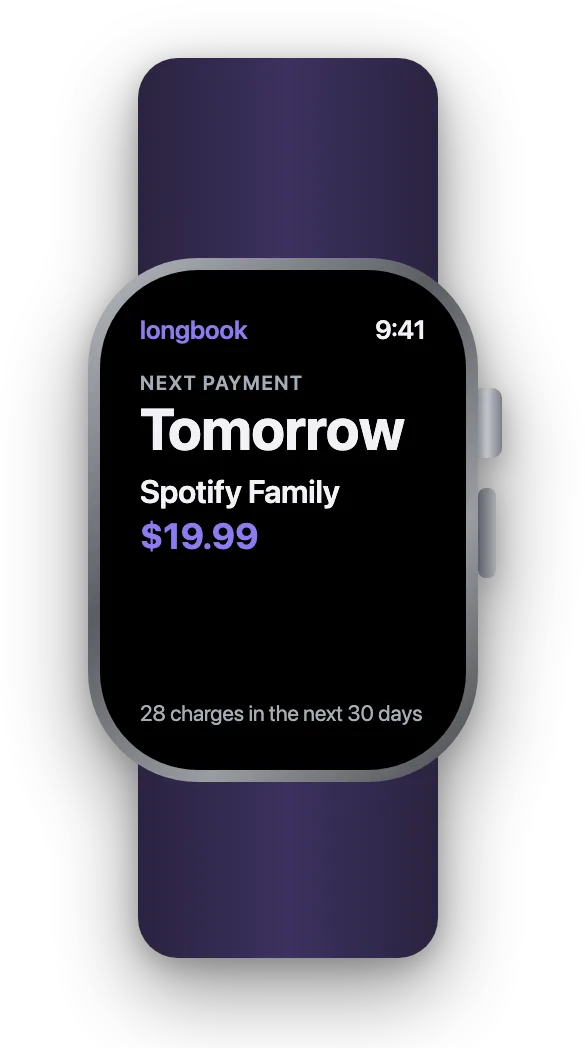
A design of an Apple Watch showing longbook's next payment: Spotify Family, $19.99, tomorrow
Design: Apple Watch
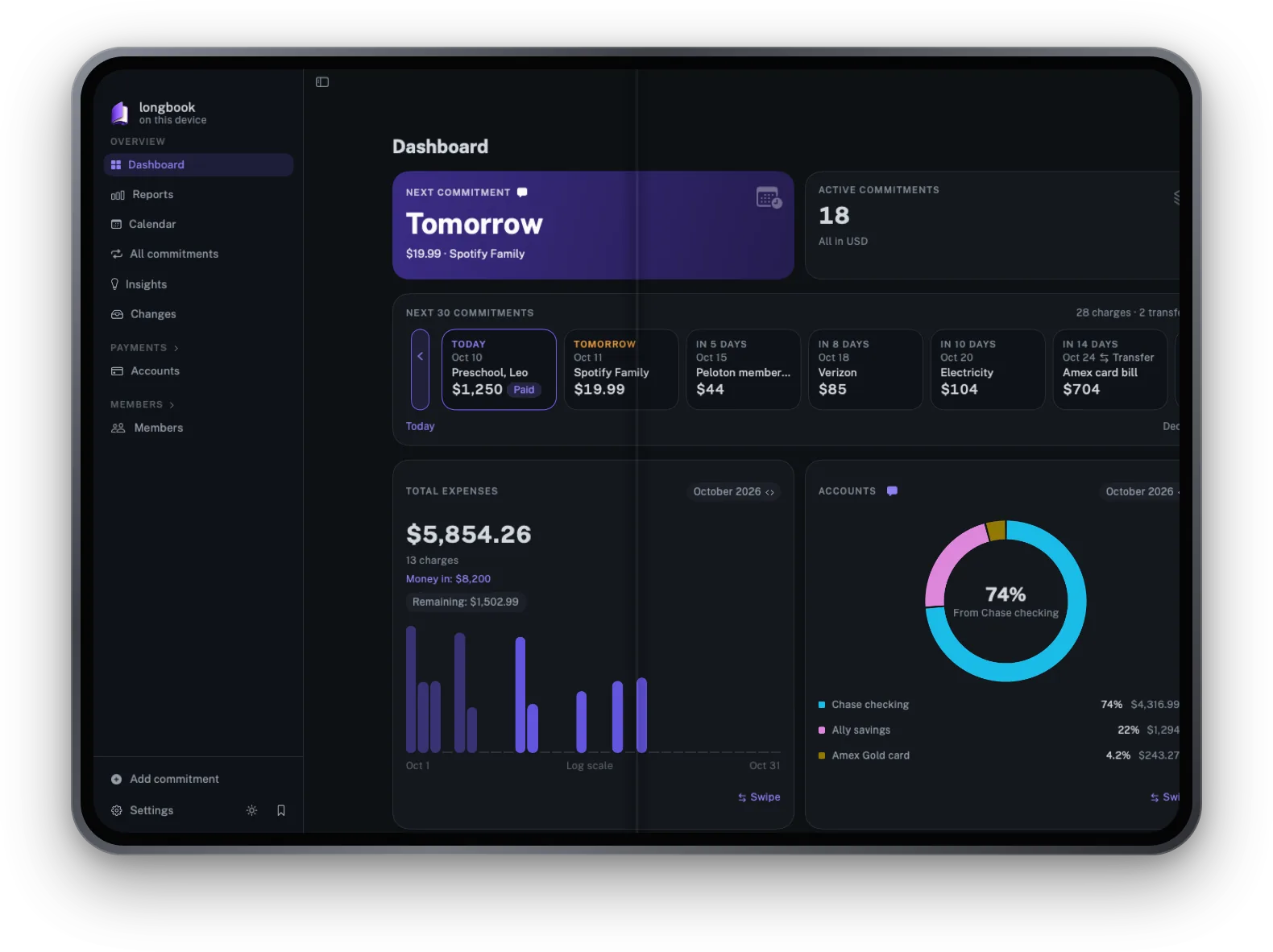
A design of longbook on an opened iPhone Duo
Design: iPhone Duo, opened

Then

A design of longbook on an Android phone
Design: Android

Income

Everything that comes in, in one place.

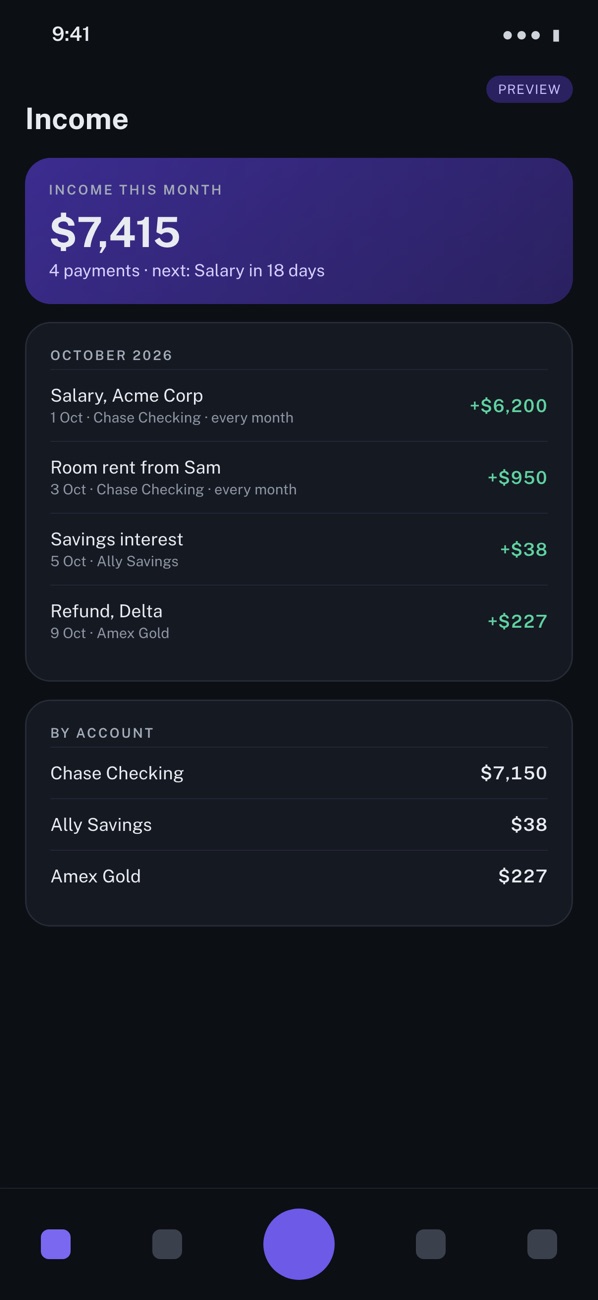
Salary, rent received, interest, refunds and cashback get their own list beside Commitments and Charges, so a month shows money in as well as money out.
  • Record a salary once and longbook remembers its amount, day and account.
  • Every payment in is kept with the account it was paid into.
  • See the month’s income by account, next to what you spent.
  • Your AI adds income from statements and email, and each one waits in Proposals to keep or undo.
A design of the Income screen: a month of payments that came in, with salary, rent, interest and a refund, and a total by account.
Design: income this month, by account.

Available to spend

What is left after everything that is already committed.

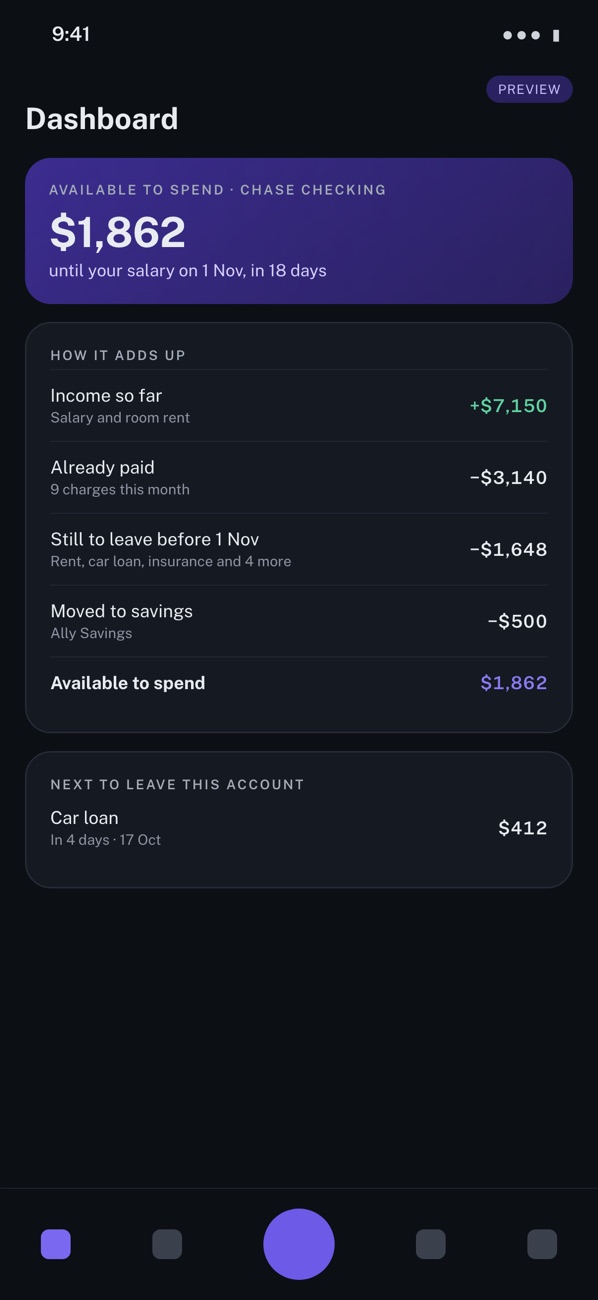
For each account, longbook adds what came in, takes away what has been paid and what is still to leave before your next income, and shows what remains.
  • One number per account, with the sums behind it one tap away.
  • Counts every commitment due before your next income, not only what has already been charged.
  • Money you move into a savings account is not counted as available.
  • Ask your AI how much you can spend until payday, and it answers with the same number.
A design of the dashboard showing an amount available to spend in one account until the next salary, with the sums that lead to it.
Design: what is left in an account until the next income, and how it adds up.

Savings accounts

See what you have saved, apart from what you spend.

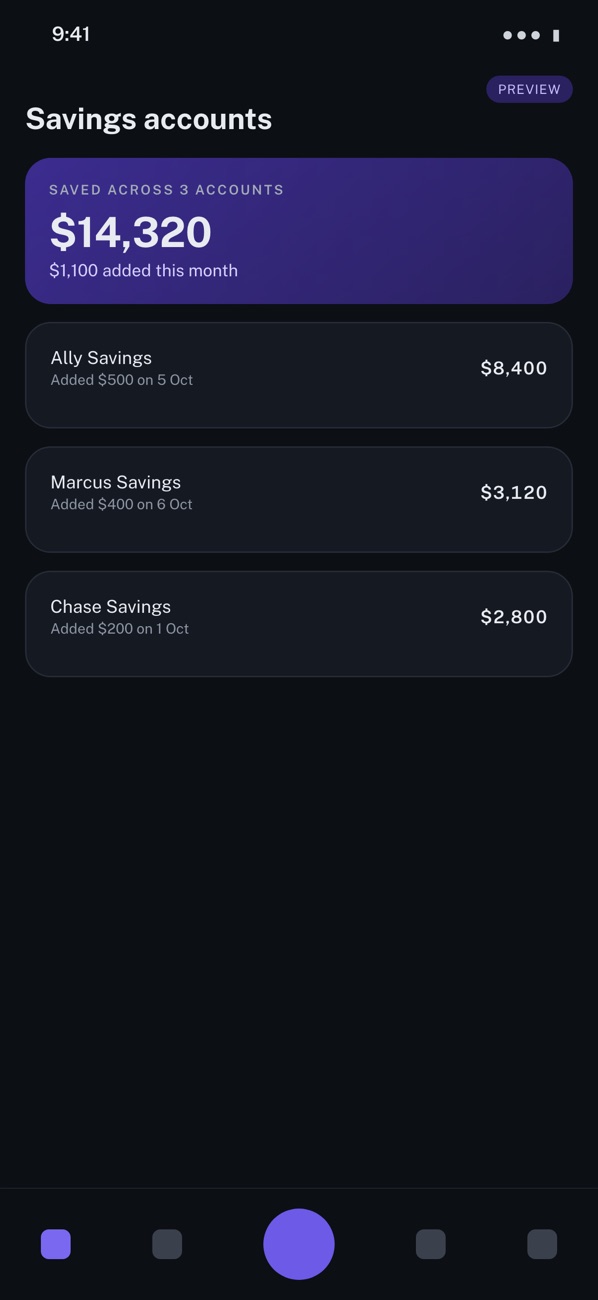
Mark an account as a savings account, and longbook keeps its balance out of your spending and shows it as saved.
  • Mark any account as savings, such as a savings account or a fixed deposit.
  • See the total saved and what was added to each account this month.
  • Money you move into a savings account is not counted in Available to spend.
  • Your AI can tell you how much you have saved, and where.
A design of the Savings accounts screen: the total saved across three savings accounts, and what was added to each this month.
Design: the total saved, and what was added to each account.

Want one of these sooner, or something else? Write to contact@longbook.app. What is in the app today is on the features page.