
Automations
longbook can keep itself up to date. Your AI reads your email and records the charges it finds, Siri adds expenses by voice, and every change waits in Changes for you to keep or undo.
Automate longbook with Claude
Claude reads your longbook and writes into it through longbook's MCP server. It answers what is due and what a month cost, and adds the charges it finds.
- Answers from your own records
- Writes that wait for you
- Two ways to connect
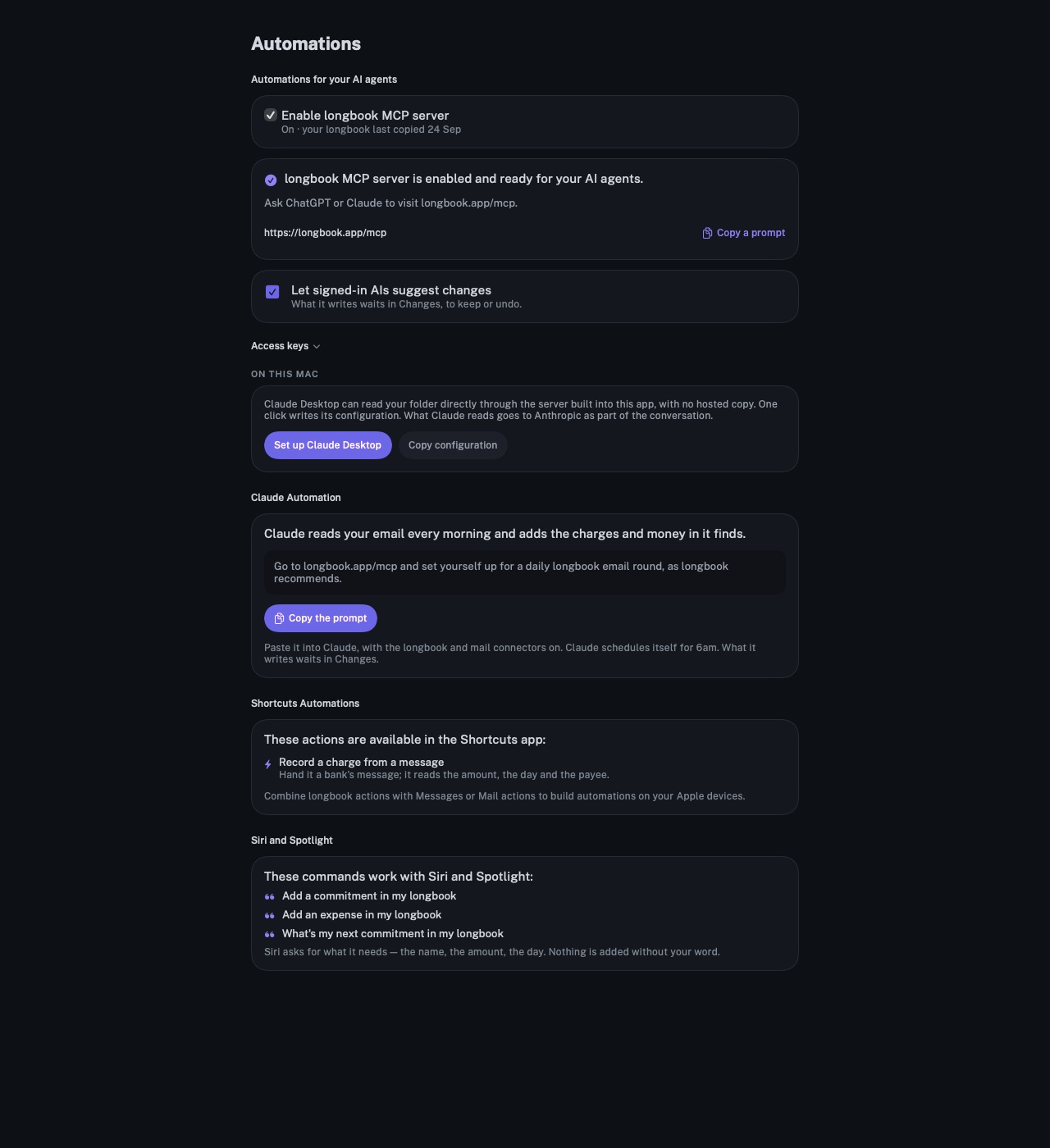
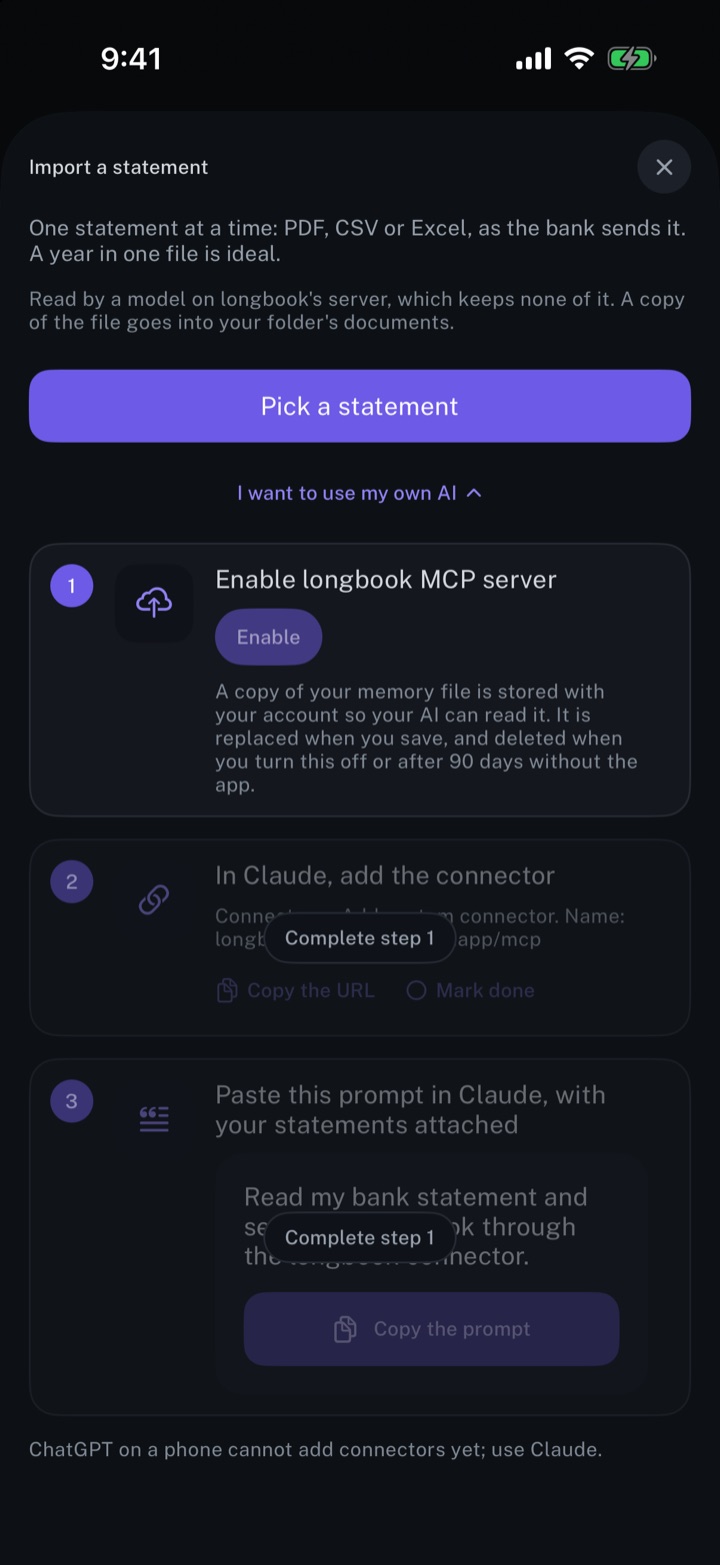
Use your longbook in any AI app on your computer
Want the AI app you already have open all day to know what you owe this month? Run longbook's MCP server on your own computer with one command, and Cursor, VS Code, Claude Code or any other MCP app reads your longbook folder directly. Add it in your AI app and consider it done.
npx -y @longbook/mcp@latest
- Works in the AI apps you already use
- Free and private
- The same answers and the same rules
- Any computer that has your folder
Log expenses from Gmail
Claude reads your Gmail every morning and records what it finds in longbook: bank alerts, receipts, bills that are due and money in. Each entry waits in Changes.
- One prompt, once
- Each morning's mail
- Waiting in Changes
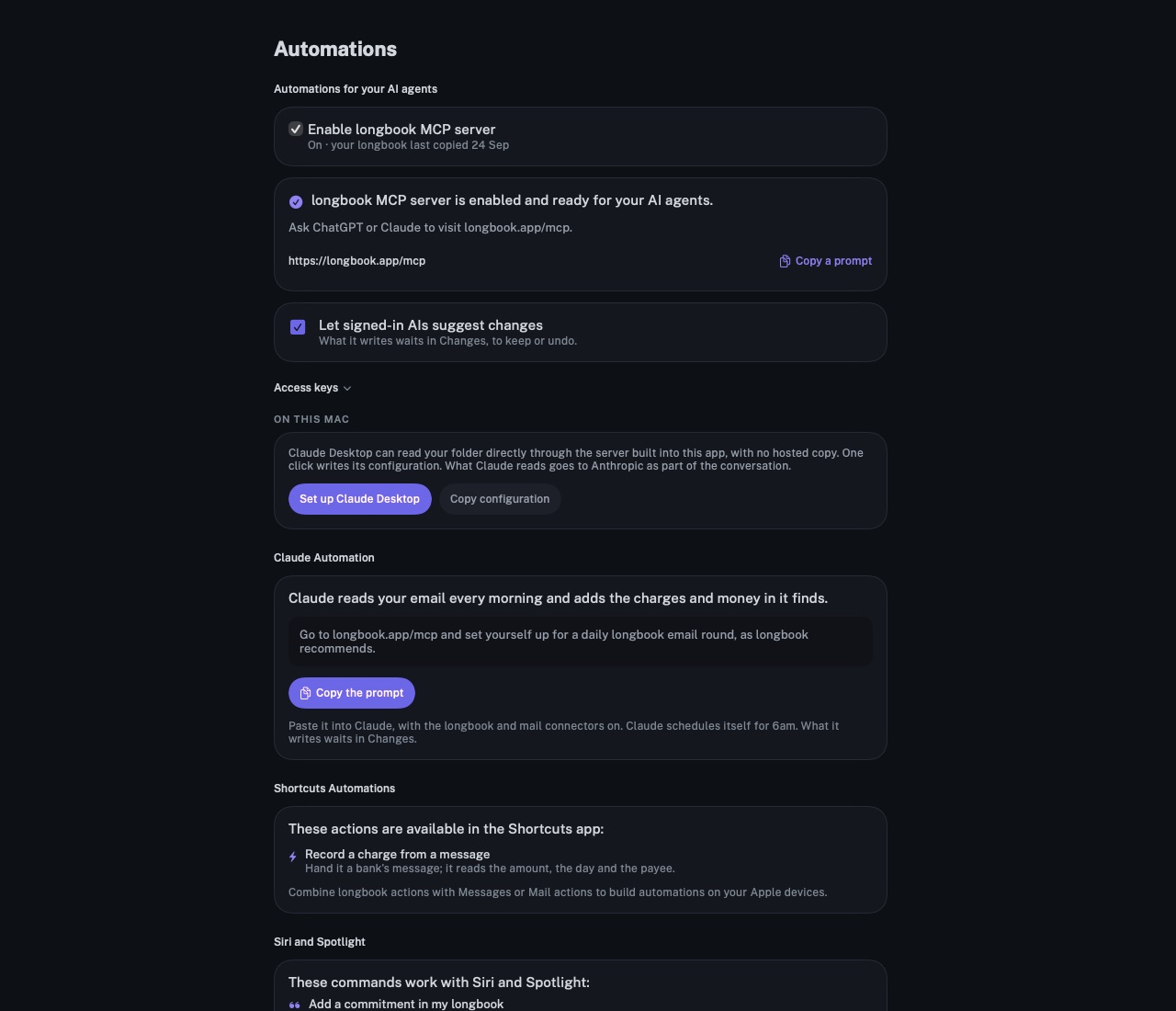
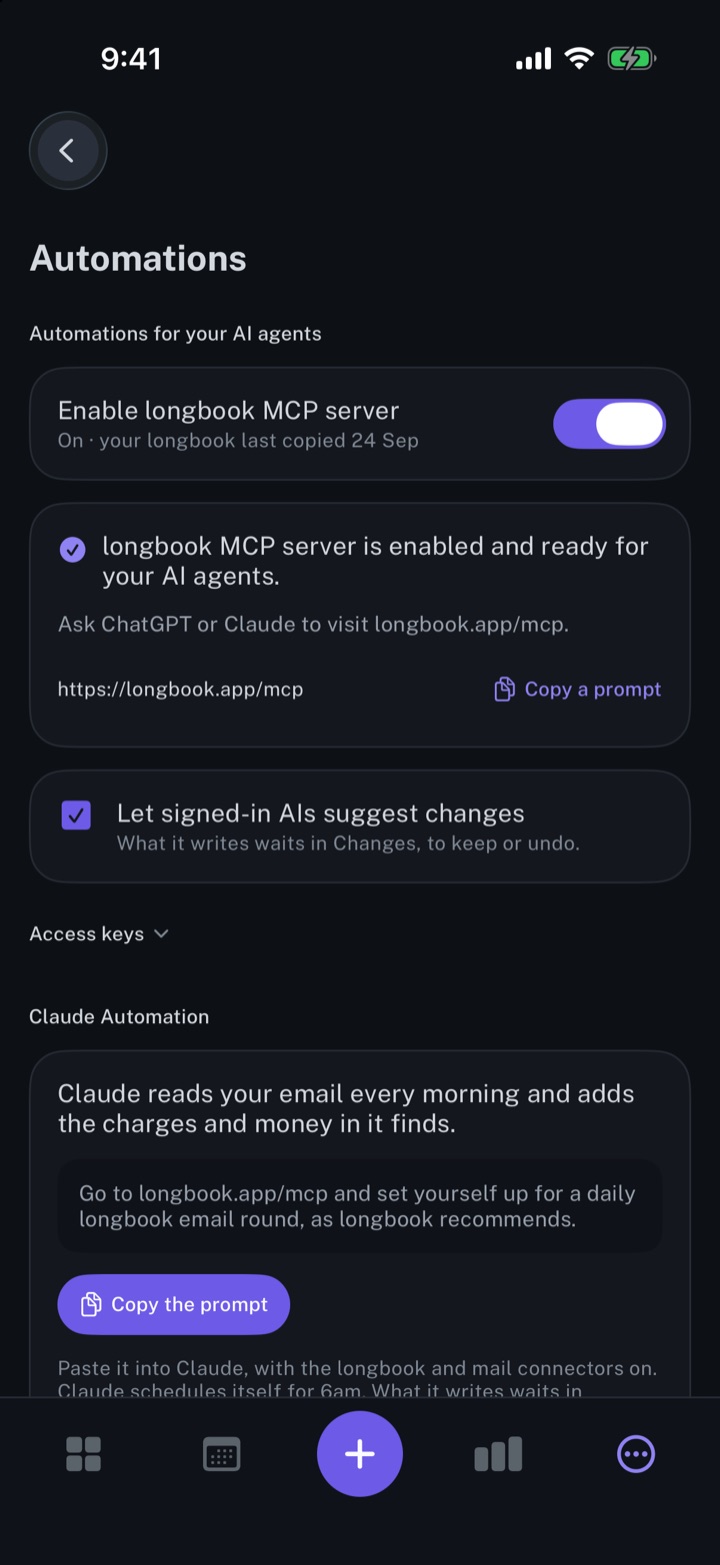
Automate longbook with Siri and Shortcuts
Siri adds expenses and commitments to longbook by voice and says what is due next. A Shortcuts action records charges from a bank's messages.
- Expenses and commitments by voice
- The next payment, spoken
- Charges from bank messages
Get insights about your expenses from your AI
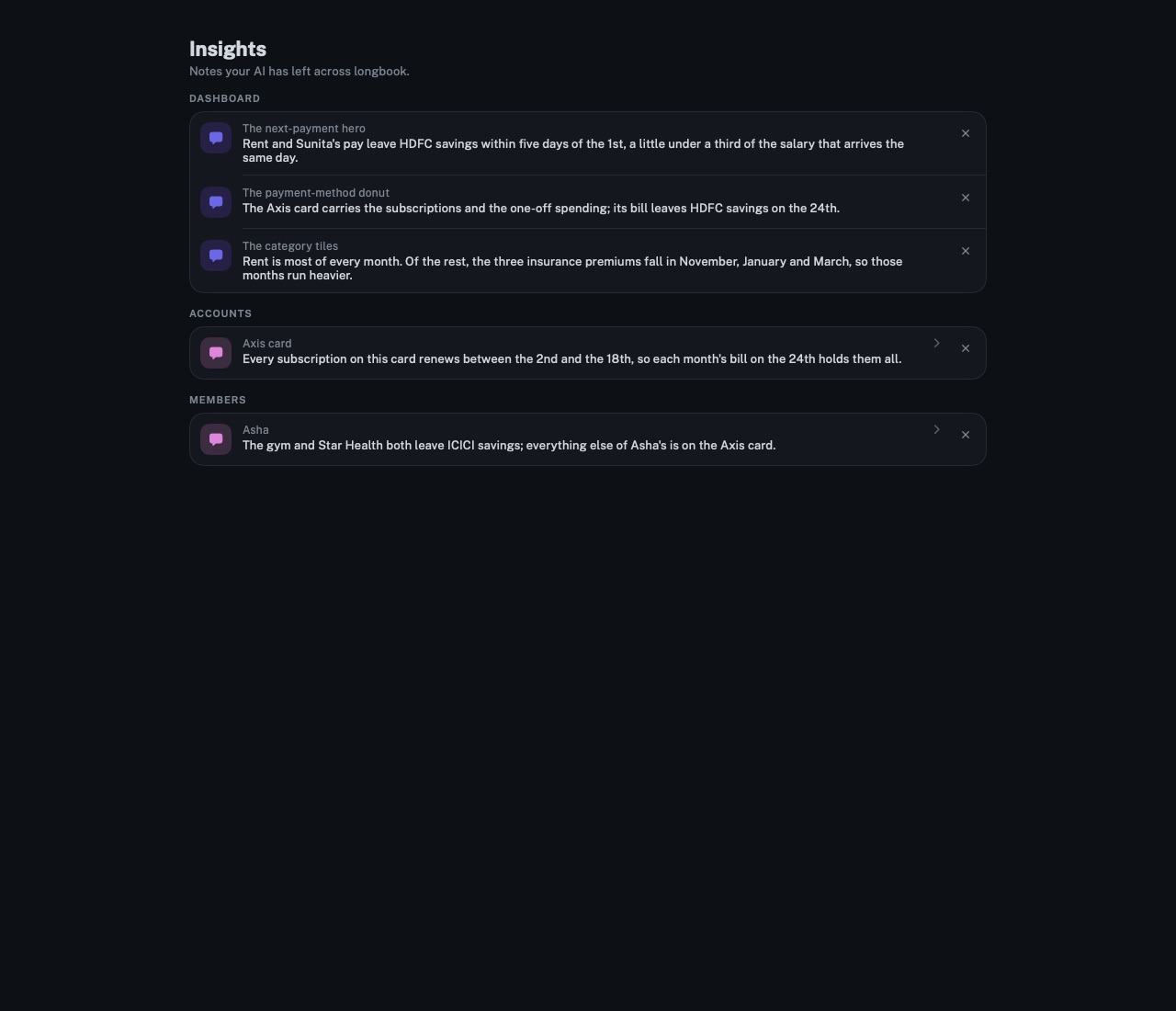
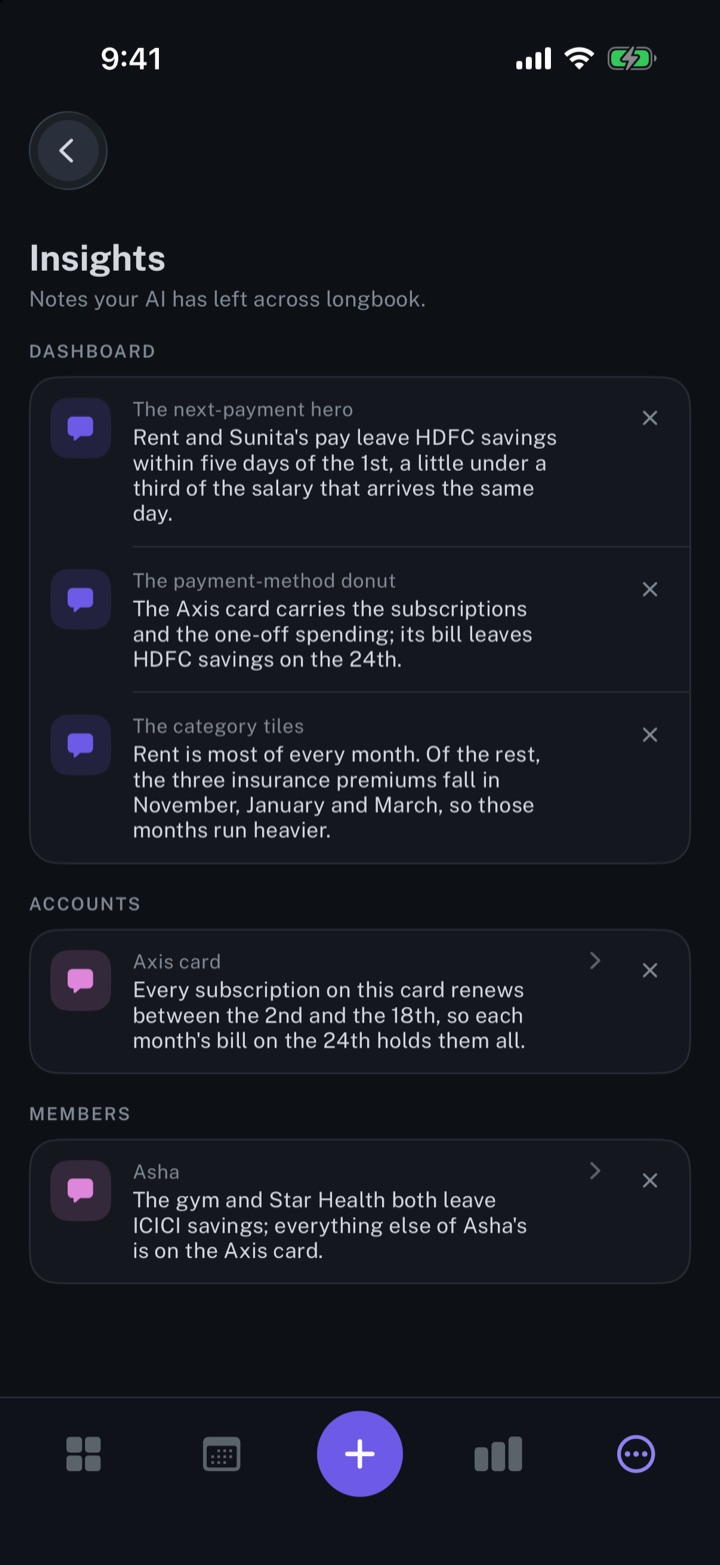
Your AI reads your longbook and leaves short notes on the cards they concern. longbook shows each note beside its card and gathers them all on one screen.
- A note on the card it concerns
- Every note in one place
- Notes from your AI alone
Review every change your AI makes
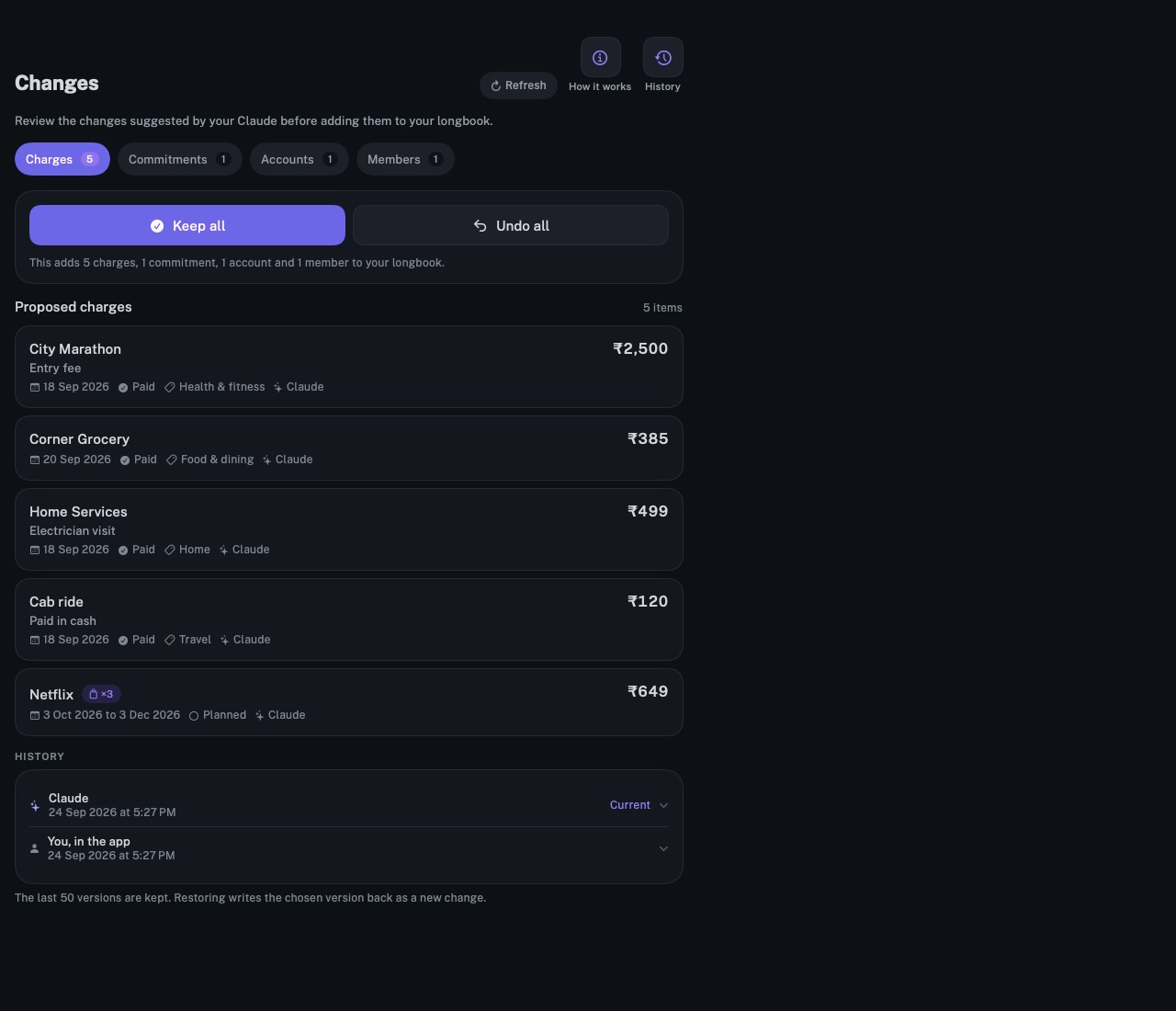
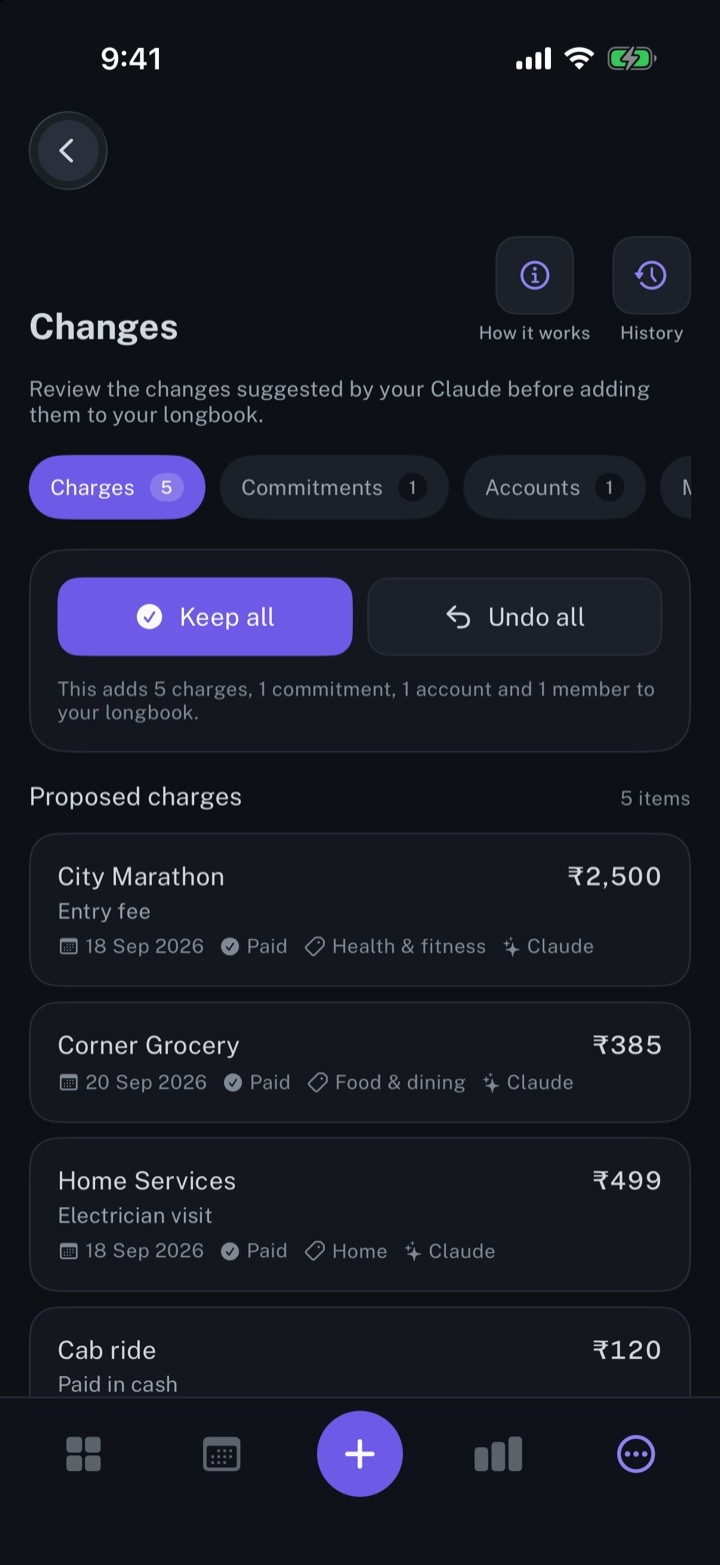
Every row an AI, Siri or a statement import writes into longbook shows in Changes, with the name of its writer, to keep or undo.
- Each row with its writer
- One answer for the whole change
- Every version, kept
Connect your AI
Connect your AI to longbook and it reads the same commitments the apps read, and writes through the same rules. Connect online from any device, or on your own computer for free.
- Online, from any device
Needs longbook Cloud, $4 a month with a 3-day trial: what longbook Cloud is. Your AI connects to longbook's address. Opened in a browser, the address explains itself: the tools, and a worked example.
https://longbook.app/mcp- Claude
Settings → Connectors → Add custom connector → paste the address → sign in with your longbook account.
- ChatGPT
Settings → Connectors → Add → paste the address → sign in.
- Claude Code
claude mcp add --transport http longbook https://longbook.app/mcpThen run
/mcpto sign in.- Claude plugin
Adds every longbook prompt as a command, such as
/longbook:whats-dueand/longbook:weekly-page./plugin marketplace add MXmaster2s/longbook-claude-plugin/plugin install longbook@longbookSign in with your longbook account when Claude asks, then type
/longbook:start. It checks the connection, starts setup when your longbook is empty, and lists every prompt. The email prompts also need Gmail connected.- On your computer, free
No longbook Cloud needed. Your AI reads your longbook folder on your computer directly, with no hosted copy. The longbook npm package runs the server in any app that starts MCP servers, with Node.js 18 or later. On Windows or Linux, add
--vaultand your longbook folder's path after@longbook/mcp@latest.- Claude Desktop
Set up Claude Desktop in the Mac app connects Claude to your longbook folder directly. Without the app's setup, add the server below as in any other app.
- Claude Code on your computer
claude mcp add longbook -- npx -y @longbook/mcp@latest- Cursor
Add to
~/.cursor/mcp.json:{"mcpServers":{"longbook":{"command":"npx","args":["-y","@longbook/mcp@latest"]}}}- VS Code
code --add-mcp '{"name":"longbook","command":"npx","args":["-y","@longbook/mcp@latest"]}'- Any other app
Add a server named longbook that runs this command:
npx -y @longbook/mcp@latest
Prompts for your AI
Paste a prompt into Claude or ChatGPT with the longbook connector on. Each one has written steps your AI reads from longbook, so the same words get the same result, and what it adds or changes in your commitments and charges waits in Changes.
The same list, with every step, is at longbook.app/prompts.json.
- Setting up
Read my 12-month bank statement and help me set up my longbookYour longbook filled from your statements: every charge on record, the names you picked in setup filled in where your statements or your answers show them, each account's closing balance set, the charges that clearly repeat planned ahead, and the rest set to repeat once you confirm them. It waits in the Changes screen for you to keep.
Add my statement in my longbookEvery charge on the statement recorded as paid, money in kept apart, the account's balance updated, the charges that clearly repeat set to continue, and the rest once you confirm them.
Categorise my longbookEvery commitment without a category gets one. Your AI shows you the ones it guessed, so you can correct any.
Add September month report in my longbookThe month's statements recorded, the charges they prove confirmed, and each account's balance set. longbook draws that month's report, with "Not yet confirmed" beside the total until every charge in it is confirmed.
- Keeping it current
Add email invoices in my longbookThis month's bank alerts, receipts, bills and money in from your mail, each recorded once, with nothing doubled.
Needs a mail connector in your AI.
Go to longbook.app/mcp and set up a daily email round for my longbook, as longbook recommendsYour AI reads your mail every morning at 6 and records the money that moved, so your longbook stays current without you asking.
Needs a mail connector and scheduled tasks in your AI.
Add document invoices in my longbookThe invoices, receipts and bills you attach, or keep in the longbook documents folder, recorded as charges with the file's name in their notes, without doubling what your statements or mail already recorded.
Add a commitment in my longbookA new commitment planned ahead, or a one-time expense recorded, on the account and for the person you name.
- Reading it
What's my next commitment in my longbookThe next day you owe something, and what is due that day. Nothing in your longbook changes.
What is coming in my longbook in the next 30 days?Everything due in the next 30 days, or the period you name, by day, with the total per currency. Nothing in your longbook changes.
What did I spend in July in my longbook?What you spent in that month, and what is not yet confirmed. Through the Mac connection this comes from longbook's report; otherwise from your charges, including ones nobody has confirmed yet. Nothing in your longbook changes.
What renews this year in my longbook?Your yearly, half-yearly and quarterly payments due in the next 12 months, or before the day you name, in date order. Nothing in your longbook changes.
Make my weekly longbook pageOne page for the week: what is due in the next 7 days, what you spent last week, what renews in the next 30 days, and anything waiting for you. Nothing in your longbook changes.
- Reports
Create a report in my longbookA report over the days, accounts, people and categories you choose, on the Reports screen the next time the app is open. It counts confirmed charges only.
Make a report of my Goa trip in my longbookA report of your trip's spending on the Reports screen, filling in as the trip's charges are confirmed.
- Housekeeping
Tidy my longbookDoubled charges, bank-style names and odd categories found, and fixed once you approve each change.
Set up a morning brief for my longbookA short summary every morning of what is due today and in the next 30 days. Nothing in your longbook changes.
Needs scheduled tasks in your AI.
- From your email
Find subscriptions from my email and add them in my longbookYour subscriptions found in the last 12 months of your mail: each one with its receipts as charges, the ones that clearly repeat planned ahead, and trials and price changes as the mails state them.
Needs a mail connector in your AI.
Find expenses from my email and add them in my longbookThis month's spending from your mail's bank alerts and receipts, each recorded once as a paid charge.
Needs a mail connector in your AI.
Find invoices from my email and add them in my longbookThe invoices and receipts in the last 12 months of your mail, each recorded once as a charge, paid or due.
Needs a mail connector in your AI.
Find insurances from my email and add them in my longbookYour insurance policies found in your mail: each with its premiums as charges, its next premium planned, and its policy details in its notes.
Needs a mail connector in your AI.
Find purchases from my email and add them in my longbookYour orders from the last 3 months of your mail, each recorded once as a paid charge named for what you bought.
Needs a mail connector in your AI.
Find bills from my email and add them in my longbookYour bills from the last 3 months of your mail: what you paid recorded, what is due planned, and each card's monthly bill kept apart from spending.
Needs a mail connector in your AI.
Find loans and EMIs from my email and add them in my longbookYour loans and EMIs found in your mail: each loan with its EMIs as charges, planned ahead to its end when the mails state it.
Needs a mail connector in your AI.
Find travel bookings from my email and add them in my longbookYour bookings from the last 12 months of your mail: flights, trains, hotels and cabs, each recorded as a paid charge with where and when.
Needs a mail connector in your AI.
Find money in from my email and add them in my longbookYour salary, refunds, interest and other money in from the last 12 months of your mail, kept apart from spending.
Needs a mail connector in your AI.
All of the MCP server's tools
Every write goes through the same validator the apps use and lands in Changes with its writer named. The folder also carries a schema and a guide, longbook.schema.json and llms.txt, so any AI reads and writes it correctly.
- Reading
next_paymentupcomingcashflowcommitmentschargesspending_by_categoryspending_by_accountspending_by_memberaccountsmemberstagssearchwhoamiread_guide
- On a Mac
list_documentsread_documentreports
The statements in the folder, and the reports longbook drew there with the comments left on them. They read files, so they work only where the folder is in reach.
- Writing
add_commitmentsupdate_commitmentmark_paidadd_chargesremove_chargescancel_commitmentpromote_to_recurringleave_insightupdate_accountupdate_memberupdate_chargeset_planned_countadd_memberadd_accountrename_tagdelete_tagdelete_commitmentcreate_report
create_reportasks longbook to draw a report over the days, accounts, people and categories you name. It appears on the Reports screen the next time the app is open, not in Changes.
About longbook
longbook is a memory for your financial commitments: subscriptions, insurance, rent, loans and every other payment that comes back. It runs on iPhone and Mac and keeps its records as plain files in your own iCloud.
The next payment stays in view on the iPhone widget and in the Mac menu bar. Your AI can read your longbook and update it through longbook's MCP server, and every change it makes shows in Changes, to keep or undo.