
Understand
Calendar view of your expenses
Every payment on its day in a month calendar, twelve months back and twelve ahead, with each day's list one tap away.
longbook for iPhone and Mac
What it does
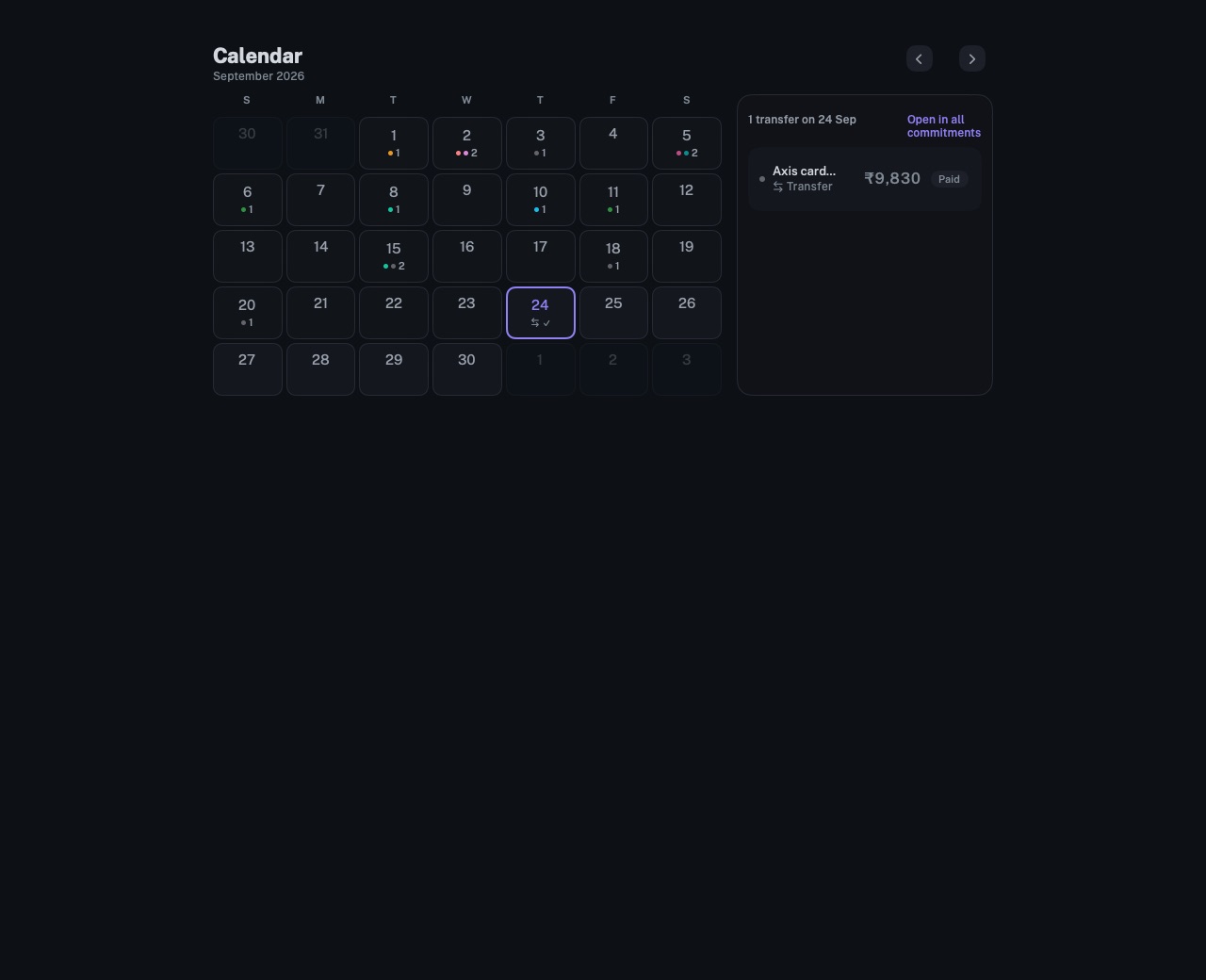
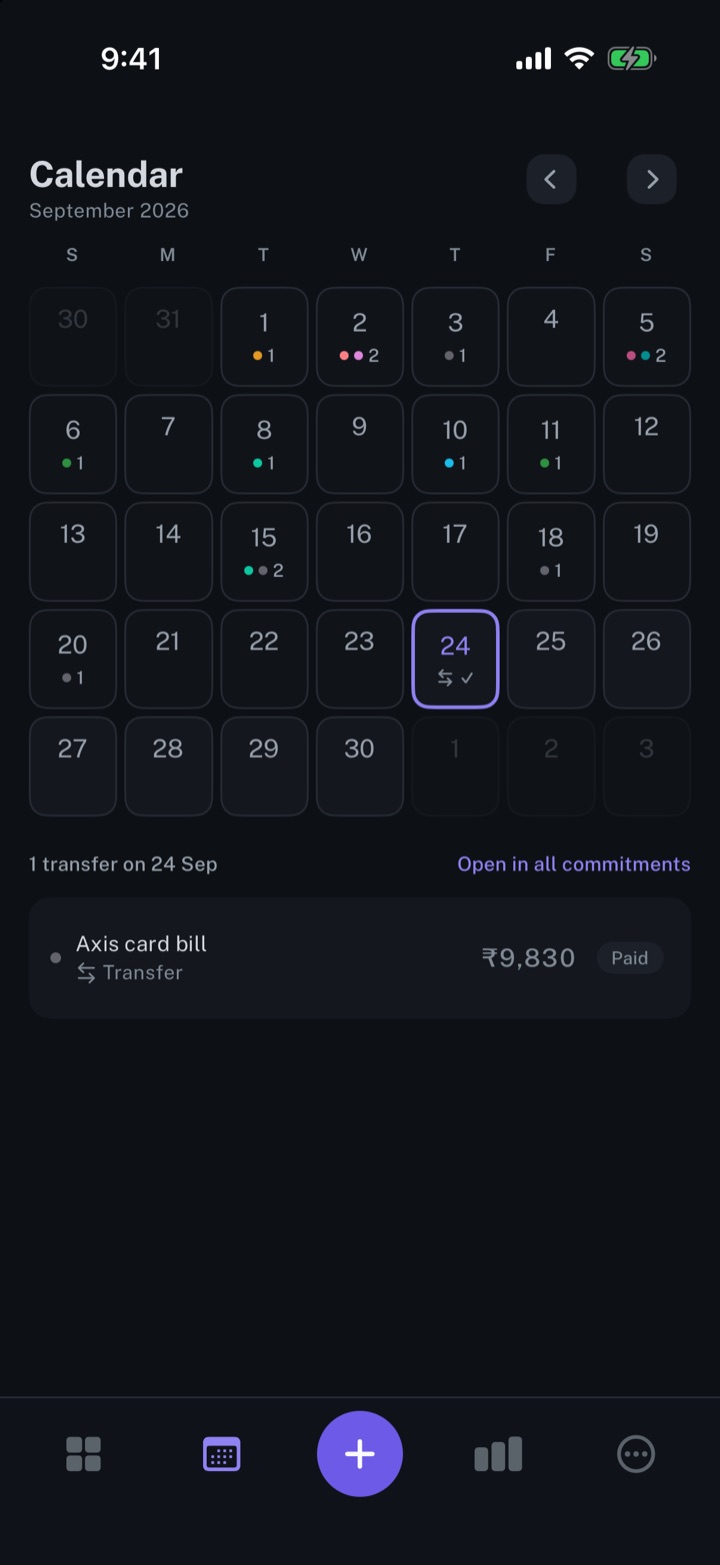
Every payment on its day
Each day shows how many payments fall on it, with up to three dots in the colours of their categories. A transfer, such as a card bill, carries its own mark and stays out of the count.
Twelve months either way
The calendar steps a month at a time, twelve months back and twelve ahead, with the arrows or a sideways swipe. Today returns to the current month, and past days are dimmed.
The day in detail
A tap on a day lists its payments and transfers with their amounts. From today on, each has Mark paid, and a day with everything paid shows a check mark. Open in all commitments opens the full list, narrowed to that day.
Why it exists
Payments are easier to plan around on the days they fall. A month grid shows the busy days and the empty ones together, drawn from the same records as the list and the dashboard.
Questions
Does the calendar show money in?+
No. It shows payments and transfers. Money in, such as salary received, is shown on the dashboard, under the month's total expenses.
Does longbook add payments to Apple Calendar or Google Calendar?+
No. The calendar is drawn inside longbook from your records, and nothing is written to another calendar app.
Does longbook remind me before a payment?+
Yes. The next payment stays in view on the iPhone Home Screen widget and in the Mac menu bar.
Related features
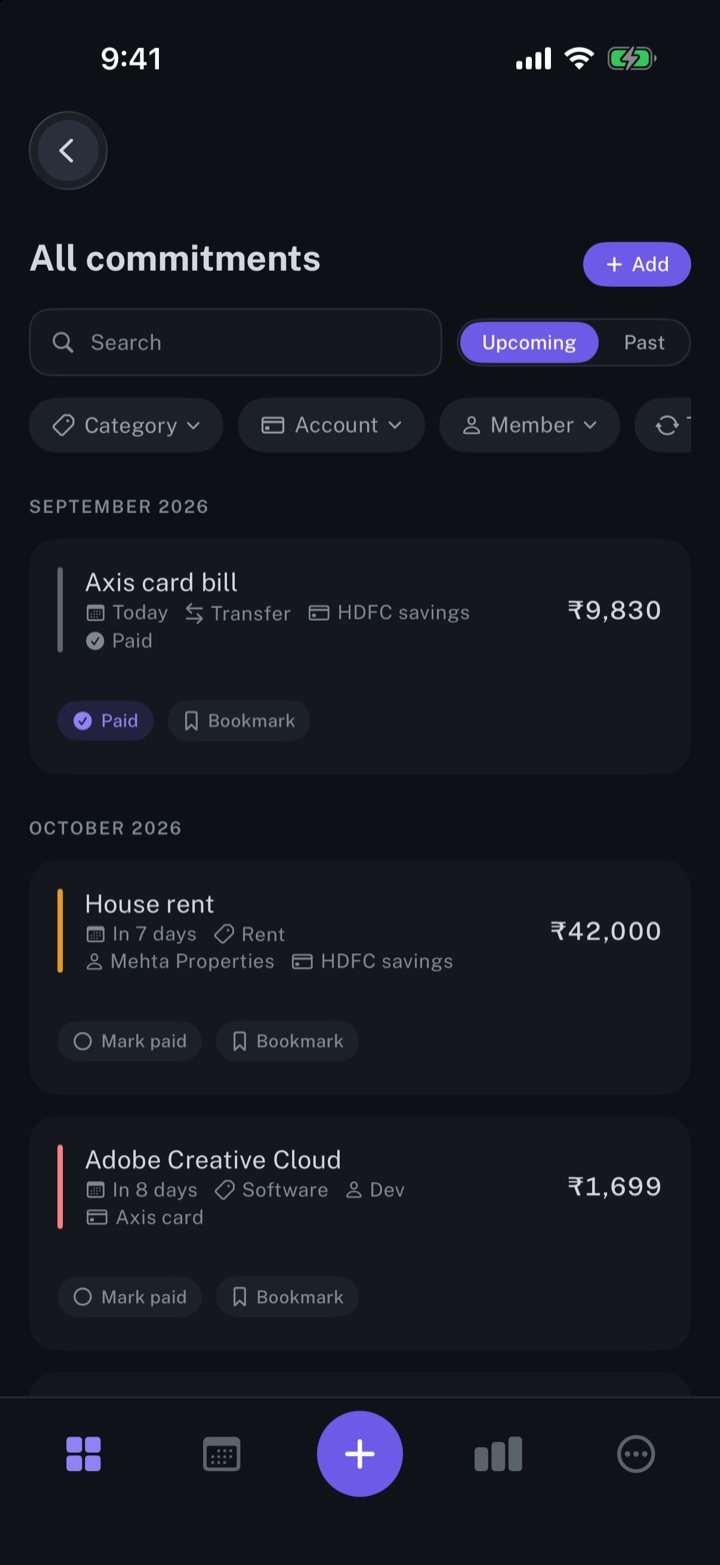
Manage your subscriptions
Every subscription, bill and repayment in one list, with the next charge in view.
iPhone and Mac
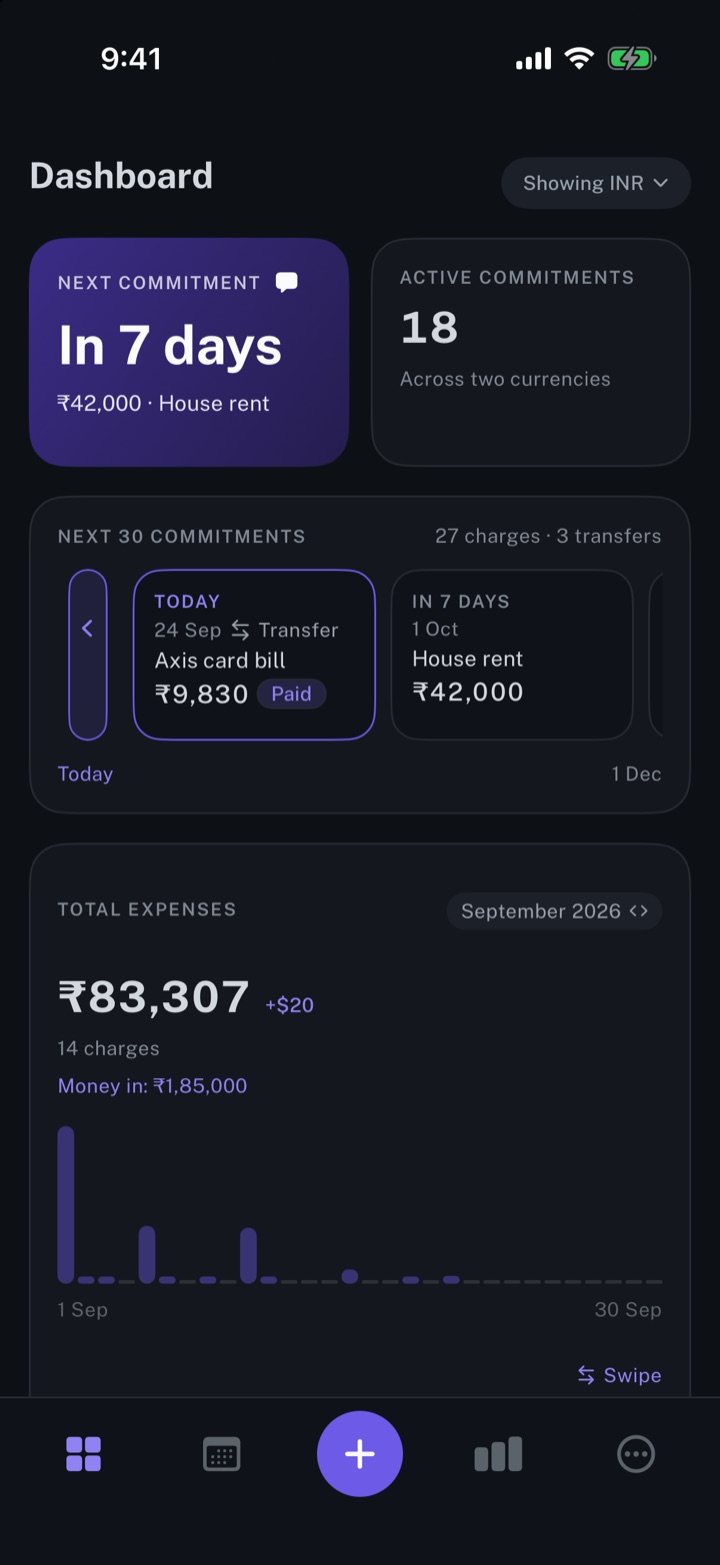
Get spending insights
The next payment, the month's total expenses, and the split by account and by category.
iPhone and Mac
Add the longbook widget to your iPhone
The next payment on your iPhone Home Screen: the day it is due, the amount and what it is for.
iPhone
About longbook
longbook is a memory for your financial commitments: subscriptions, insurance, rent, loans and every other payment that comes back. It runs on iPhone and Mac and keeps its records as plain files in your own iCloud.
The next payment stays in view on the iPhone widget and in the Mac menu bar. Your AI can read your longbook and update it through longbook's MCP server, and every change it makes shows in Changes, to keep or undo.