
Automations & AI
Use your longbook in any AI app on your computer
Want the AI app you already have open all day to know what you owe this month? Run longbook's MCP server on your own computer with one command, and Cursor, VS Code, Claude Code or any other MCP app reads your longbook folder directly. Add it in your AI app and consider it done.
npx -y @longbook/mcp@latest
longbook for Mac
What it does
Works in the AI apps you already use
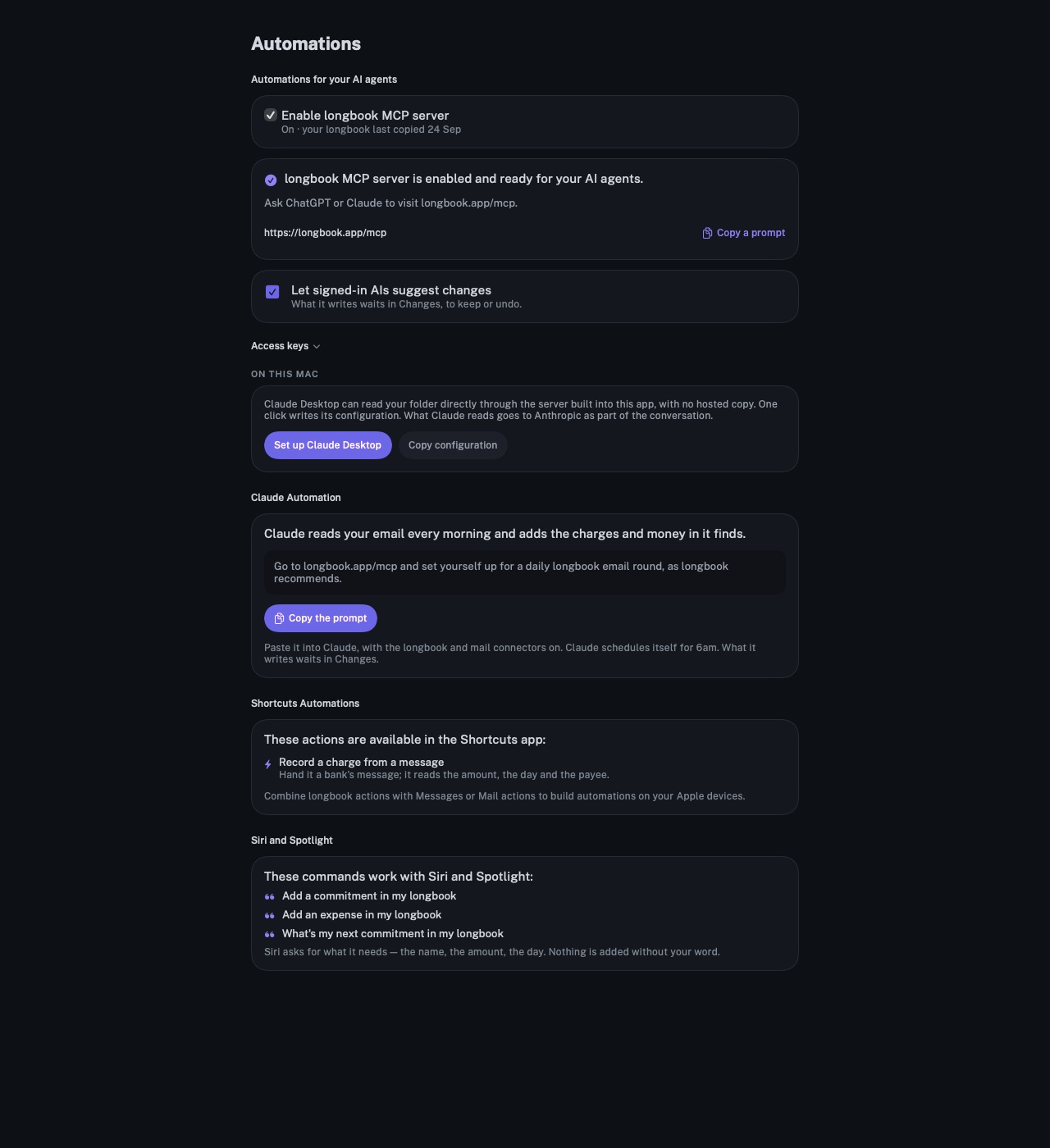
Cursor, VS Code with GitHub Copilot, Claude Code, Claude Desktop, Codex CLI, Gemini CLI and any other app that starts MCP servers take the same line. Each app's settings are on the Automations page.
Free and private
It reads the files in your longbook folder on the computer it runs on. Nothing goes to longbook's server: there is no hosted copy, no account to sign in to and no longbook Cloud to pay for, and it works offline.
The same answers and the same rules
It is the server the Mac app runs. It answers what is due, what renews and what a month cost, reads the statements in your documents folder, and every change it makes waits in Changes with the AI's name on it, to keep or undo.
Any computer that has your folder
On a Mac it finds your longbook in iCloud Drive by itself. On Windows or Linux, point it at the folder with --vault, for example the longbook folder iCloud for Windows keeps in sync.
Why it exists
Want your longbook one question away in the editor, terminal or assistant you already work in, without a copy of it on anyone's server? A server on your own computer reads the files where they are. longbook's folder is plain files you own, so the server that reads it is free and open source, and anyone can check what it does.
Questions
Do I need longbook Cloud?+
No. longbook Cloud is for the hosted connector at longbook.app/mcp, which works from any device, including iPhone and claude.ai. This package works only on the computer it runs on, and is free.
Do I need the longbook app?+
Yes. The server reads a longbook folder, which the longbook app creates, and the app is where you keep or undo each change your AI makes.
Is it free?+
The server is free and open source, and nothing in it checks for a licence, so technically you can use longbook through it for free, forever. longbook is $38 once after a 3-day free trial, and one person makes it. If you are at home in a terminal, please consider buying the licence anyway: it is what keeps longbook getting better. Why we built longbook.
What does my computer need?+
Node.js 18 or later, the same as most MCP servers. npx comes with it, downloads the newest release when your AI app starts the server, and keeps nothing else installed.
How do I add it to my AI app?+
Add a server named longbook with the command npx and the arguments -y and @longbook/mcp@latest, then restart the app. On Windows or Linux, add --vault and your longbook folder's path. The Automations page has the exact settings for each app, and the code is on npm.
Related features
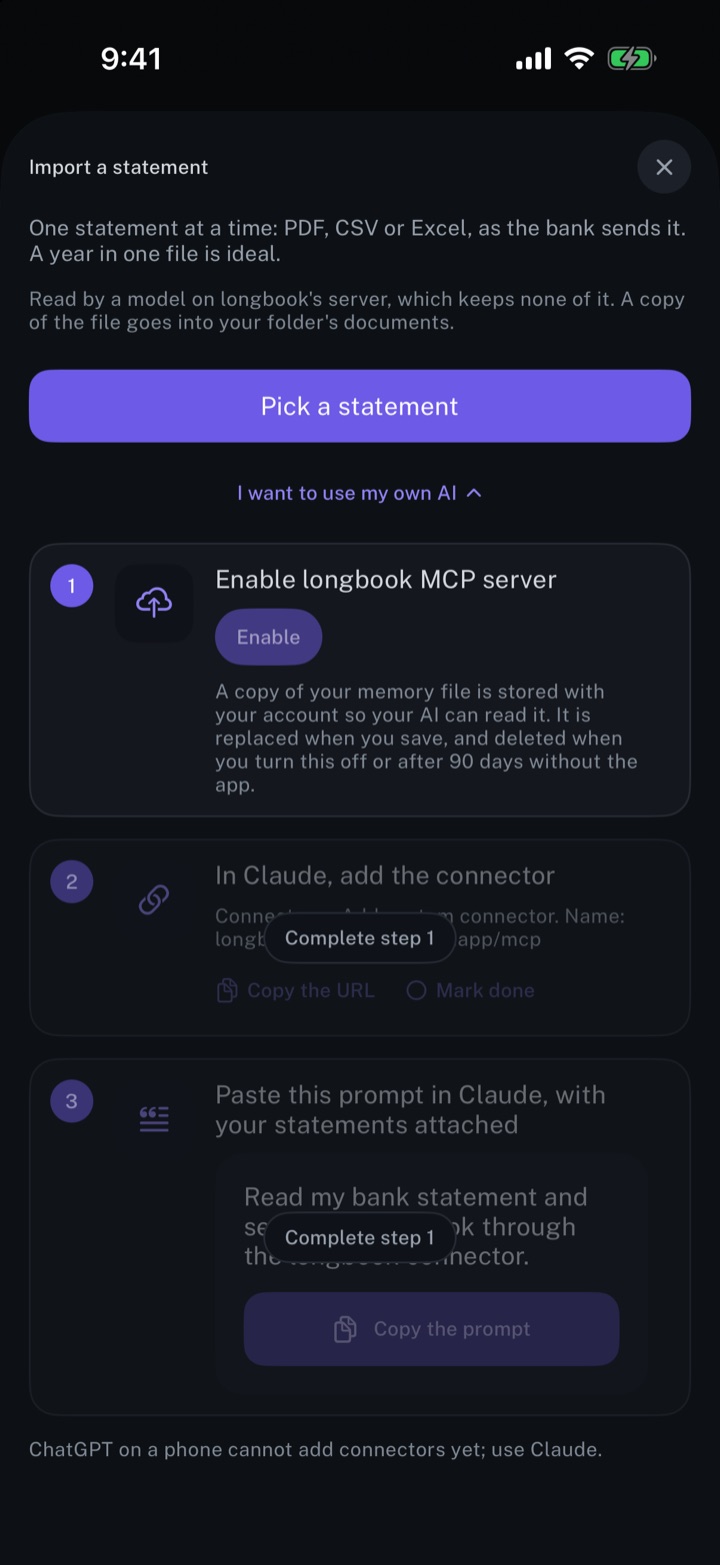
Automate longbook with Claude
Claude reads your longbook and keeps it up to date through longbook's MCP server.
iPhone and Mac
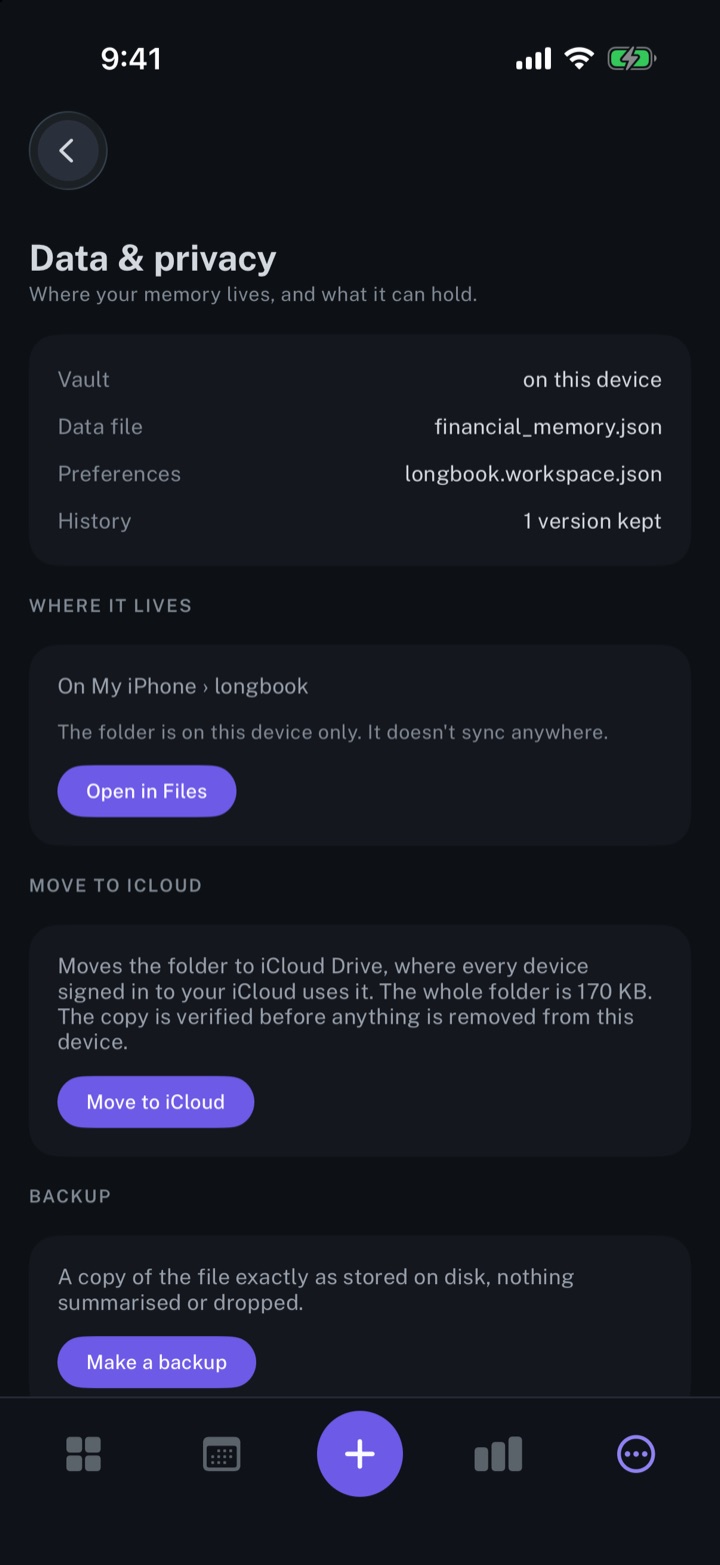
Keep your longbook in your own iCloud
Plain JSON files in a longbook folder in your own iCloud Drive, synced by Apple to your iPhone and Mac.
iPhone and Mac
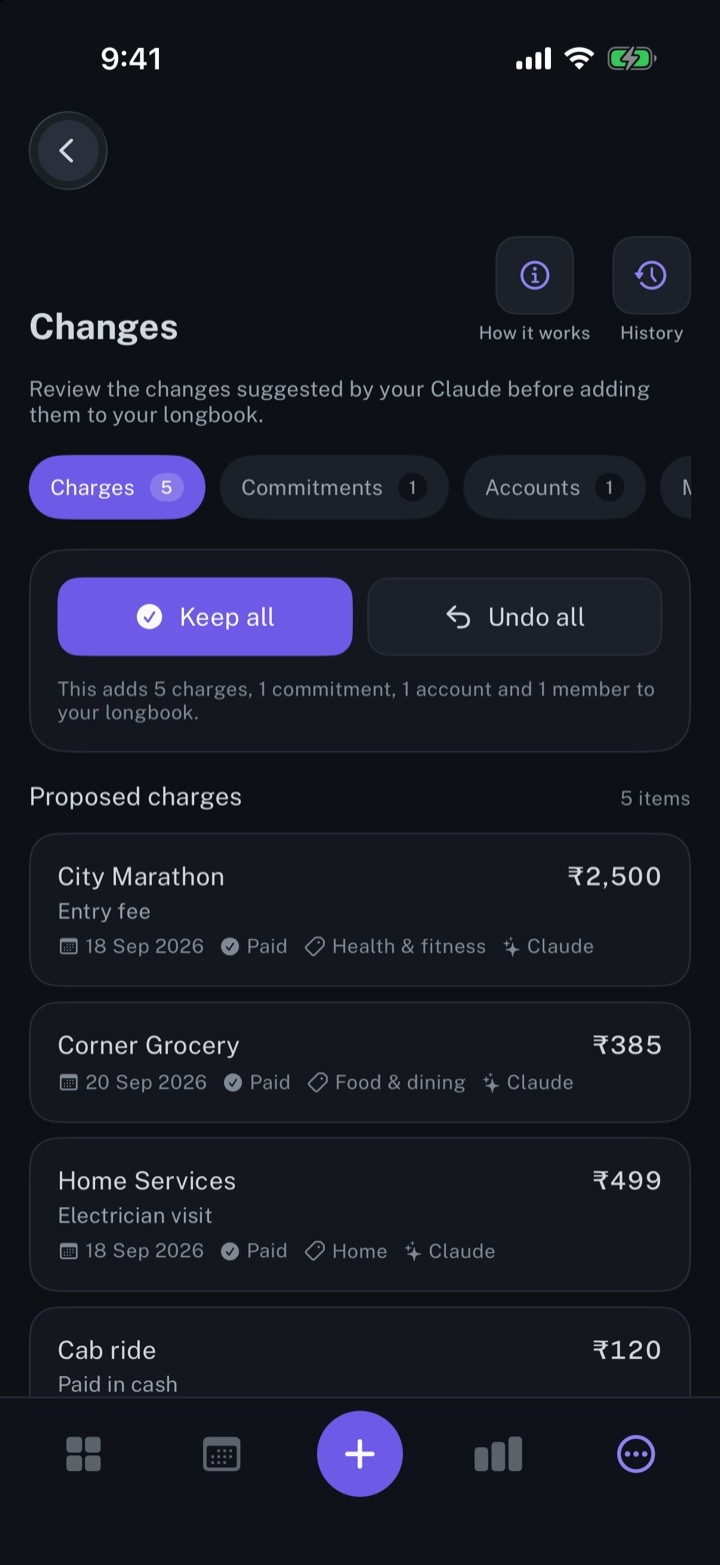
Review every change your AI makes
Every row your AI, Siri or an import writes shows in Changes, to keep, edit or undo.
iPhone and Mac
About longbook
longbook is a memory for your financial commitments: subscriptions, insurance, rent, loans and every other payment that comes back. It runs on iPhone and Mac and keeps its records as plain files in your own iCloud.
The next payment stays in view on the iPhone widget and in the Mac menu bar. Your AI can read your longbook and update it through longbook's MCP server, and every change it makes shows in Changes, to keep or undo.