
Import
Import your bank statements
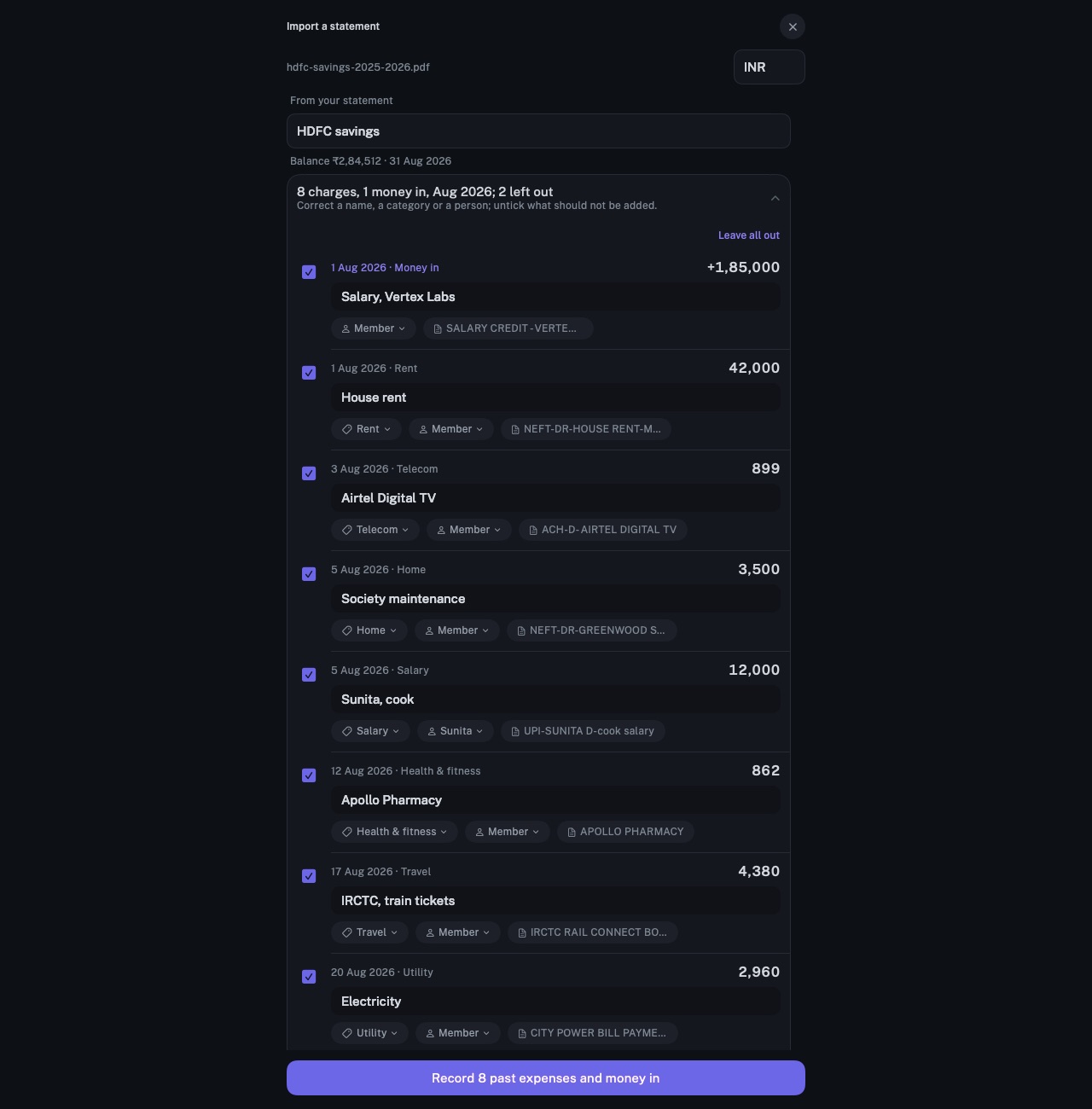
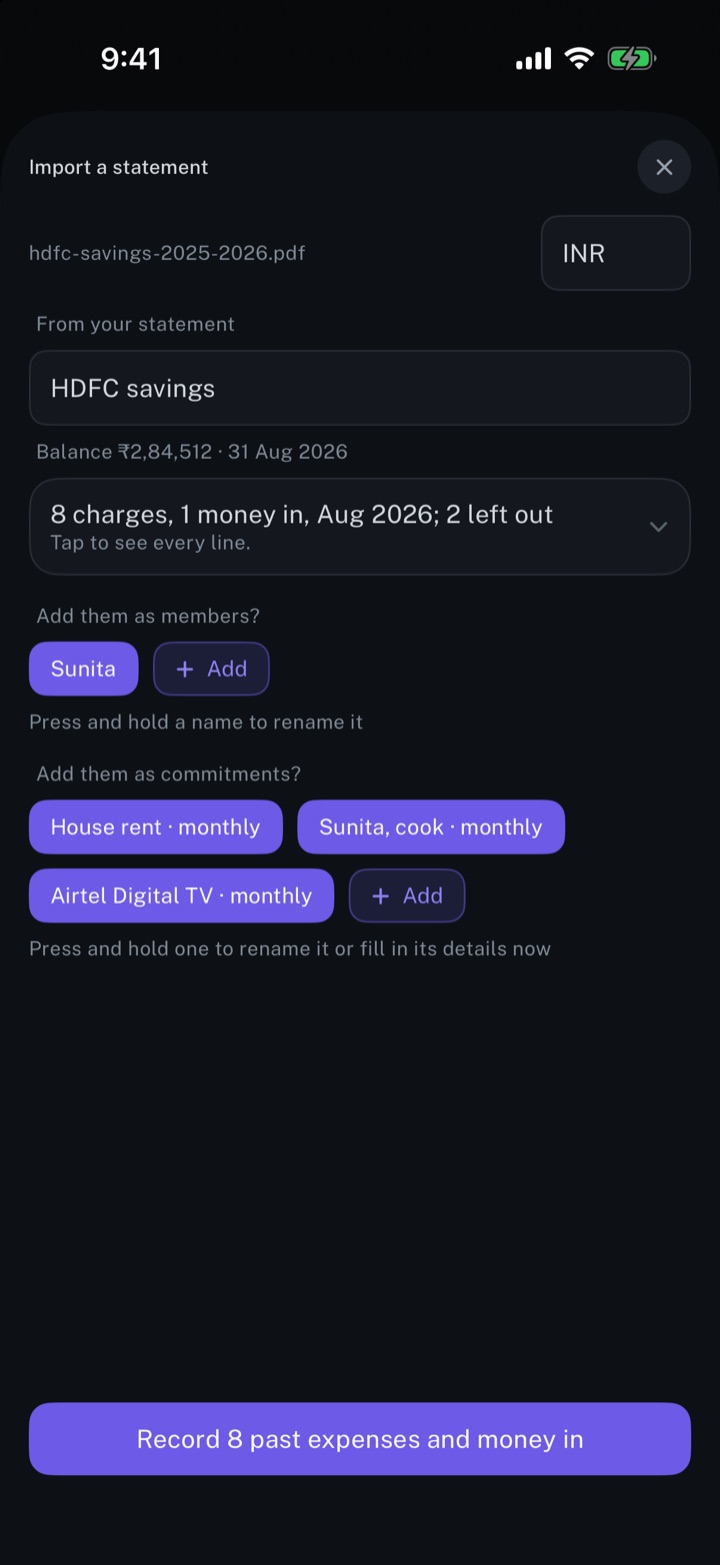
A bank or card statement read into charges. Repeating payments and people in it are offered as commitments and members, and nothing is recorded before the review.
longbook for iPhone and Mac
What it does
PDF, CSV and Excel
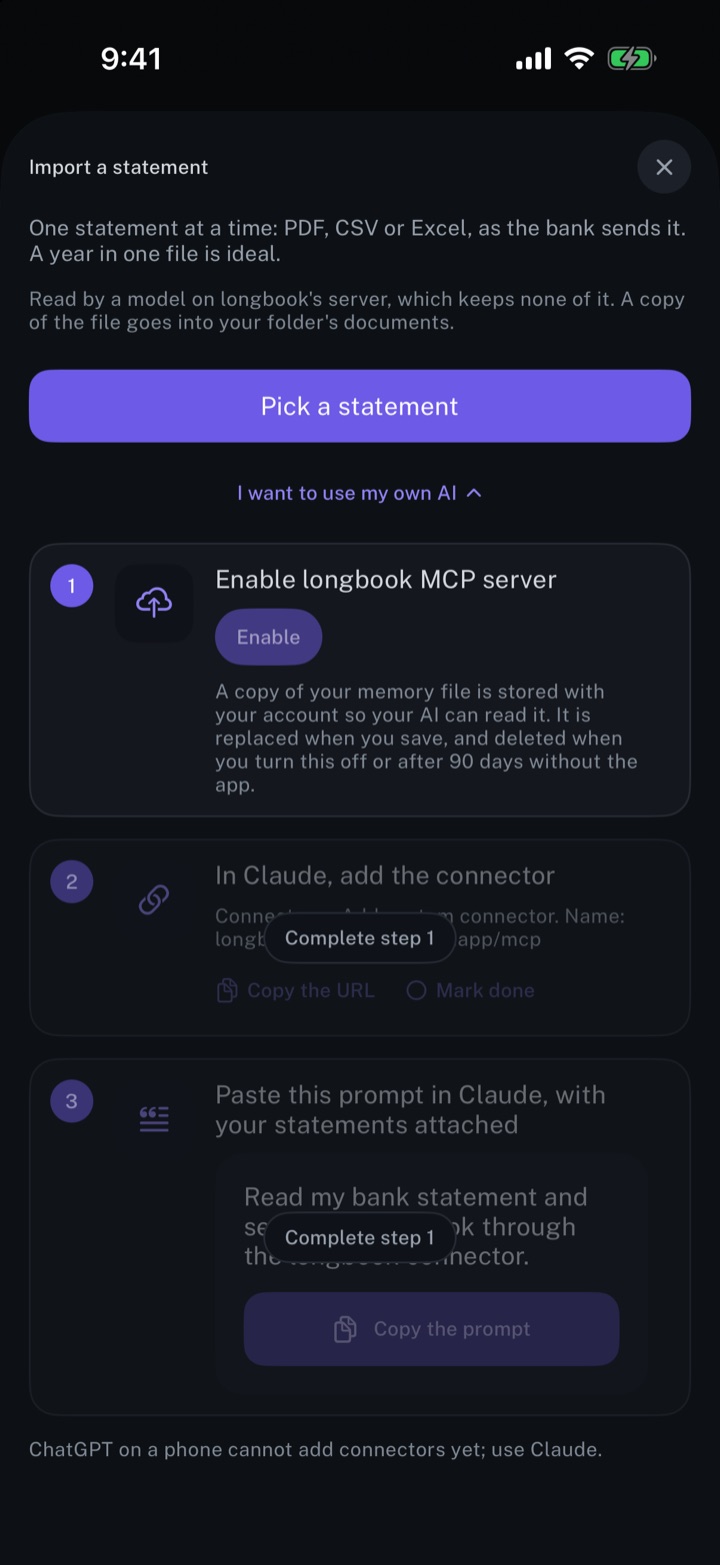
Pick a statement takes one file at a time, as the bank sends it: PDF, CSV, plain text or Excel. A locked PDF opens with its password on the device, and the password is not kept. A copy of the file goes into your longbook's documents folder.
Every line, reviewed
Each line comes back with a name, date, amount and category, and money in is marked as money in. Transfers between your own accounts and card bill payments start unticked, and a line an earlier statement already recorded is left out. A name, a category or a person can be corrected and any line unticked, or Keep all and Leave all out answer every line at once.
Commitments and members
Payments that repeat are offered as commitments to fill in, and the people a statement pays as members. A line that belongs to a recurring commitment longbook already holds is recorded as that commitment's charge. What is recorded shows in Changes, and each month the statement fills gets a monthly report.
Why it exists
A year of bank statements already holds the rent, the subscriptions, the premiums and the salaries paid to people. Reading them fills longbook with that year's charges, and names the payments that repeat as commitments to fill in.
Questions
Where does the statement go?+
To longbook's server, a few pages or rows at a time, and from there to an OpenAI model that reads it. The server keeps neither the statement nor the charges. Reading a statement needs a signed-in longbook account.
Can my own AI read the statement instead?+
Yes. I want to use my own AI gives a prompt for Claude or another AI, which reads the statement and writes into longbook; what it writes waits in Changes. The same route opens when the monthly limit for reading on longbook's server is reached.
Does longbook connect to my bank?+
No. The statement is a file downloaded from the bank and picked in longbook. Nothing is read from a bank account directly.
Related features
Create monthly expense reports
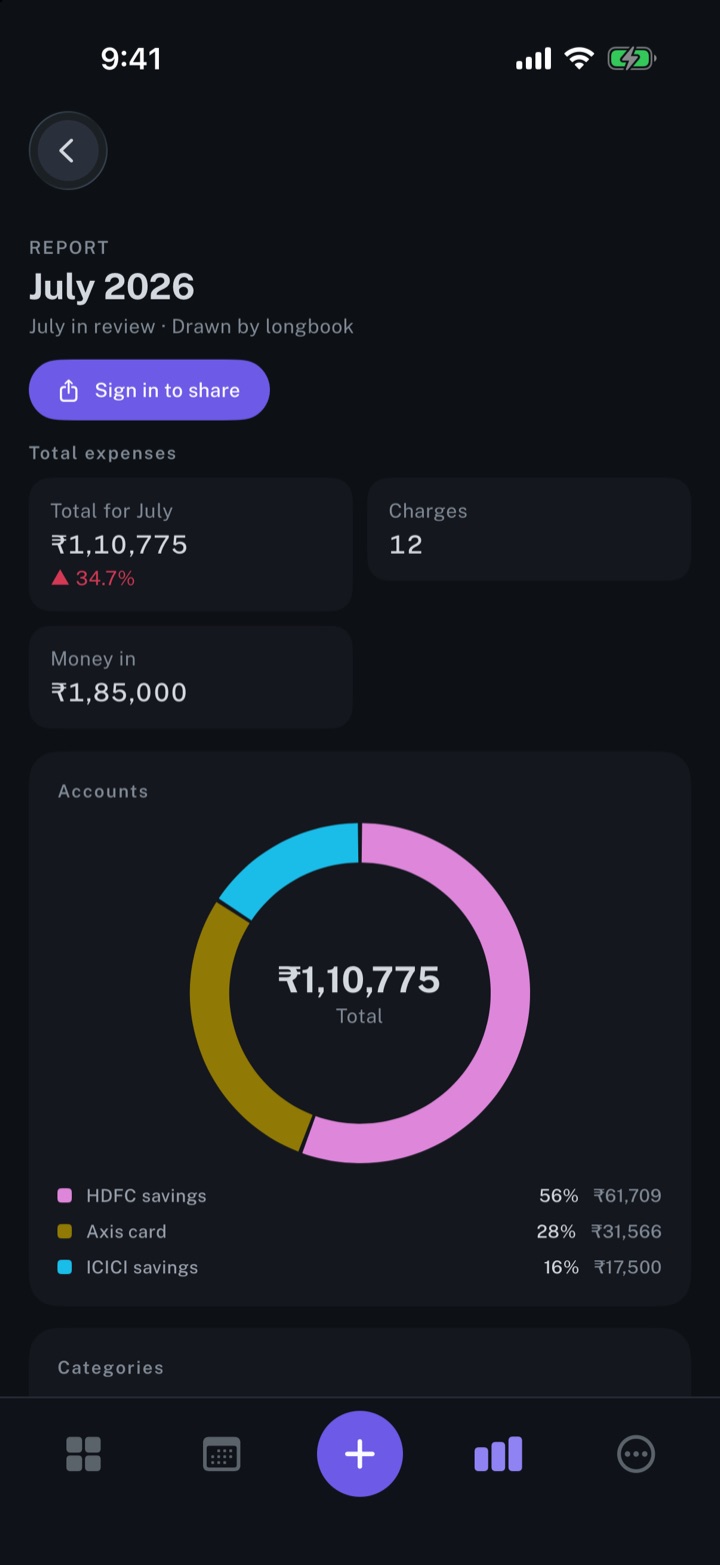
A report for every month with a confirmed charge: the total, accounts, categories and every charge.
iPhone and Mac
Manage your expenses
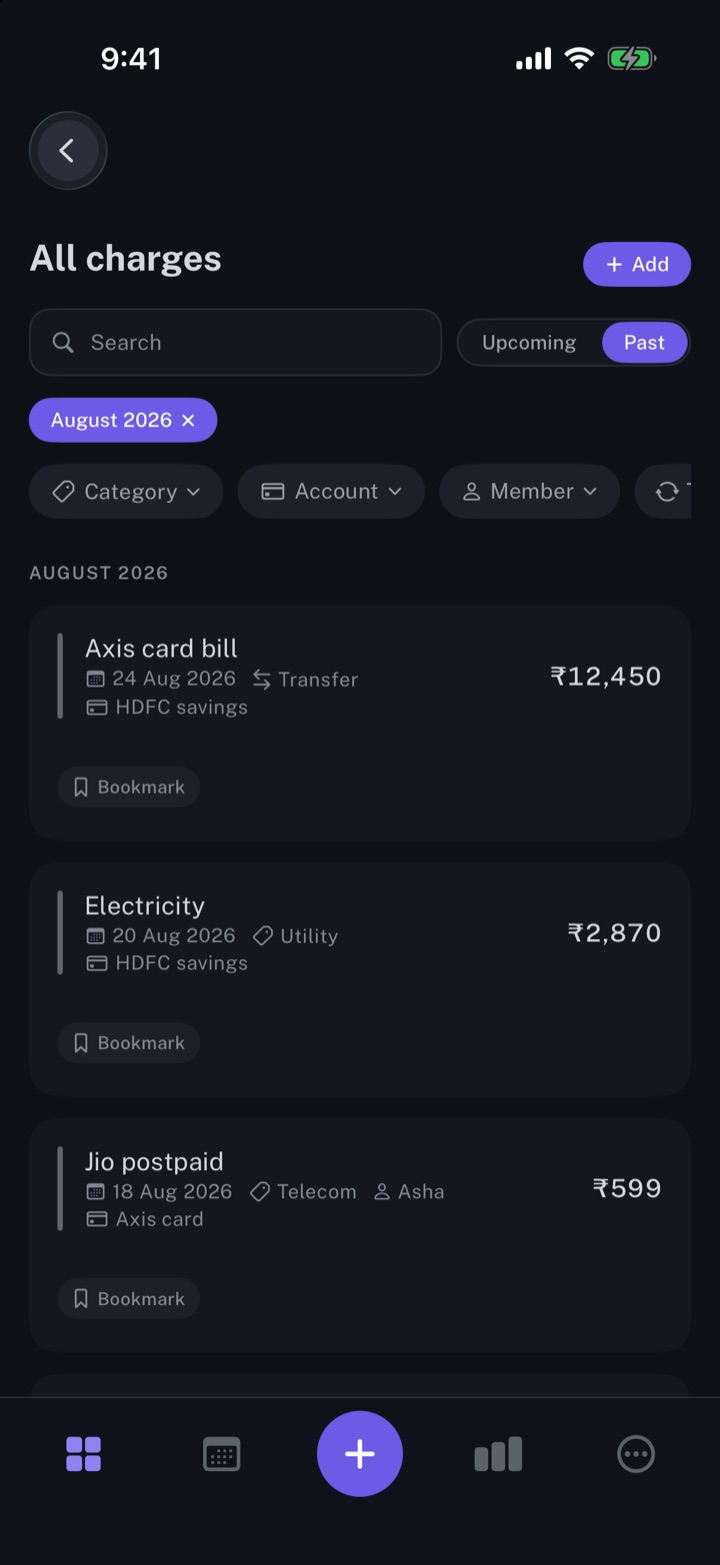
Every charge in one list, one-time or recurring, with its date, category and account.
iPhone and Mac
Automate longbook with Claude
Claude reads your longbook and keeps it up to date through longbook's MCP server.
iPhone and Mac
About longbook
longbook is a memory for your financial commitments: subscriptions, insurance, rent, loans and every other payment that comes back. It runs on iPhone and Mac and keeps its records as plain files in your own iCloud.
The next payment stays in view on the iPhone widget and in the Mac menu bar. Your AI can read your longbook and update it through longbook's MCP server, and every change it makes shows in Changes, to keep or undo.