
Automations & AI
Review every change your AI makes
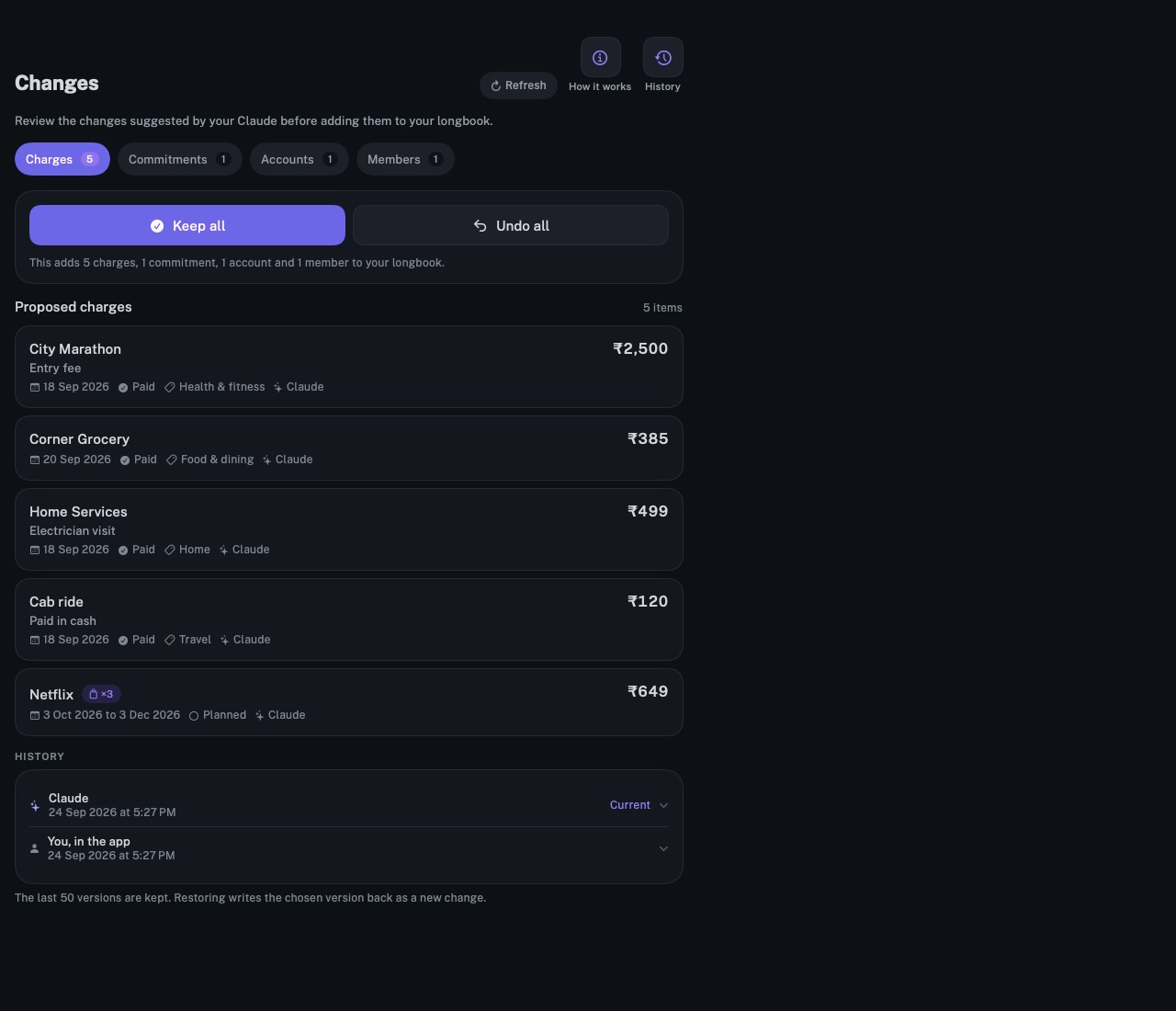
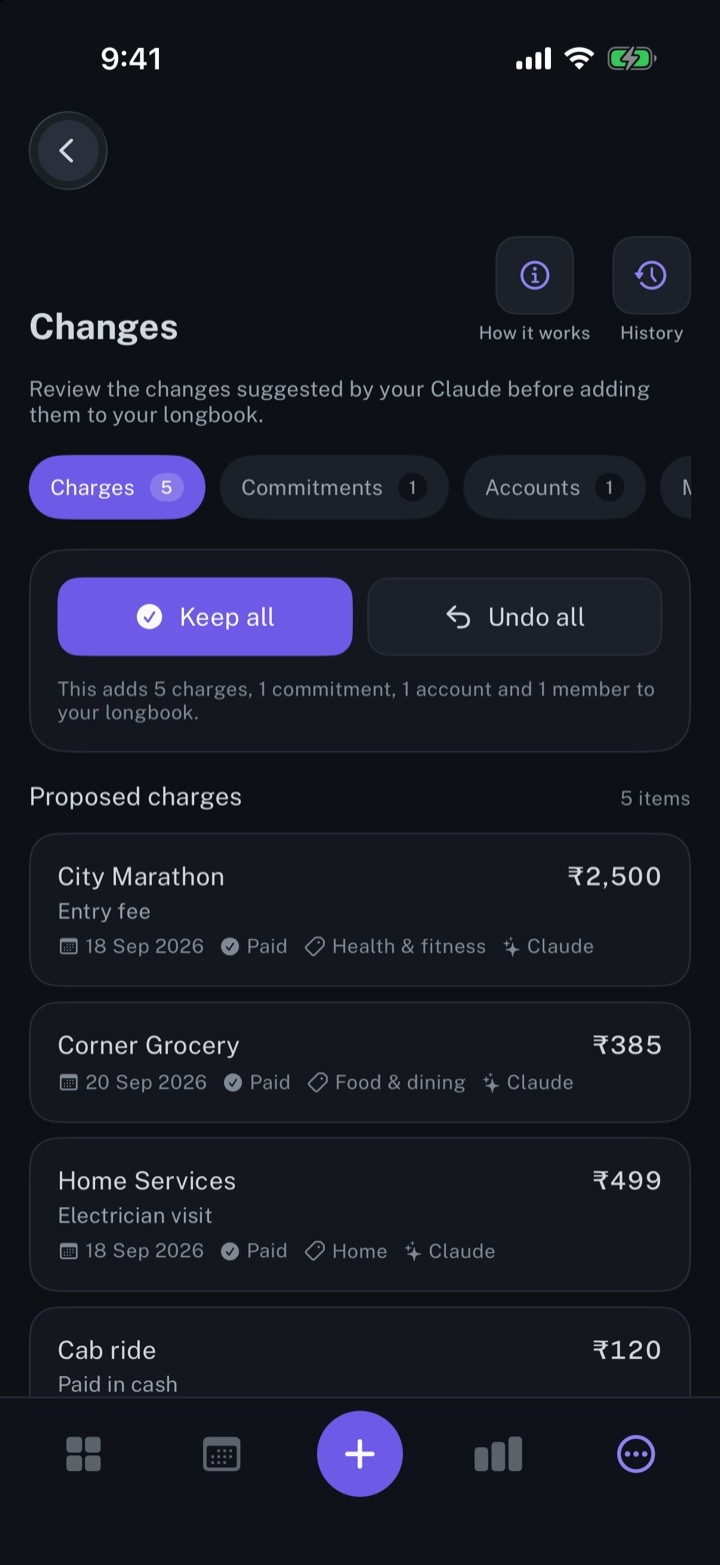
Every row an AI, Siri or a statement import writes into longbook shows in Changes, with the name of its writer, to keep or undo.
longbook for iPhone and Mac
What it does
Each row with its writer
Each proposed row sits in a tab for its kind: charges, commitments, accounts, members or categories. Rows carry their writer's name, such as Claude, Siri or statement import, and a changed row shows each field before and after.
One answer for the whole change
Keep all accepts the change as it stands; Undo all writes back the state from before it. Before that, an added commitment, charge, account or member can be edited or deleted, and a changed one edited, while the rest waits.
Every version, kept
History holds the last 50 versions of your longbook, each with its writer, its time and what it changed. Restore writes an earlier version back as one more change, and deletes nothing.
Why it exists
An AI reading statements and email can misread a line. Changes shows every row that an AI, Siri, a statement import or another program writes, names who wrote it, and keeps it reversible. An AI can keep longbook current while every row it writes stays yours to keep or undo.
Questions
Does a change wait until I keep it?+
No. A change is already in your longbook folder when Changes shows it, and the rest of the app counts it. Keep all confirms it; Undo all writes back the state from before it, including anything edited since.
What counts as a change?+
A write to your commitments, charges, accounts, members or categories from an AI through the MCP server, Siri, the Shortcuts action, a statement import, or another program editing the file. Edits made in the app's own forms do not wait for review. Notes your AI leaves on cards are kept in a separate file and do not show here.
Can one row be kept and another undone?+
No. Keep all and Undo all answer the whole change. An added row can be deleted first, and a changed row edited back by hand; the rest stays to keep or undo.
Related features
Automate longbook with Claude
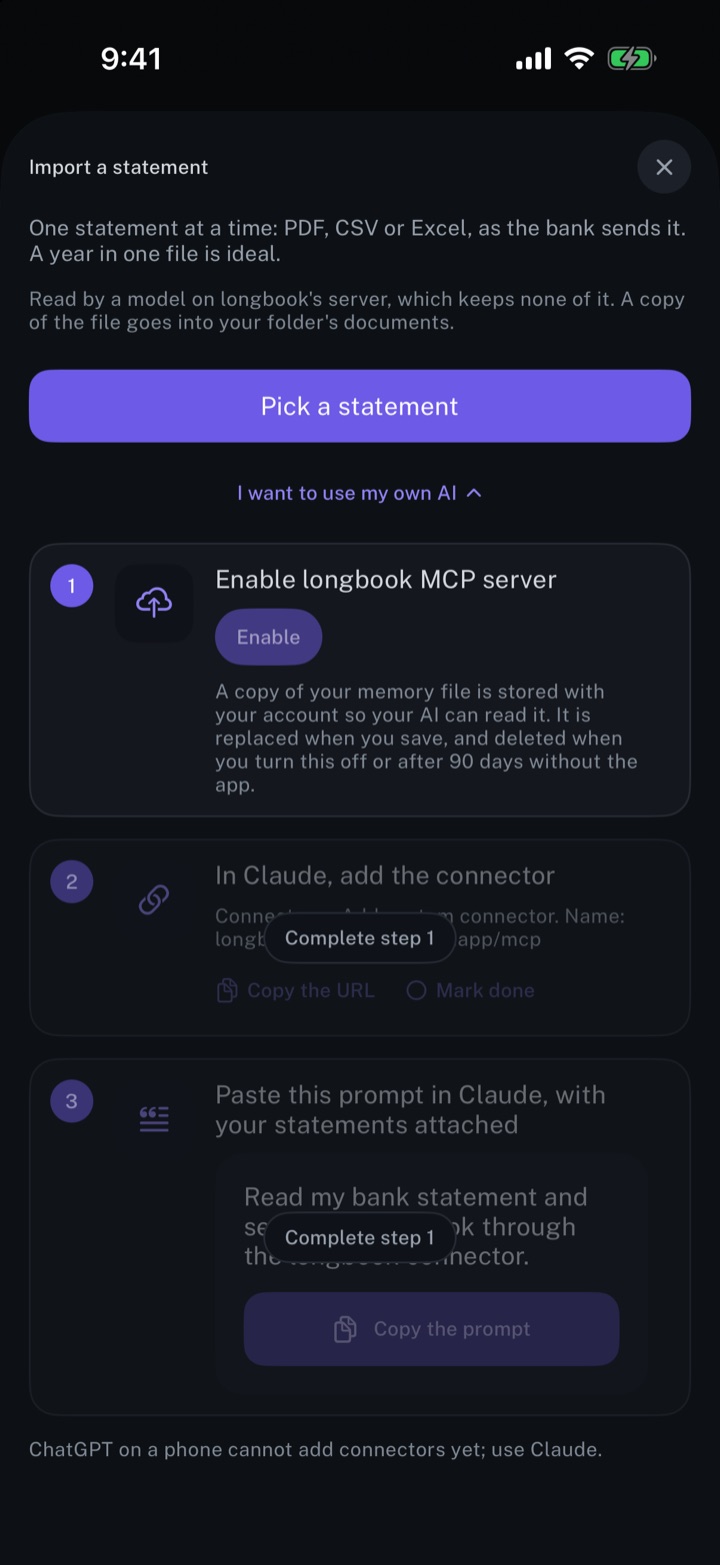
Claude reads your longbook and keeps it up to date through longbook's MCP server.
iPhone and Mac
Log expenses from Gmail
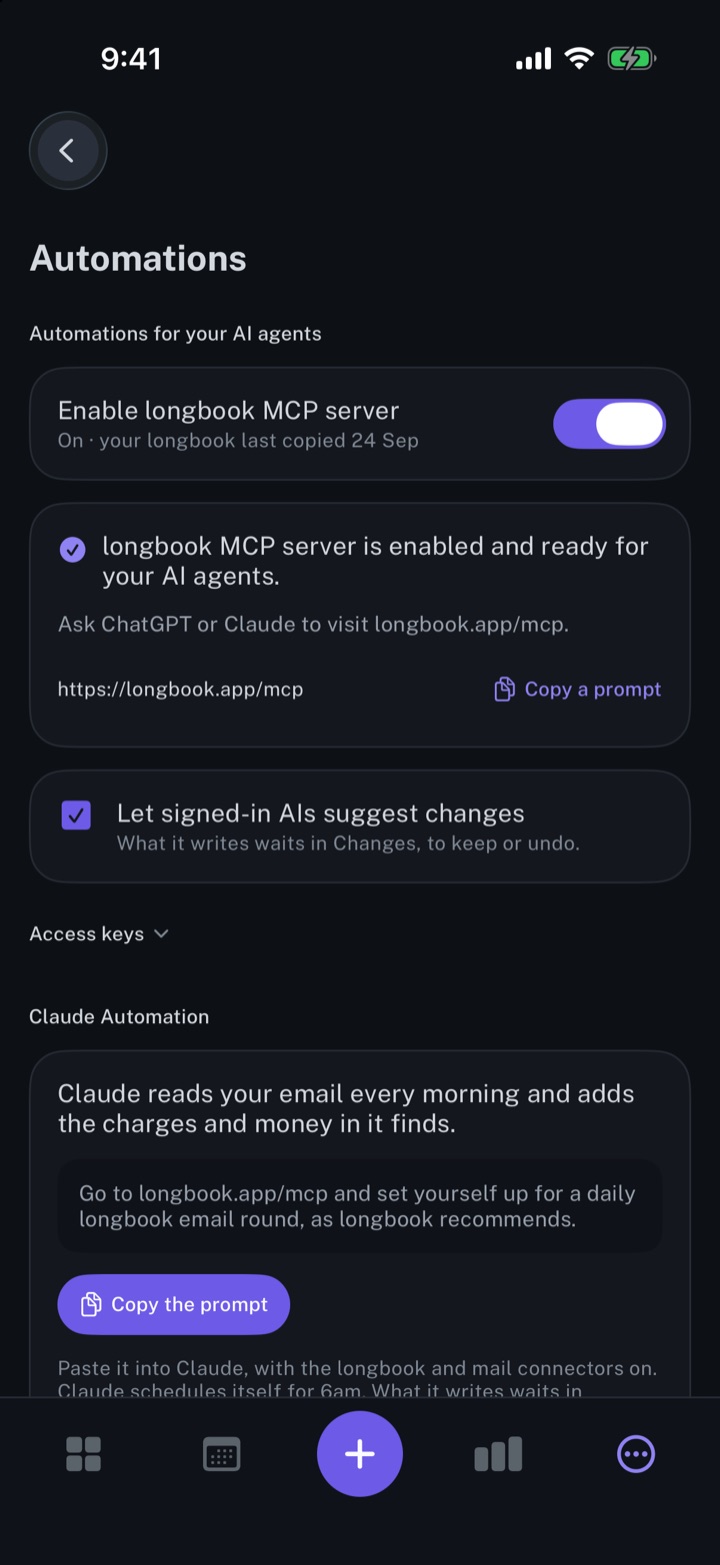
Claude reads your email every morning and records the charges it finds, each one waiting in Changes.
iPhone and Mac
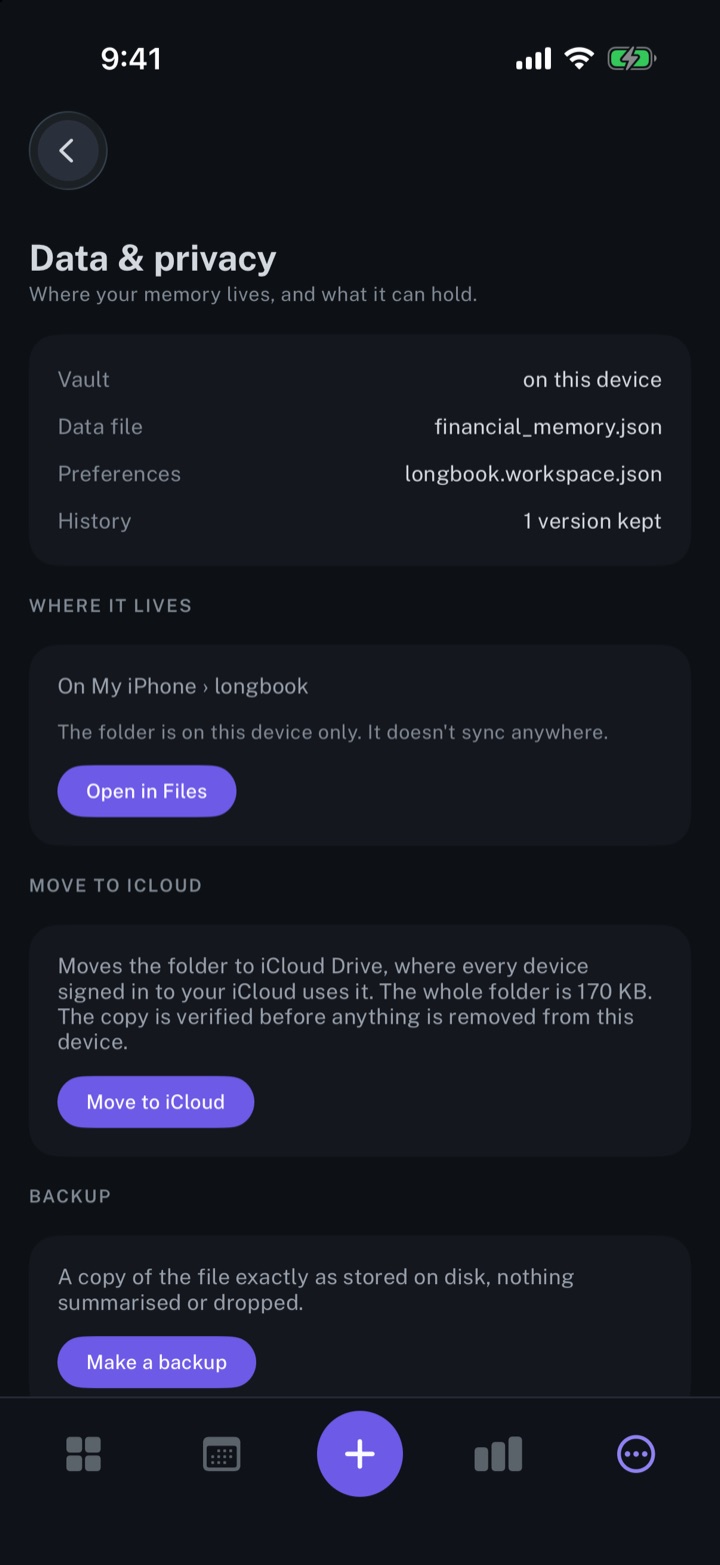
Keep your longbook in your own iCloud
Plain JSON files in a longbook folder in your own iCloud Drive, synced by Apple to your iPhone and Mac.
iPhone and Mac
About longbook
longbook is a memory for your financial commitments: subscriptions, insurance, rent, loans and every other payment that comes back. It runs on iPhone and Mac and keeps its records as plain files in your own iCloud.
The next payment stays in view on the iPhone widget and in the Mac menu bar. Your AI can read your longbook and update it through longbook's MCP server, and every change it makes shows in Changes, to keep or undo.