
Track
Bookmark your favourite subscriptions
A bookmark saves a commitment to one short list, kept apart from your records, so the commitments you check most stay together.
longbook for iPhone and Mac
What it does
Any commitment
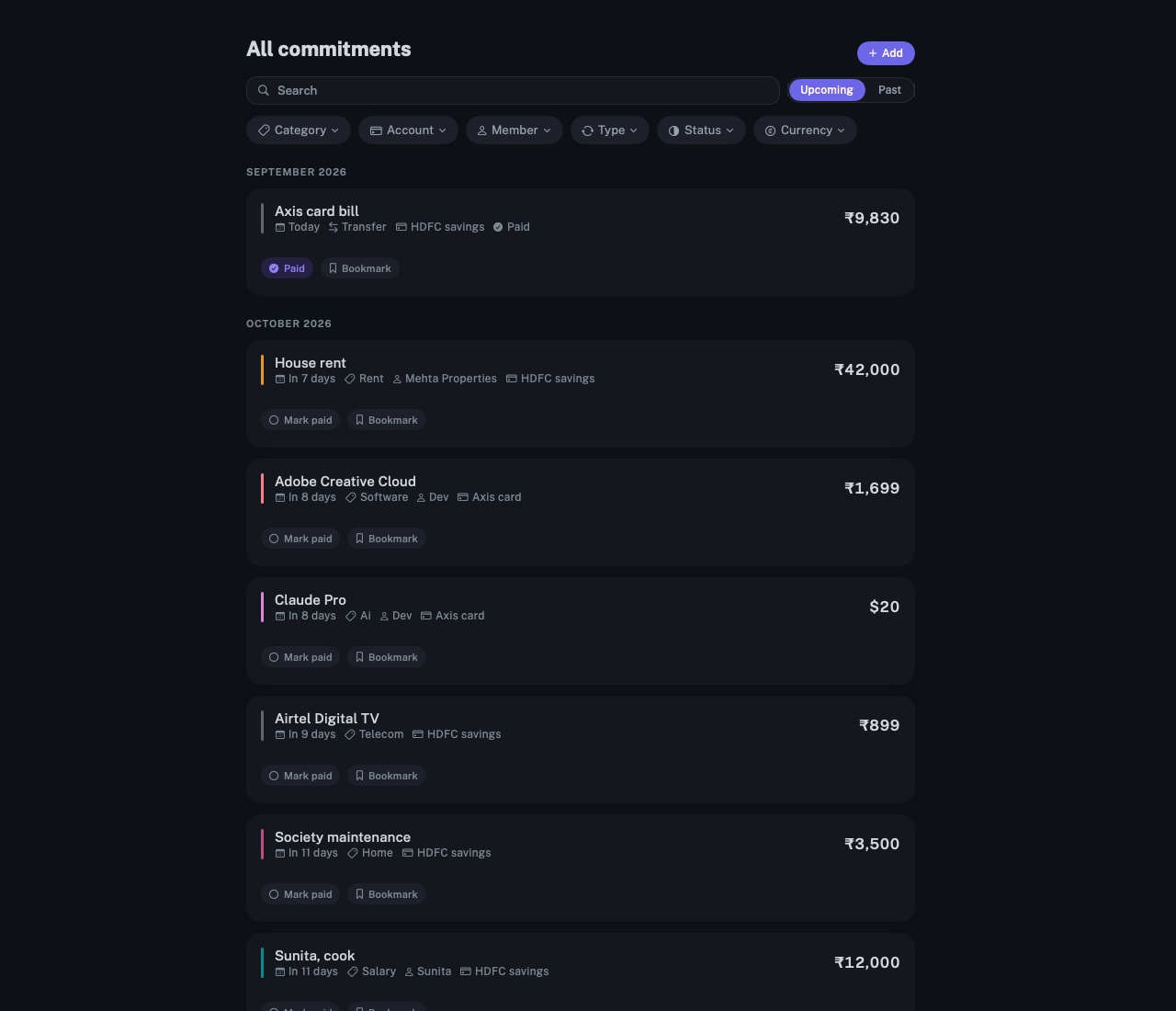
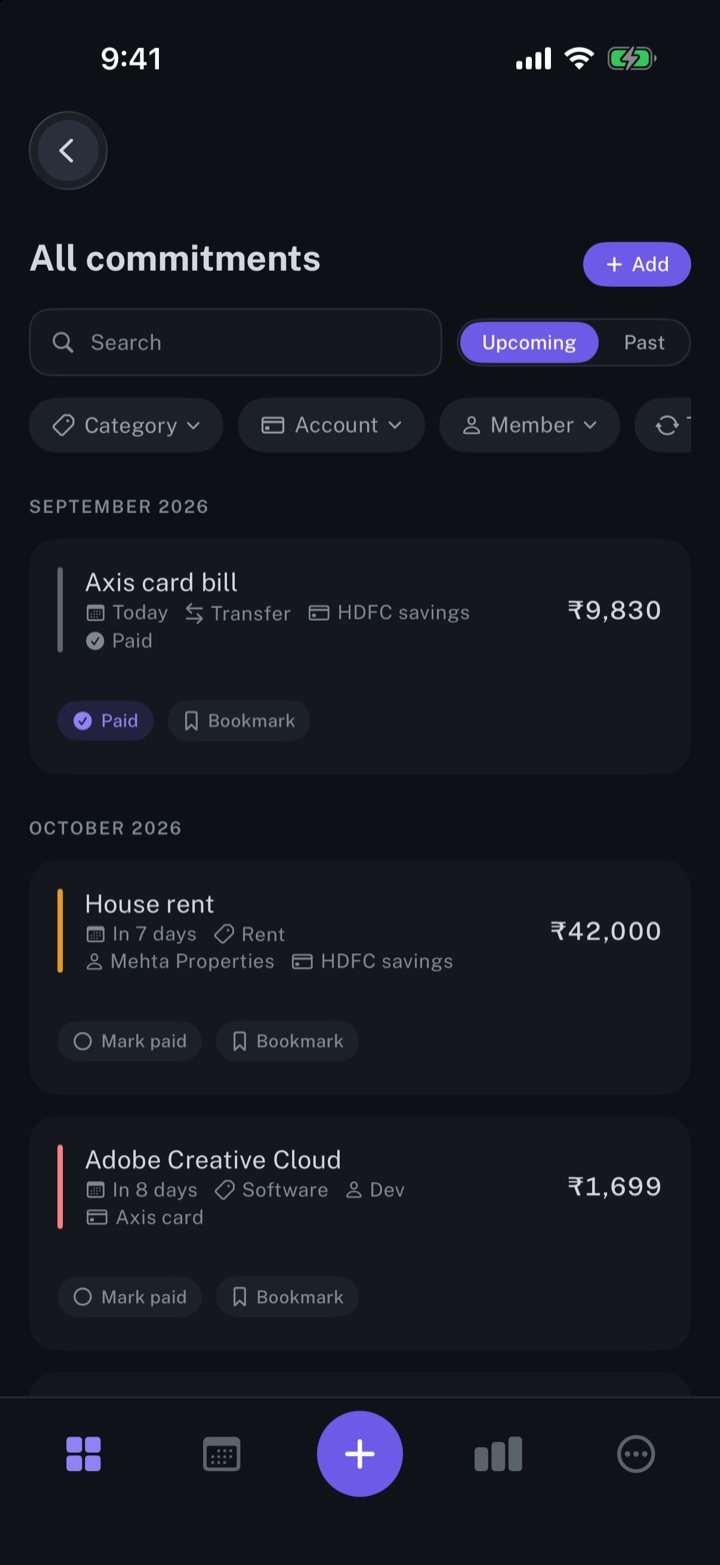
Every commitment under Upcoming carries a Bookmark button. Once pressed, it reads Bookmarked; a second press removes the bookmark.
One list
Bookmarks opens the saved commitments as one list: from More on iPhone, and from the bookmark icon at the foot of the sidebar on Mac. Upcoming shows their charges ahead; Past shows the charges made.
A filter like the others
Once a commitment is saved, a Bookmarked filter appears in All commitments. It narrows the list to saved commitments and combines with the category, account, member, type, status and currency filters.
Why it exists
A longbook can hold dozens of commitments, and a few are checked more often than the rest: the rent, a card bill, an insurance renewal. A bookmark keeps those together without changing how anything is counted.
Questions
Does a bookmark change a commitment?+
No. Bookmarks are a display preference, saved in a separate file in the longbook folder, not in your records. Totals, reports and the widget stay the same, and an AI that edits your records leaves bookmarks in place.
Do bookmarks show on both iPhone and Mac?+
Yes, when both open the same longbook folder. The bookmarks file is saved in that folder, beside the records.
Can my AI see my bookmarks?+
No. Claude and other assistants read your commitments through longbook's MCP server, and bookmarks are not part of what it serves. More on Automate longbook with Claude.
Related features
Manage your subscriptions
Every subscription, bill and repayment in one list, with the next charge in view.
iPhone and Mac
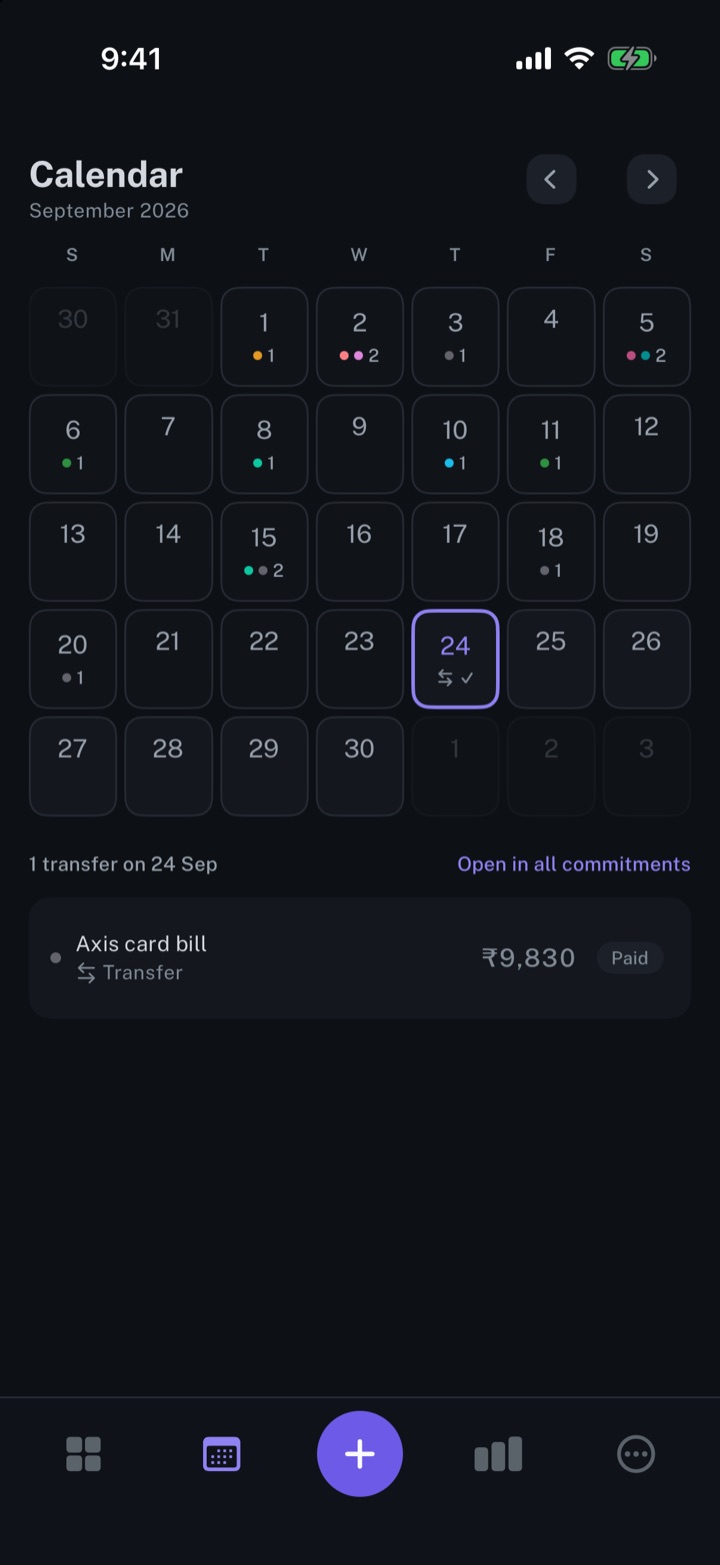
Calendar view of your expenses
Every payment on its day, twelve months back and twelve months ahead.
iPhone and Mac
Add the longbook widget to your iPhone
The next payment on your iPhone Home Screen: the day it is due, the amount and what it is for.
iPhone
About longbook
longbook is a memory for your financial commitments: subscriptions, insurance, rent, loans and every other payment that comes back. It runs on iPhone and Mac and keeps its records as plain files in your own iCloud.
The next payment stays in view on the iPhone widget and in the Mac menu bar. Your AI can read your longbook and update it through longbook's MCP server, and every change it makes shows in Changes, to keep or undo.